


My home office has seen some serious hardware over the years. My 55-inch Samsung Frame TV I use as a monitor, a pair of M4 and M2 Mac minis, dual Samsung M8 monitors on articulating arms—none of it was cheap. But the purchases that changed how my desk actually feels to use day to day weren't any of those, like cable clips for eight bucks and USB-C cables I put off buying for months. It was small stuff I kept skipping over because nothing about it felt urgent. Small friction doesn't announce itself—it just shows up every day until you fix it.
Adhesive cable clips turned my desk chaos into a real system
Map the lanes before you stick anything down
The cable situation under my desk was genuinely embarrassing. Zip ties helped some, but they forced me to cut and re-tie every time I changed anything. I eventually picked up a 50-pack of adhesive cable management clips for about $9, and more than the clips themselves, the approach they forced changed everything.
The key is committing to three distinct lanes before sticking anything down. I settled on three zones: power cords anchored at the back since they rarely need touching, data cables cutting through the middle, and anything I charge regularly staying near the front where I can grab it without crawling. Once I had that cable routing logic mapped out, the placement became obvious. Where cords converge at the power strip, I added a couple of screwed-in clips rather than relying on adhesive alone—that junction takes more stress than anywhere else. The adhesive holds on wood, metal, and most painted surfaces without issue everywhere else. Swapping a cable now takes seconds instead of a full search operation.

You don't need multiple monitors — this is what you need
I use this instead of multiple monitors, and I'm much more productive.
A $12 cable swap fixed transfers I blamed on my Mac
The cable bundled in the box is almost never the fast one

Copying 4K footage from my iPhone 16 Pro Max to my M4 Mac mini was crawling. I cycled through the usual suspects—checked macOS, restarted the phone, and I wondered if something was wrong with the port. Everything checked out. I opened System Information on the Mac (hold Option while clicking the Apple menu, then look under the USB section in the sidebar) and checked the Speed field for the connected phone. 480Mbps. My iPhone 16 Pro Max can push 10Gbps over USB 3—the Apple-supplied cable just doesn't let it. I'd been using that box cable for months without a second thought.
I picked up a 10Gbps-rated USB-C cable for under $15, I plugged it in, and ran the same transfer. It was done in seconds. I'd spent real time convinced something was wrong with the hardware. It was a cable.
Dropping AirPods for calls was the upgrade I kept delaying
Bluetooth on a fixed desk introduces problems a wire never has
My AirPods Pro are genuinely impressive hardware. The noise cancellation alone is worth the price. On work calls, though, they were a consistent liability. Mid-presentation on Zoom, they'd jump to my iPhone the moment a notification hit—no warning, no prompt. My mic just disappeared. I started preemptively muting myself and un-muting constantly just to stay in control of the call.
I stopped reaching for AirPods at my desk and switched to the built-in speakers on my Samsung M8 monitors instead. Voice clarity on calls is fine. More to the point, they can't lose their connection because they don't have one to manage—the Mac just outputs to them by default. For the mic side, I already had a Blue Yeti on my desk. If you're starting from scratch, basic USB condenser mics run under $30 and solve the same audio and mic reliability problem without the wireless overhead.
NFC tags replaced my morning startup routine with one tap
iPhone Shortcuts does the actual work; the tag just pulls the trigger
This one felt gimmicky when I first heard about it. A pack of 50 NFC sticker tags runs about $12, and I stuck one under the front edge of my desk where my phone naturally lands when I sit down. One tap fires an iPhone Shortcut that runs my entire morning sequence: Focus mode on, task list open, Hue lights dialed to work brightness. Three manual steps, gone.
In the Shortcuts app, go to the Automation tab, hit the plus icon, pick NFC as the trigger, scan the tag, give it a name, then chain whatever actions you want. Turn off the confirmation prompt so it runs the moment you tap. With 50 tags in the pack, I scattered several more around the house—one on the nightstand for sleep mode, one in the kitchen for timers. Faster than a voice command, and it doesn't fire accidentally when someone else is talking in the room.
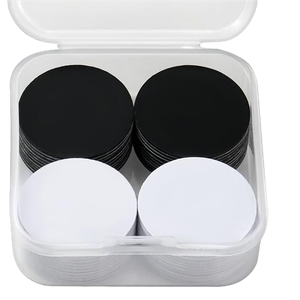
Velcro cable ties handled the vertical drop the clips couldn't reach
Horizontal and vertical runs need different solutions

Once my desk surface looked clean and the underside was organized, one problem remained: the bundle of cables dropping from the desk to the floor and power strip below. Cords dropped at uneven lengths, shifted whenever I moved the chair, and turned into a fresh tangle every week. The adhesive clips solved horizontal routing well. They did nothing for a vertical run.
A pack of reusable Velcro cable ties solves it for under $7. Gather the vertical drop into a single bundle, wrap a few ties around it at regular intervals, and the loose tangle becomes one clean run. Velcro beats zip ties here because you can open and adjust without cutting anything—useful when you add or swap hardware. A JOTO cable sleeve works just as well if you want the bundle fully enclosed rather than tied. Either way, this was the last piece before the cable situation felt genuinely finished rather than just improved.
The low-cost fixes are the ones I should have made first
The Mac mini and the TV were the right calls. Neither one fixed the transfer that crawled every morning, the call that dropped mid-sentence, or the cable I had to fish out by feel. These five upgrades together cost less than $60. Pick the friction point you hit most often and start there. The cable disorganizing situation takes an afternoon. The USB-C swap is just an Amazon order. None of it requires rethinking your whole setup—just actually buying the thing you've been ignoring.