


With the recent release of Android 17, it can be easy to focus on the big changes — like app Bubbles for multitasking and even the new AI features that have arrived in the Gemini app. However, one of the biggest changes to Android comes in the form of a new security update that should help protect your Android smartphone from malware.

Don’t Tap That Notification—This Is How Malware Sneaks Onto Smartphones
Malware isn't just for computers; protect your phone by understanding the biggest threats.
A way to stop bad actors from changing code at the last minute
It’s a bit complicated to explain, but it works

Malware will always be a problem online. But, it feels like it has become even more of a problem across smartphones, especially considering how many malware-ridden apps we’ve seen across the Google Play Store and the Apple App Store over the past few years. Sure, there are steps you can take to help prevent malware, like being mindful of what you download and even shutting down the backdoors on Android that let malware slip through more easily. But, at the end of the day, if an official app is hijacked at any point, there's not much you can do to stop malware from getting through. That's why we have to rely on Google and Apple to properly regulate the app stores.
While both Google and Apple both have systems in place to help catch bad actors, one way that they tend to skirt around those protections is by making the app work as intended until it loads up a certain script or code. When that trigger is hit, the app then diverts the code that it is using and loads up another code — which allows bad actors to pose as one app while delivering malware after you’ve downloaded it.
This is a pretty common trick in the delivery of malware. But, Android 17 brings a much-needed fix that could help mitigate it some.
The change, which happens in the backend, basically stops the system from loading in new code at the last minute. This means that all the native files must be marked as read-only, Google explains in Android 17’s security documentation.
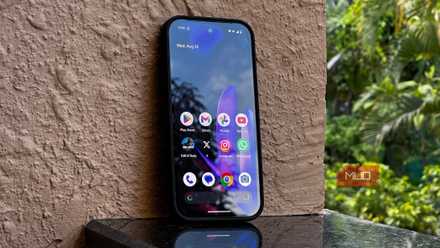
Your Android Phone’s Default Settings Are a Privacy Nightmare—Here’s What to Change Right Now
Your Android’s out-of-the-box settings aren’t doing you any favors when it comes to privacy.
To break that down a bit easier, this basically means that files presented from remote sources must be read only before they can be executed. This is to help prevent potential code-jacking, which allows bad actors to hijack the code with their own. Dynamic code loading already violates Google Play’s rules, but this just helps Google tighten security around it even more.
Sometimes the best updates are the ones you never notice
It does the job without needing fanfare
While it is great to get new features in Android updates, sometimes the biggest things are those that most people never hear about. These changes to Google’s backend code for dynamic code loading are exactly that. However, they’re still extremely useful, and it is really great to see Google taking proactive steps to cut down on the amount of malware that can get through on Android devices. But locking out the changing of code after installation, we’ll hopefully be able to more closely trust the apps that we’re downloading — even if they come from outside the Google Play Store.