


It's getting harder and harder to figure out what's real. Scammers can use deepfake AI and spoofed caller ID to make you believe you're answering a call from someone you know, like your mom, who you might give your credit card or social security number to.
Google rolled out fake call detection in June as part of its Android Feature Drop, and it's one of the more practical and useful security additions. Here's how it works, what it can actually catch, and where it still falls short.
Why caller ID stopped being enough
The AI voice cloning problem

Caller ID was created to show you a number and a name, not to prove the person holding the phone is actually the person that matches the information. Scammers have exploited this loophole, called number spoofing, by routing calls through software that can make any number appear in your Caller ID display.
The new development is called AI voice cloning. Experts say AI audio deepfakes can be so realistic that most people can't tell the difference between the AI and a real human voice. Combine this with a spoofed number and you've got a prime way to get past any suspicions you might have. If you see mom's number and hear your mom's voice, you likely won't think twice.
The scale is pretty significant, as well. INTERPOL's March 2026 Global Financial Fraud Threat Assessment report cited impersonation fraud as one of the leading contributors to over $400 billion in global losses. The FTC logged $2.95 billion in impersonation scam losses in 2024 alone.
How Android's detection actually works
A silent digital handshake between devices

Instead of analyzing voices, Google's fake call detection works at the device level. When a saved contact calls you and both of you are running Google's native Phone app, the caller's device sends a confirmation signal in real time to verify the call is legitimate and truly coming from the contact's device. This digital handshake uses end-to-end encrypted RCS (Rich Communication Services) technology, keeping it completely private.
If that handshake signal is missing (and it will be if a scammer is spoofing your contact's number), your device will know right away and will ping your contact's actual device to double-check. If their device doesn't confirm that it's making a call, you'll get a warning on your screen to hang up immediately.
The whole process is fast, before you even say a word. The warning will appear at the incoming call screen, which matters: impersonation scams typically work by building urgency fast. Cutting the momentum off before it even builds up is the whole point.
What it can and can't catch
The requirements are real constraints


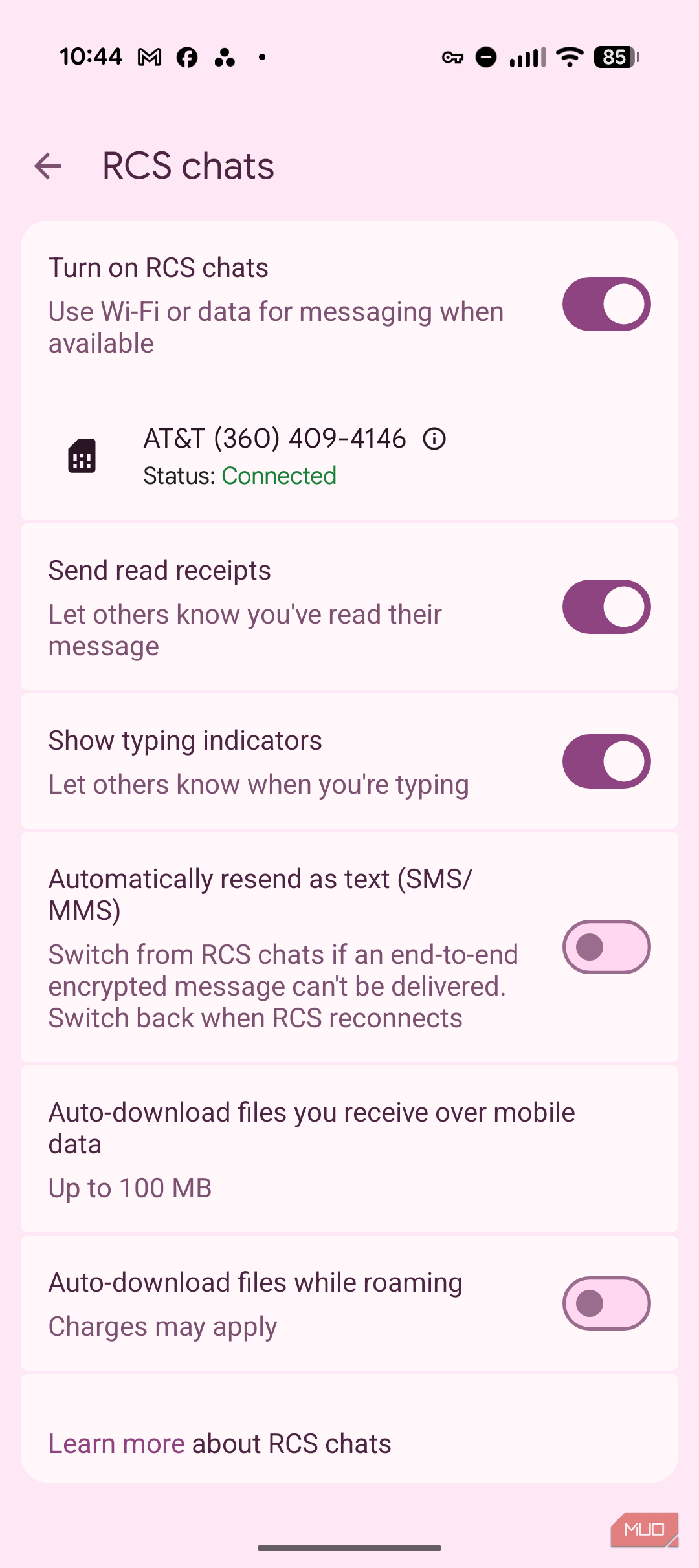
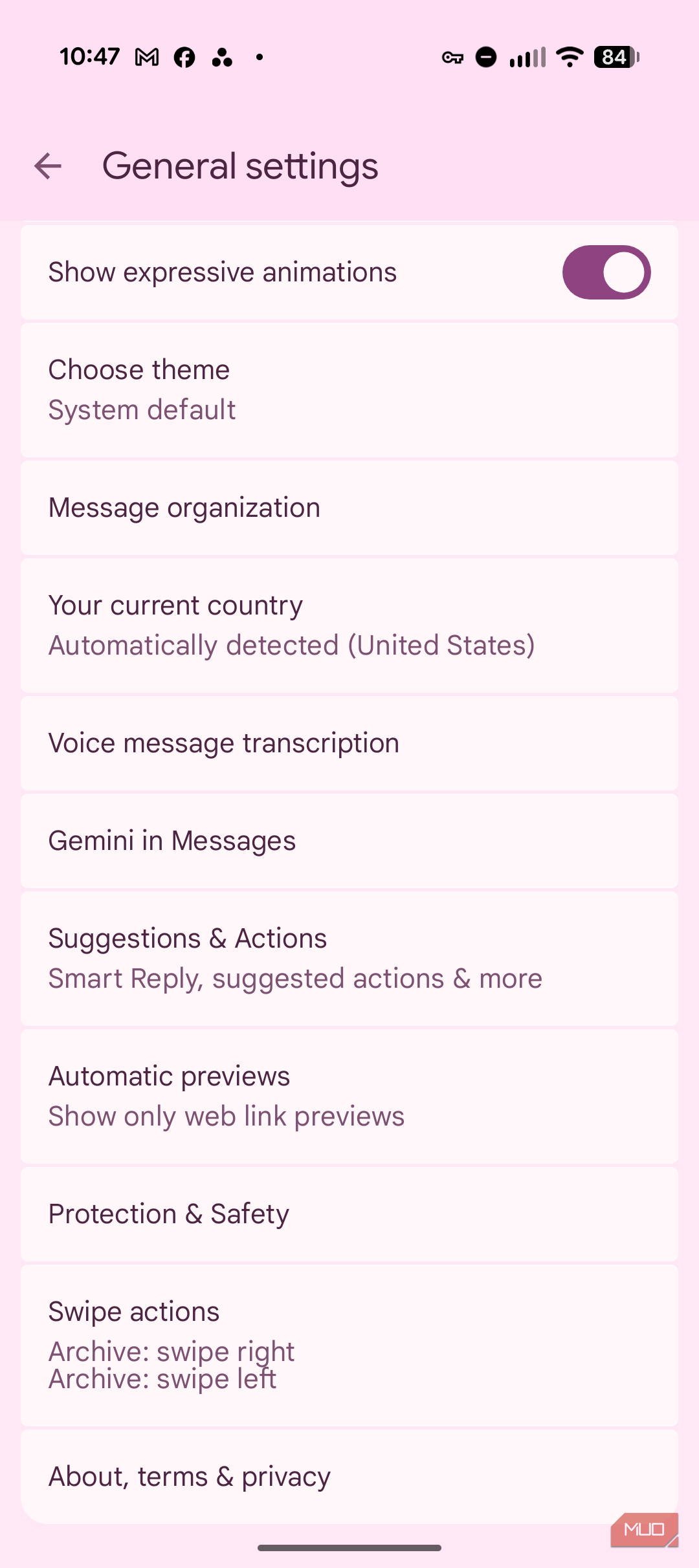

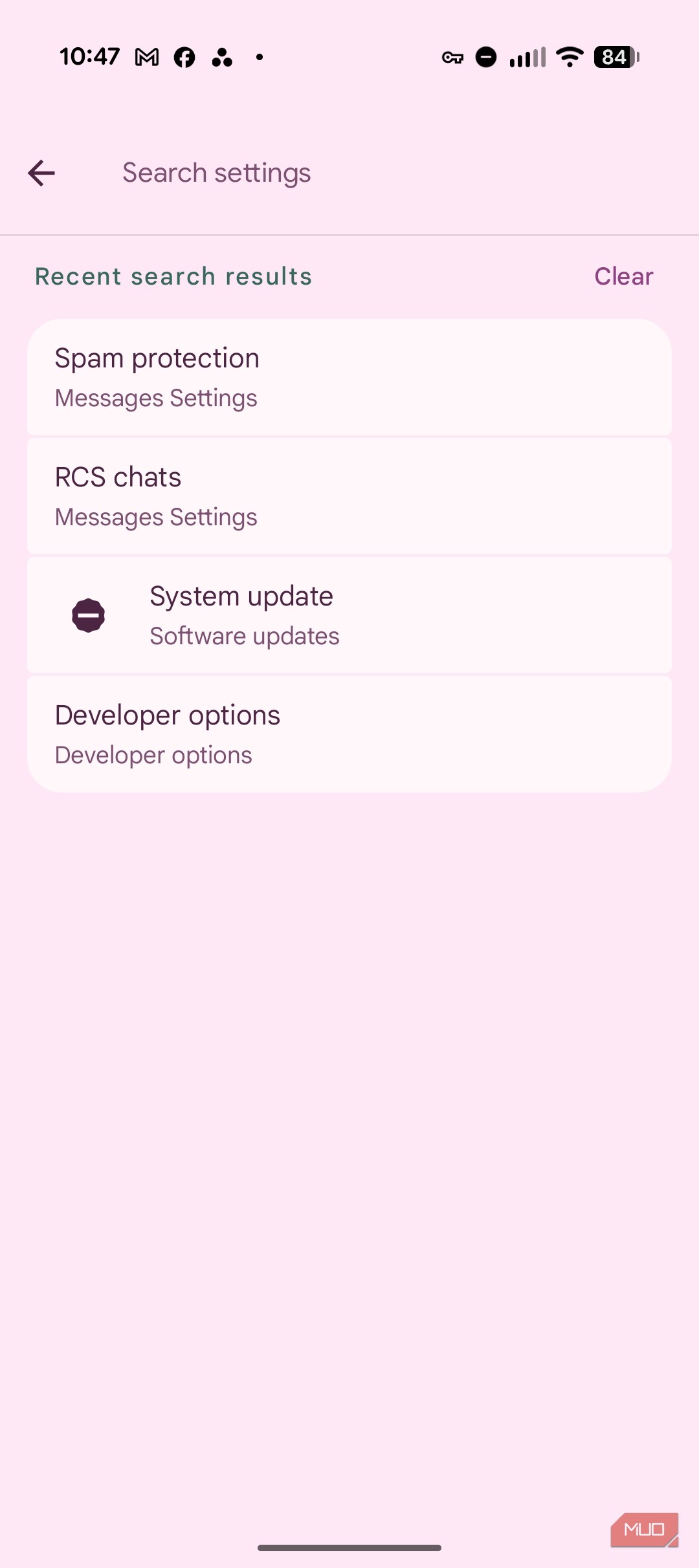
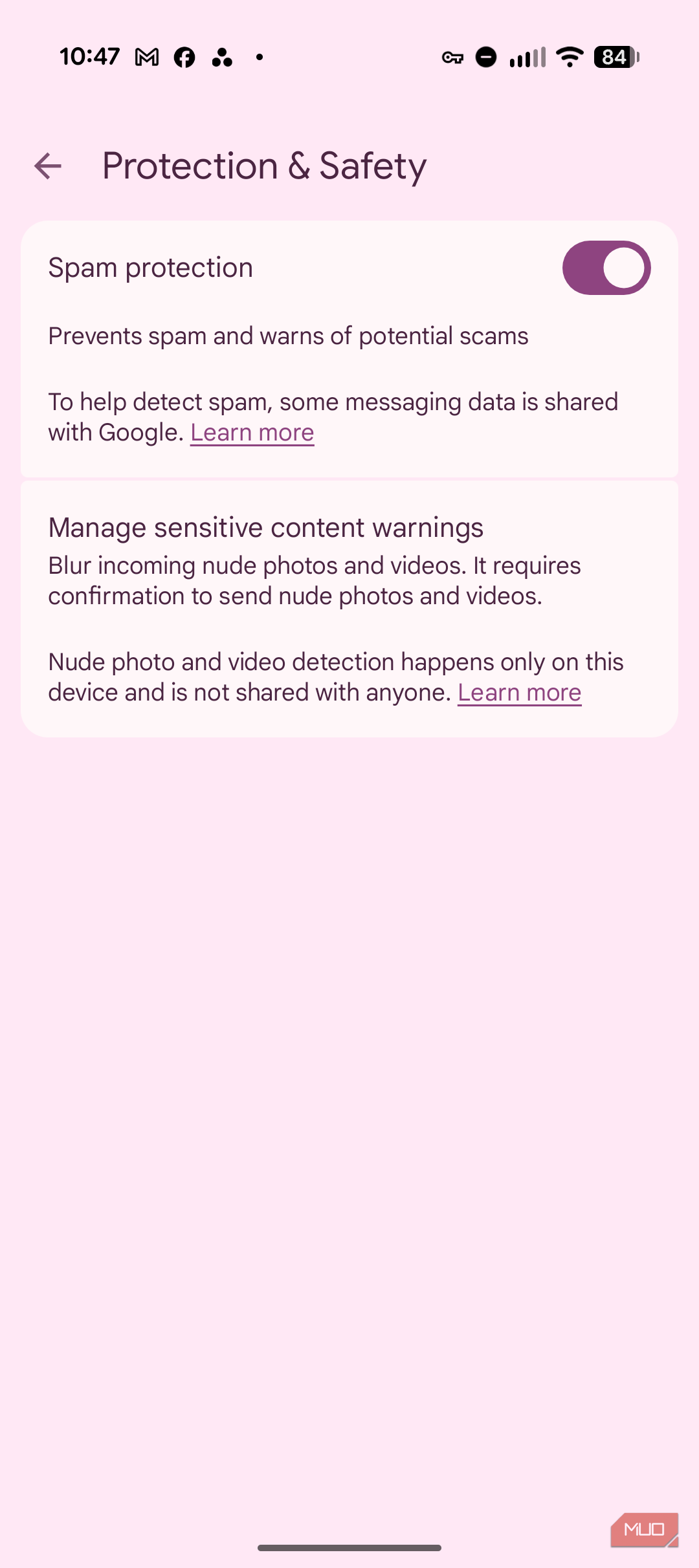
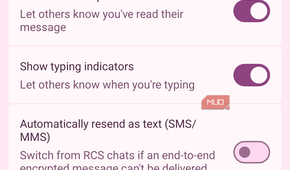


Fake call detection is thankfully on by default, but it has a long list of requirements which could limit its reach. Both parties need to be on Android, and they each need to use the Phone by Google app. Plus, you both need to have Google Messages and Google Contacts installed on your phone. If your contact uses an iPhone, Samsung dialer, or any other app, the handshake can't happen and you'll get no warning.
The rollout will expand globally to Android 12+ devices through Phone by Google. This builds on Google's verified financial calls rollout earlier in 2026, which uses a similar verification approach to confirm whether an incoming call is genuinely from a user's bank, and can automatically end connections that fail verification.
You'll also need to activate RCS in Google Messages. To do that, open Messages, tap your profile icon, go to the Settings app, search for RCS, tap RCS chats in General Settings, and make sure the RCS chats are turned on. Without RCS, your phone can't send or receive the verification signal.
While you're in there, you can also take care of detecting spam calls. Tap through to Protection & safety and make sure Spam protection is toggled on.
It's a step forward, but it still has limits
Fake call detection isn't a complete solution, since your contacts might use an iPhone, a different dialing app, or don't have RCS set up. You still have to rely on your own judgment when a spoofed call comes in. Still, if your contacts and you are within Google's ecosystem, the approach makes sense: verify the device, not the voice. Caller ID hasn't ever been super accurate (it's easily spoofed), and AI voice cloning has now made knowing the voice on the other end rather pointless. Using the encrypted out-of-band signal to confirm the call is actually coming from where it claims to be from is the right direction, and we can only hope that other manufacturers implement something similar (since they all now support RCS). Google has said it built the feature on the open RCS standard specifically so other app developers and device makers can adopt the same verification protocol, so broader coverage is at least technically possible.

Google Pixel 10a
- SoC
- Google Tensor G4
- Display
- 6.3-inch Actua pOLED display, 1080 x 2424 resolution, 60-120Hz, 3000 nits peak brightness
- RAM
- 8GB
- Storage
- 128GB, 256GB
- Battery
- 5,100 mAh
- Ports
- USB-C
The Google Pixel 10a is a budget-oriented smartphone with a flat back and long battery life. It's powered by the same Tensor G4 chip as its predecessor, and many key specs are identical to the Pixel 9a. However, you do get a brighter screen, better modem, new software features, and Android 16 with seven years of software support.