


I’ve spent weeks trying to find a reason to care about Gemini on my Galaxy S26. But I just couldn’t figure out what it could do that other chatbots like ChatGPT or Perplexity couldn’t. Well, I finally got my answer when I enabled Gemini’s Personal Intelligence feature.
Personal Intelligence lets me connect my favorite apps to Gemini, which makes it feel like a personal assistant. It can now find information across my emails, photos, notes, and calendar, and complete tasks across apps with a single prompt. And that’s when Gemini finally clicked for me.
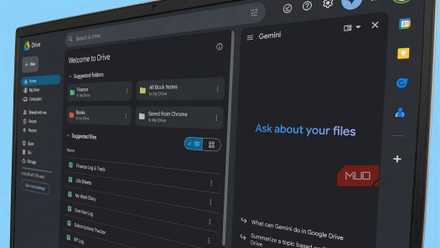
I turned my messy Google Drive into a searchable knowledge base with Gemini's new feature
Gemini turns Google Drive from a file dump into a searchable knowledge base.
Gemini finally made sense once I connected my apps
This sold me on Gemini

For weeks, I used Gemini like every other chatbot. I asked questions, looked up information, talked to Gemini Live, and even generated some videos as a fun experiment. It didn’t feel any special until I tried the Personal Intelligence feature.
Personal Intelligence lets Gemini pull context from apps you use every day. That includes Gmail, Calendar, Drive, Keep, Photos, Maps, YouTube, and more. And no, it’s not limited to Google’s own apps. It can also connect with third-party apps like WhatsApp, Spotify, Canva, Samsung Gallery, Samsung Notes, and a few others.
That’s a much bigger deal than it sounds. Most AI chatbots are limited to the information available on the web or whatever details you provide in a prompt. With Personal Intelligence, Gemini can use my data and do things for me. It can look through my photos, read my emails, check my calendar, go through my WhatsApp messages, and even find information from my notes. All of this gives Gemini enough context to be useful.
Of course, none of this works out of the box. You’ll need to open Gemini Settings, go to Personal Intelligence > Connected Apps, and enable the toggles for the apps you want Gemini to access.
Personal Intelligence is only available to users who are 18 or older and have a personal Google account. It’s also not available in the European Economic Area, Nigeria, Switzerland, or the United Kingdom. Even in supported regions, Google is still rolling it out gradually, so there's a chance you may not see it on your phone just yet.
I stopped juggling multiple apps after connecting my apps to Gemini
Gemini is the middleman now
The biggest benefit of using Personal Intelligence in Gemini is that I no longer have to open my apps manually or spoon-feed Gemini with detailed prompts to get things done. Most of the time, I simply need to ask for what I need.
For instance, if I can’t recall when my car insurance expires, I can ask Gemini to find that information in my Gmail. And it doesn’t just give me an answer — it also gives me links to the source email, so I can jump to that and check other details. Similarly, I can ask it to find my car’s license plate from a photo in Google Photos, show me all my appointments for the next week from Google Calendar, or even find a specific note from Samsung Notes. Normally, these things would require me to go through each app and search manually. With Gemini, I can do it all from a single chat window.
And finding information is only the tip of the iceberg. I can also ask Gemini to do things for me. For instance, I can ask it to create a barbecue party invite in Canva and send it to a friend on WhatsApp. Or I can ask it to find a specific pizza place I searched for in Google Maps last week and share it with my wife.
Again, these are fairly basic examples. You can get as complex as you like. If you’re going on a trip, for instance, you can ask Gemini to find the hotel booking confirmation from your Gmail, check its location in Google Maps, and find nearby sushi restaurants. That’s the kind of task that would require jumping between three apps and piecing everything together yourself.

Google Gemini
- OS
- Android, iOS, macOS, Windows
- Developer
- Price model
- Free, Subscription
But… what about privacy?
Not everyone will be comfortable with this

The first question that came to mind when I enabled Personal Intelligence was probably the same one you’re thinking right now: Do I really want Gemini to read through all my personal information across these apps? And it’s a fair concern.
The good news is that Google doesn’t force you into an all-or-nothing setup. Every app connection is optional, so you can decide which apps Gemini can access. You can also disconnect apps at any point and delete all the data Gemini has stored through Personal Intelligence.
For me, the convenience outweighs the concerns. I use a lot of Google’s apps and services, and the fact that Gemini can even connect with my favorite Samsung apps is a cherry on top. But if you’d rather keep Gemini away from your emails, photos, notes, and messages, you can simply leave those apps disconnected and still use it with services, like YouTube, Spotify, Canva, and Calendar.
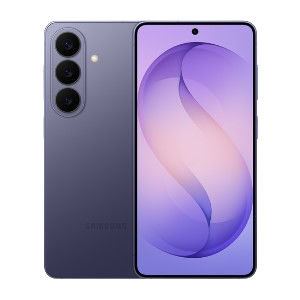
Samsung Galaxy S26
- SoC
- Snapdragon 8 Elite Gen 5
- Display
- 6.3-inch Dynamic AMOLED 2x
- RAM
- 12 GB
- Storage
- 256 or 512 GB