


My Galaxy S22+ was slowing down. I assumed it was age — the phone is going on four years old. But I have a Pixel that's just as old, and it runs fine. So I went digging, and after poking around in the settings and disabling a feature (that was supposed to help), my phone got noticeably faster, and now it makes sense why.
What is RAM Plus?
And why it's not ideal for certain phones

Most Samsung phones come with a feature enabled that they don't actually need.
RAM Plus can use your phone's storage as virtual memory if it runs out of RAM. You can pick from 2, 4, 6, or 8GB of virtual memory. That sounds appealing, doesn't it? That implies that if your phone has 4GB of RAM, you can give it access to up to 12GB of memory (if you pick 8GB in RAM Plus), which in theory should bring it up to par with modern flagships.
But no, it's not that simple, because using this option forces your phone to use the vastly slower storage of your phone (I'll explain how much slower later in this article), resulting in performance issues, like the lag I was experiencing with this feature turned on.
You see, RAM Plus is designed for phones with lower amounts of memory, not for modern flagships like my S22+ that have 8 or more GB of very fast RAM. It's solving a problem that doesn't exist.
Let's take a closer look at why using storage as RAM is such a bad idea.
RAM is 24x faster than your storage
Here's some proof
|
Memory type |
Read speed |
Write speed |
|---|---|---|
|
LPDDR5 RAM |
51,200 MB/s |
51,200 MB/s |
|
UFS 3.1 internal storage |
2,100 MB/s |
1,200 MB/s |
|
Difference |
~24x faster |
~43x faster |
If your phone is using storage as memory instead of RAM as RAM, the difference in rated bandwidth in terms of read/write speeds is dramatic, as you can see in the table above, which compares the speed of the 128GB UFS 3.1 storage on my Galaxy S22+ with the 8GB of LPDDR5 RAM it has. Your eyes are not tricking you: the RAM on this phone is 24x faster in terms of read speeds and 43x faster for write speeds. Perhaps that delta will be reduced when UFS 5.0 starts hitting new phones in 2027, but until then, these two different types of memory have an enormous performance gulf.
What does this mean? This means that if your phone runs out of RAM and has to resort to virtual memory, the performance of your phone in certain tasks that require rapid read/writes (like opening apps, searching for content, or processing a photo) will be dramatically slower, and this is why my phone was feeling sluggish: under heavy load (running 10+ apps at the same time) when I exceeded the 8GB of RAM on my S22+, slow storage was being used, which caused lag and apps to open much slower.
It's much better to keep RAM Plus off, have the phone max out the actual RAM, then letting Android's excellent memory management handle things by dumping certain apps out of memory to make room for more (though there are some tricks that can make Android use less memory if your phone needs more help).
There's another reason it's a bad idea to use storage as RAM, and it has to do with the health and longevity of your phone.
Constant read/write on storage is bad for the health of your phone

Your phone's flash memory doesn't like the constant read/writes that using it as RAM puts it through. Meaning, using RAM Plus has the added downside of potentially wearing out your storage space faster, which could further degrade performance over time.
How to turn RAM Plus on or off

RAM Plus is a setting within Device care (which has a handy widget for clearing out memory) on your Samsung. Just go to Settings > Device care > Memory > RAM Plus. From there you can toggle it on or off, and if it's on, you can pick from 2, 4, 6, or 8GB of added virtual memory.
So what happened when I turned this feature off?
What actually changed for me
With RAM Plus turned off (and why some people should keep it on)

Turning off RAM Plus on my Samsung Galaxy fixed the performance issue I was having, because doing so forced my phone to only use the available fast RAM that my hardware has.
The main caveat here is that if your phone has 4GB of RAM or less, which puts you at a major disadvantage at a time when apps are more hungry for RAM than ever, then using RAM Plus might work in your favor if your device is so short on RAM. But for the rest of us that have a lot of fast memory, this feature can make your phone slower.
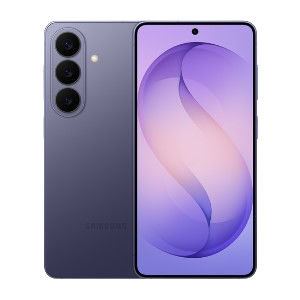
Samsung Galaxy S26
- SoC
- Snapdragon 8 Elite Gen 5
The Samsung Galaxy S26 features a 6.3-inch 120Hz display, a Snapdragon 8 Elite Gen 5 chip, and a 4,300 mAh battery. It includes a 50MP main camera with enhanced AI software, 256GB of base storage, and a slim 7.2mm profile, focusing on fast daily performance.
- Display
- 6.3-inch Dynamic AMOLED 2x