


Microsoft’s latest Windows update is about to make your PC feel more responsive and snappier. Yes, as part of the June 2026 update, Microsoft is introducing a new feature called Low Latency Profile (LLP), which temporarily boosts CPU performance to make foreground interactions feel fast. And if you don’t wait for the wider rollout, there are other ways to enable it today.

How does Low Latency Profile work and why it’s a big deal
It’s all about responsiveness

Low Latency Profile (LLP) is a new system optimization feature. It's a part of Microsoft’s Windows K2 initiative, which is a codename for an internal project focused on fixing core performance and responsiveness issues.
LLP is designed to make Windows experience better by temporarily boosting CPU frequency for specific tasks. For instance, when you launch an app like Outlook or Edge, LLP increases the CPU performance for a very short period, around one to three seconds. This helps the system respond to the interaction as quickly as possible. Once that’s done, the CPU again returns to its normal operation.
Traditionally, Windows would increase CPU clock speeds only after demand had already risen. That means it’d boost the performance only when you’re actually doing something demanding like gaming or editing a video. With LLP, it does the same for everyday interactions, like launching apps, switching between windows, opening the context menu, or starting Windows Search.
According to Windows Central, LLP makes native apps launch 40% faster, while the Start menu and other UI elements load 70% more quickly. So yes, the difference is quite real. And more importantly, LLP only kicks in when needed, so your CPU isn’t running at higher speeds at all times. In many ways, Low Latency Profile improves the overall feel of Windows 11, rather than constant performance.
There are a few caveats of LLP
Nothing deal breaking
LLP sounds great, but not everyone is convinced. In fact, a lot of users are calling it a band-aid fix rather than a real improvement to Windows’s underlying performance problems.
Also, because LLP causes CPU activity to increase for short periods, it does affect laptop battery life. It’s nothing dramatic that makes the feature feel evil, but it’s there. More importantly, Windows doesn’t include an option to turn LLP off, which means you can’t just disable it like Fast Startup. Most users probably won’t mind this, but if you're looking to maximize battery life or avoid constant CPU spikes, you don’t have much choice at the moment.
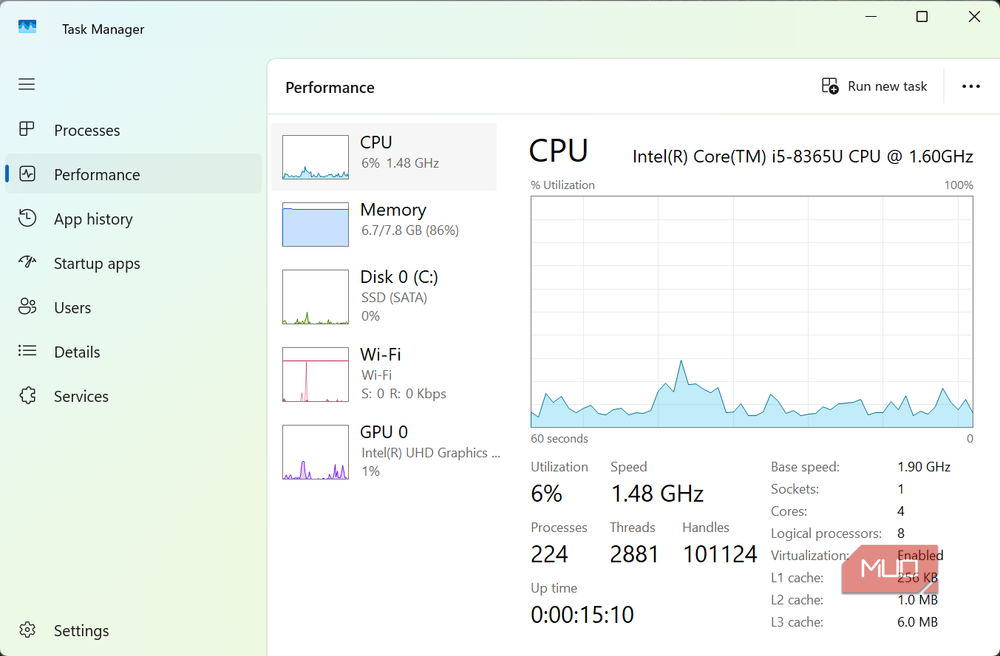
In fact, there’s no way to even tell if the feature is active on your system. The only way you can tell if LLP is active is by keeping an eye on Task Manager’s Performance tab while opening apps, search menu, notification center, or the context menu. When LLP kicks in, you’ll notice the CPU usage briefly rising up to 95% or even 100% mark to make the experience snappier.
You can enable it before Microsoft rolls it out widely
Skip the queue
Low Latency Profile is set to be released gradually as part of the June 2026 update. But if you can’t wait to try it, there are a couple of ways to get it early. If you’ve enrolled in the Windows Insider Program, the easiest option is to head to Settings > Windows Update and click Check for updates. If you don't see anything here, head to Advanced options > Optional updates. You should now see the option to install KB5089573 (Build 26200.8524). If you do, simply install it, and you’re all set.
If you don’t see the update, though, you can also force-enable it using ViveTool. Head to GitHub’s website to download the ViveTool ZIP file. Once downloaded, extract it, and copy the path to the folder. Now, open Command Prompt as administrator, and run the following command:
cd FolderPath
Make sure to replace FolderPath with the actual path of the folder. Finally, type the following command and hit Enter to enable the feature:
vivetool /enable /id:58989092,60716524,48433719,61391826
Restart your PC after this and the Low Latency Profile will be enabled. Again, there’s no way to tell if the feature is active other than monitoring the Task Manager while interacting with the UI elements.
LLP will be huge for budget PCs
The biggest winners of LLP are likely to be older laptops or budget PCs. On modern hardware, things like opening apps and interacting with UI elements already feel fast, so the difference doesn't seem huge. But on underpowered machines, LLP will be able to make the most of the hardware and make the OS feel snappier. Of course, it’s still early days, so we’ll have to wait for wider adoption to see how the feature actually performs and if there are any downsides.

ASUS VivoBook 15
The ASUS Vivobook 15 is a quality pick for programmers and coders seeking an affordable laptop. There are various configurations to help you find the right amount of power and storage, and the Full HD display is bright and clear.