


Unless you're tracking every Claude release on launch day and are a big fan of what Anthropic is building toward, you probably upgraded to Claude Pro for one reason: you were tired of hitting the usage limit the second you got into a groove.
Sure, you might've cared about being able to use the more capable models Anthropic keeps locked behind its paid tiers, but odds are, you've spent the last few months using Pro the same way you used the free tier, just with a lot more headroom. And while there's nothing wrong with that, you might not realize you're sitting on a pile of features you've never really opened.
Claude Code
It's not just for developers, no matter what the name suggests

While I know a lot of users are subscribed to the Pro tier solely because of Claude Code, I wanted to mention it first, because there's also an overwhelming number of people who haven't touched it despite it being included in what they're already paying for. It typically comes down to these users thinking Claude Code is strictly for developers (I can see why they think so - the name doesn't really help). However, what if I told you it's quietly one of the most useful tools for non-developers too? For those unfamiliar, Claude Code is a coding agent that runs in your terminal.
What's special about it is that, unlike Claude in your browser, it can actually touch files on your computer, run commands, and execute multi-step tasks on its own. For developers, that directly translates to tasks like refactoring a codebase, debugging across multiple files, or shipping a feature without ever needing to hit CTRL/CMD + C and CTRL/CMD + V. For everyone else, though, Claude Code is quietly becoming the easiest way to actually build things. Vibe-coding a small web app for a problem only you have, spinning up a quick browser extension, creating a script that automates an annoying task, or a tiny tool that converts whatever-into-whatever.
While "vibe-coding" isn't a term that came into existence when Claude Code was launched, the reason an agentic tool like this works best for the use-cases I described above is that it sets up the project, writes the files, and even goes the extra mile to test it (and debug it for you). If you're using, say, just Claude chat for something like this, you'll need to go back and forth in loops to copy code into your editor, run it, paste the error back into the chat, get a fix, try again, and repeat until it works. And if the terminal feels like a lot, you don't actually have to use it there. Claude Code is also available as an IDE extension, a web version, and a desktop app. So, you get the same tool, same models, just whichever interface you're most comfortable in.
Cowork
Claude Code for people who'd rather not see a terminal


 Credit: Jonathon Jachura / MUO
 Credit: Jonathon Jachura / MUO
 Credit: Jonathon Jachura / MUO
 Credit: Jonathon Jachura / MUO
 Credit: Jonathon Jachura / MUO





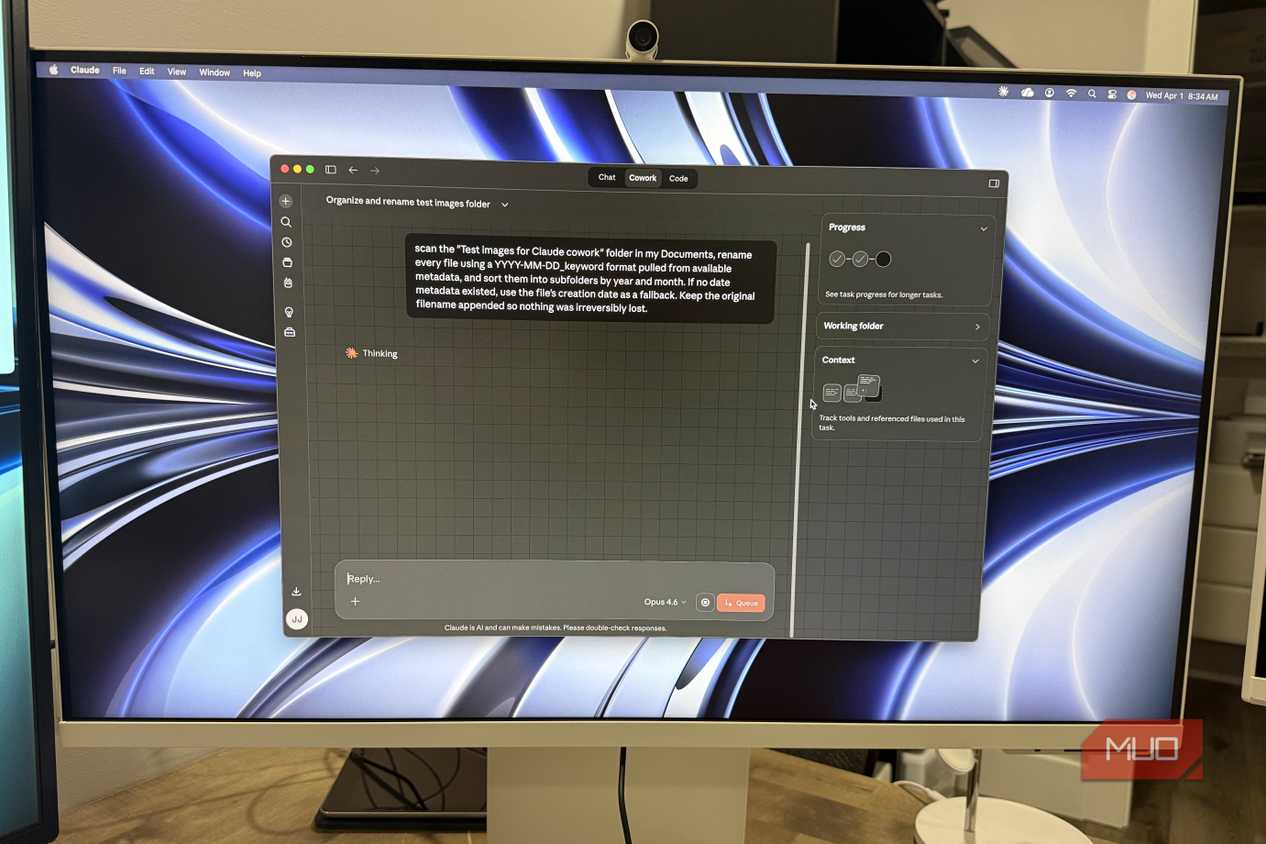
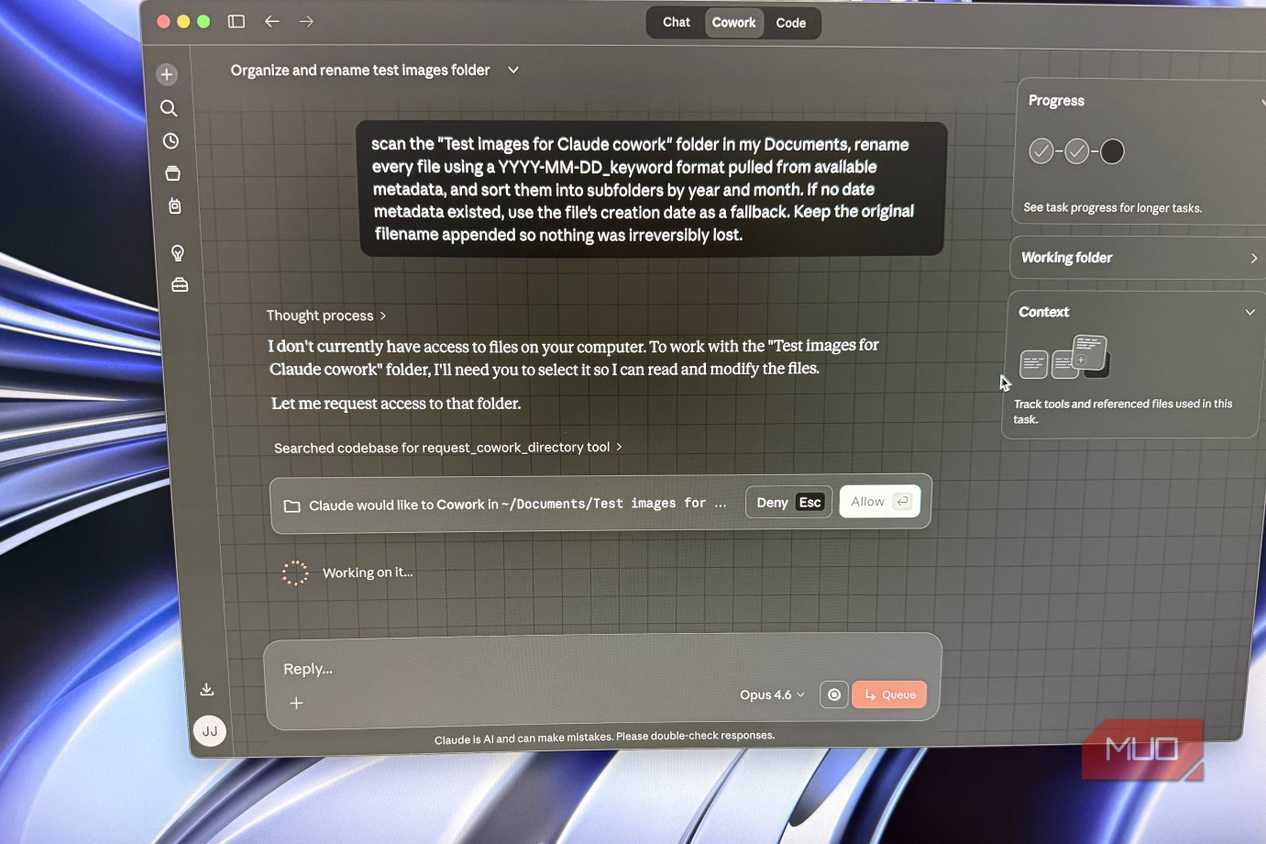
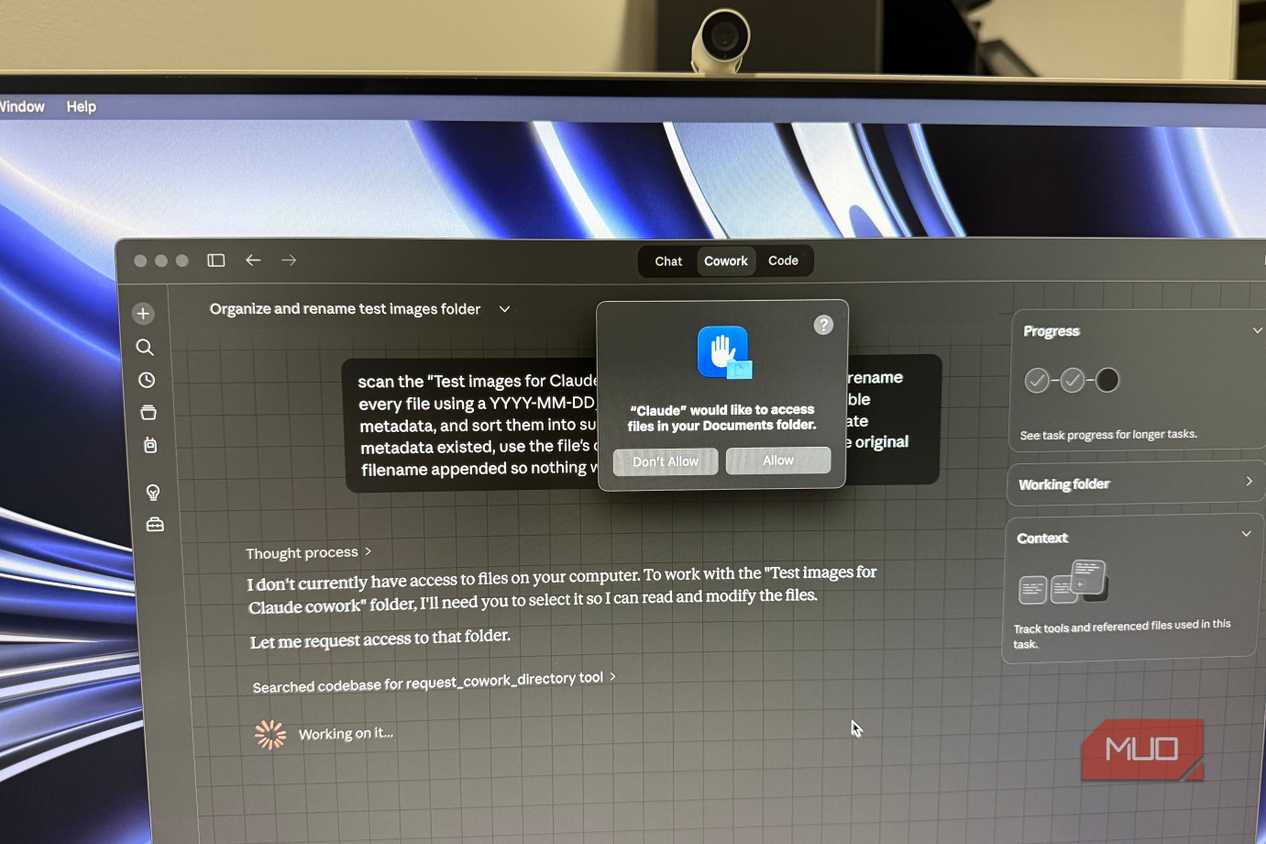
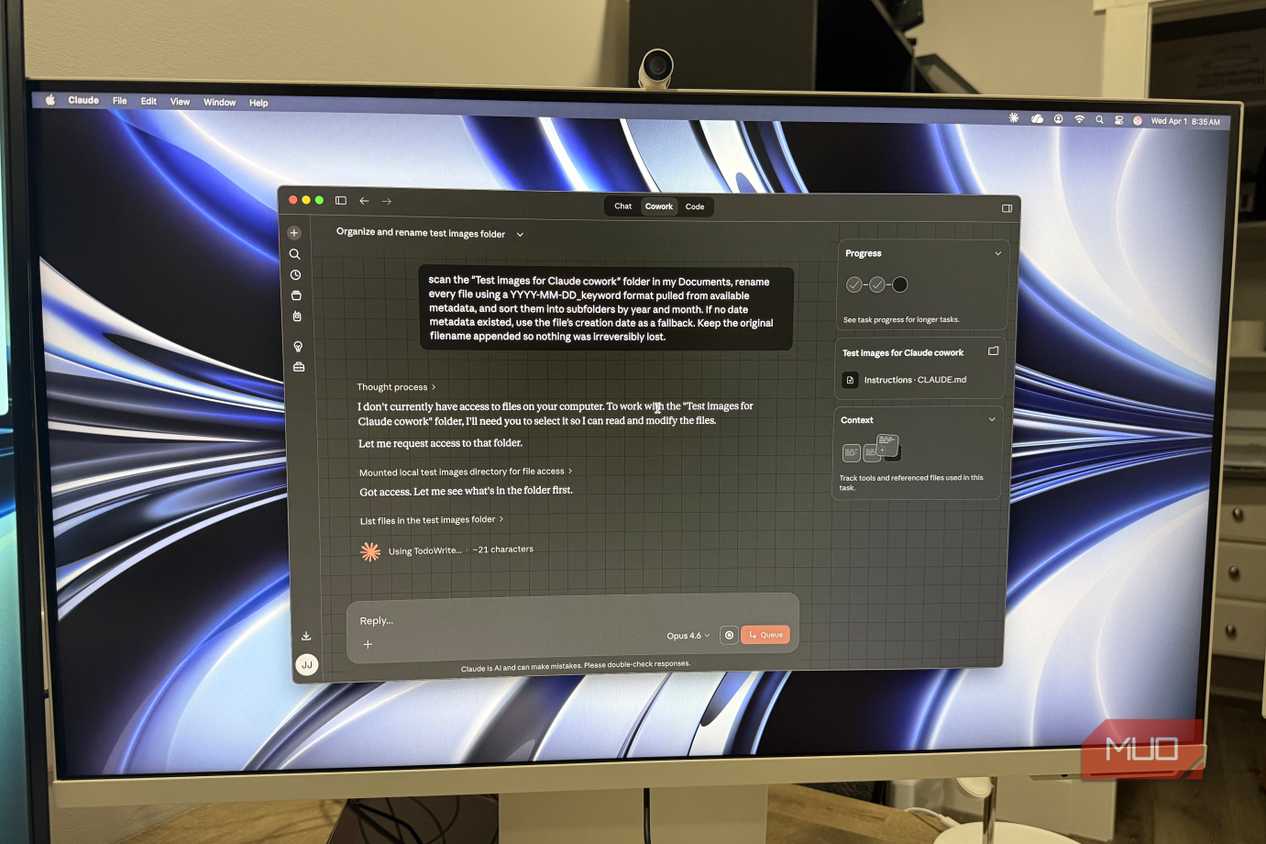
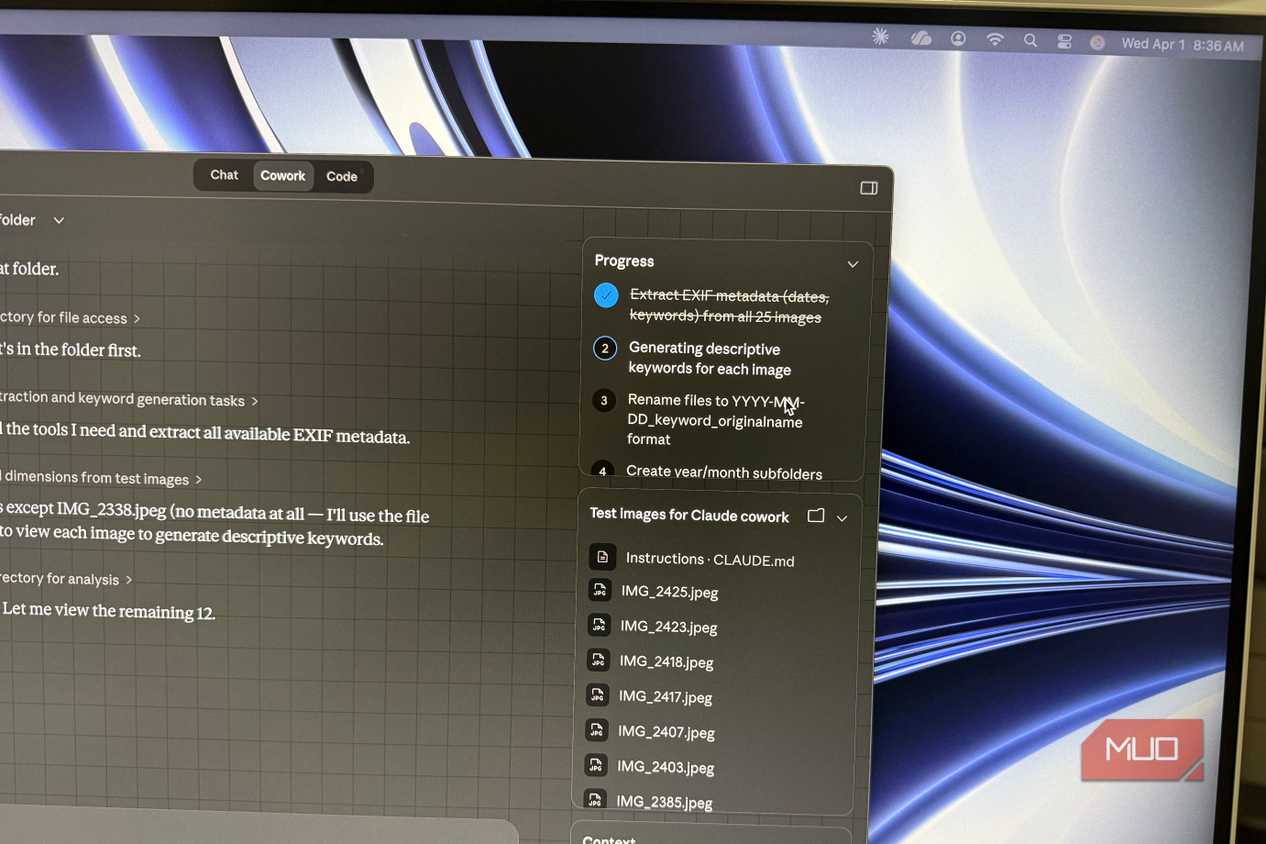
While I wrote the section above with the intention of convincing you to use Claude Code if you haven't, perhaps you're still too intimidated by the whole thing to actually give it a shot. Well, the good news is that Anthropic technically built a version of Claude Code specifically for people in your position, and they called it Cowork. This feature takes the same underlying architecture of Claude Code and wraps it in a more approachable interface within the Claude Desktop app. Ultimately, this means you don't need to install a terminal, IDE, or even look at lines of code.
With Cowork, you just point it at a folder on your computer, tell it what to do in natural language, and watch it get to work. For instance, Anthropic noticed that developers were using Claude Code for a lot of tasks that had nothing to do with coding, like sorting files, drafting documents, organizing folders, etc. Since the agentic abilities of the tool allow it to read, edit, create, and move files on your computer, it didn't really matter whether the task involved code or not. So, Cowork takes that exact capability and strips away the part that intimidates non-developers. The best part is that Cowork has an interface that's similar to the chatbot-like one you've been using all along, so it doesn't really feel like a new one.
There's no learning curve at all, and the only real difference is that whatever you ask it to do, it can actually go ahead and do. As an example, another writer at MUO used Cowork to rename and sort 500 photos he had been avoiding since 2023! That's exactly the kind of task I'd recommend beginning with. Start with something small and low-stakes. The first thing I ever made Cowork do was organize my messy desktop, which is almost always overflowing with screenshots I take for random articles! Once you see Cowork take a task like that off your hands, you'll start finding excuses to use it more and more.
Claude in Chrome
The AI browser, without the new browser

If you've been following the AI world even a bit closely over the last year, chances are you saw the AI browsers craze. For a moment, it felt like every company had redirected all their efforts and budgets into developing the next AI browser. Even Norton, the antivirus company, went ahead and created an AI browser called Neo! These browsers were essentially the world's first public exposure to "agentic" capabilities, and most of them shipped with the premise that you could ask them to actually do things on the web for you. For instance, you can ask an agentic browser to book a flight for you, fill a form, or compare prices of groceries across different stores and place an order for you from whichever one came out cheapest. While the concept behind these browsers was undeniably exciting, a lot of people were understandably skeptical. Handing over your entire browsing experience to a browser built around AI felt like a big ask. And given that your browser's something you live in day in and out, switching to a brand new one (no matter how impressive its AI features) wasn't an easy sell.
The reason why I went down that entire rabbit hole was to set up exactly what Claude in Chrome does differently. Instead of asking you to ditch your existing browser, Anthropic built Claude into one as an extension you can install in seconds. The Claude in Chrome extension brings the same agentic capabilities of these dedicated AI browsers to any Chromium browser. For starters, the extension saves you the hassle of needing to head to Claude Web or opening the desktop app every time you have a question. With the extension, you can simply click its icon in the Extension toolbar, and a side panel will slide in right next to whatever page you're working on. From there, you can ask Claude anything at all. It'll also be able to access exactly what you're reading or looking at on the page, which saves you from needing to copy and paste text back and forth.
I've tested out practically every AI browser there is, and I found that Claude's extension was better than the dedicated browsers. I've used it to find me the best flight options and book them, do intensive research tasks, and automate all sorts of tasks. The extension is limited to users on paid Claude plans, so if you have a subscription and haven't installed it yet, you're leaving one of the most useful parts of your plan on the table. It takes thirty seconds to set up, and you'll start finding uses for it within an hour.
Claude Design
Canva, but it actually listens to you
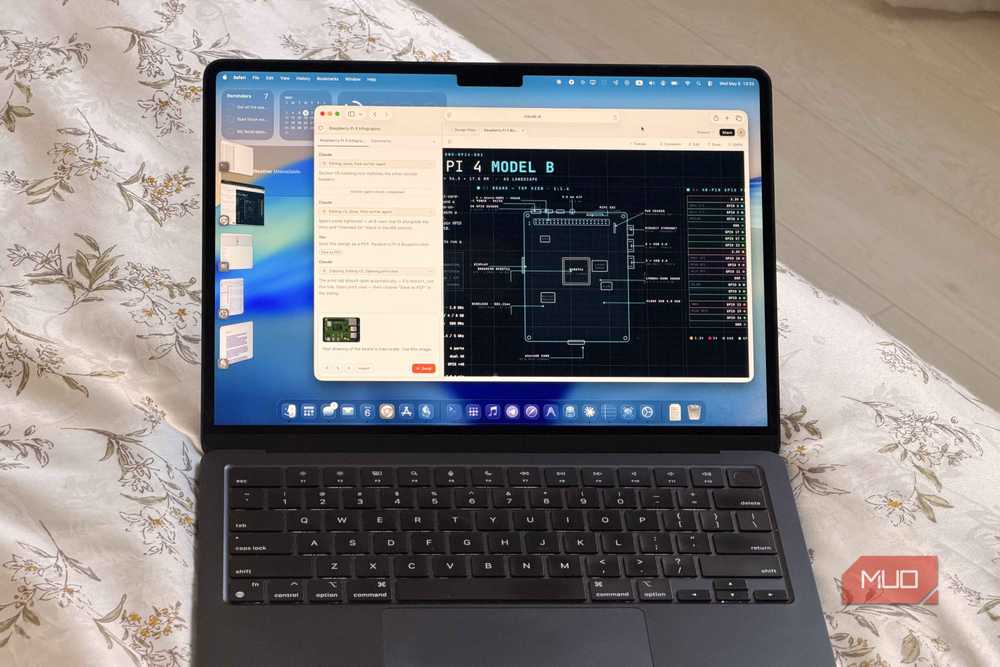
This is a fairly new feature, so I don't blame you if you haven't had the chance to explore it just yet. One way almost everyone has been using AI lately is to generate visuals. From carousels for Instagram and LinkedIn to slide decks, AI design tools have become the go-to for many. They're easy to use, create better outputs than the average non-designer could put together on their own, and save you from spending half an hour fighting with templates that all end up looking the same.
With a lot of the design tools out there though, all you really do is give a prompt, get a result, and that's it. If you want changes, your only real option is to re-prompt and hope the next version is closer. Claude Design takes a very different approach. Claude Design is a dedicated design tool that's bundled into your Claude subscription, available either through the sidebar of Claude or by heading directly to design.claude.ai. The interface is split into two main areas: a chat panel on the left where you describe what you want, and a live canvas on the right where you see the design come together in real time.
Instead of generating a one-shot design and leaving you to either accept it or start over, Claude Design treats the canvas like a working document. You describe what you want, the design shows up on the right side of the screen, and from there you can refine it the same way you'd give feedback on a draft. I've been using Design to generate all my slide decks and posts for my socials, and I think Anthropic's really onto something. Similar to all the features above, Design is limited to paid Claude users only. So, if you're on a paid plan and haven't opened it yet, you're once again leaving a perfectly good tool on the table.
Claude Projects
Five isn't enough, and Pro knows it
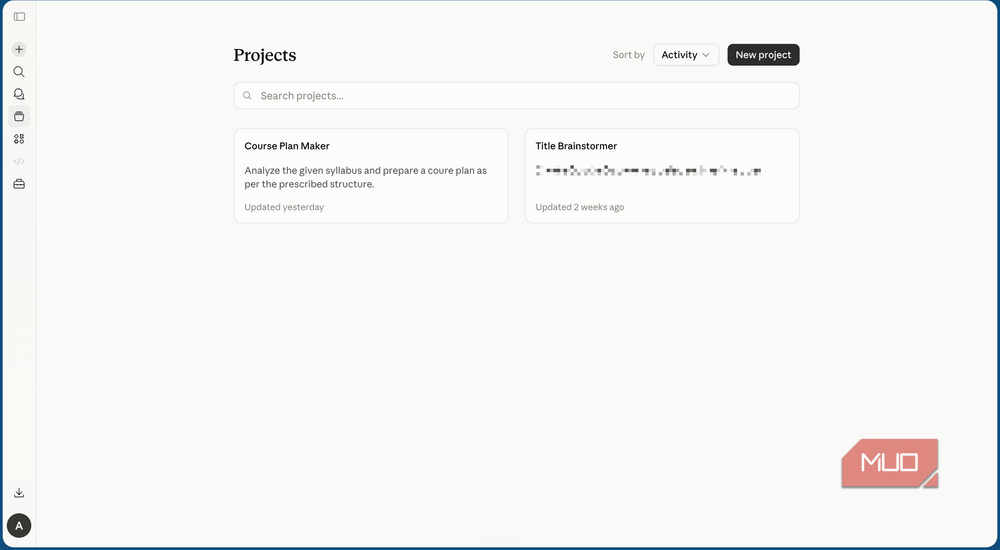
This is really just an honorary mention since I've found users on both the free and paid Claude plans don't really take full advantage of Projects, despite it being one of the most powerful features Claude offers. Projects basically lets you create a dedicated workspace within Claude for a specific topic, task, or area of your life. You upload the relevant files, set instructions for how Claude should approach the topic, and from there, every conversation you start inside it has all that context already loaded.
When you're working within a project, Claude can't access any of your other chats outside the project. This makes it an excellent way to keep things organized, especially if you use Claude for several unrelated things throughout the day. Your work conversations don't bleed into your personal ones, your research project doesn't get mixed up with your creative writing, and Claude stays focused on whatever you've actually set it up for.
The reason I'm mentioning Projects in an article about Claude Pro is that the free tier caps you at five Projects total. That's enough if you only have a couple of recurring use cases, but it fills up fast the moment you start using Claude for more than one thing. Pro removes the cap entirely, so you can spin up a new Project for every client, class, hobby, or recurring task without having to delete an old one to make room.
The higher limits really are just the beginning
For many, being able to send more than five messages without getting the annoying "you've run of free messages" might be enough. But after reading this, I hope it's clear that there's a lot more sitting on your account than you realized. The features above aren't add-ons or upsells. They're already paid for!

Claude
- Developer
- Anthropic PBC
- Price model
- Free, subscription available
Claude is an advanced artificial intelligence assistant developed by Anthropic. Built on Constitutional AI principles, it excels at complex reasoning, sophisticated writing, and professional-grade coding assistance.