


A faster charger should mean faster charging. But my Galaxy S25 Ultra charged at the same pace whether I used a standard adapter or one rated for three times the wattage. For weeks, I assumed I had a bad cable or a defective brick. The phone was pulling the same low wattage no matter what I plugged in. Turns out, one setting in the battery menu controls how much power the phone will accept.
The charger wasn't the problem
Your phone decides how fast it charges

When a faster adapter makes zero difference to your charging time, something else is deciding how much power your phone takes in. The same thing happened with my S25 Ultra. A 25W adapter that came with my older Samsung and a 45W charger I later upgraded to gave me nearly identical results — close to three hours for a full charge on both. I swapped cables, cleaned the port, and even tested with a different adapter. Same result every time.

The phone was pulling around 15W, which is the standard charging speed, what a basic adapter bundled with a budget phone delivers. When your phone negotiates power with a charger, it communicates over USB Power Delivery to agree on a voltage and current. With fast charging enabled, the phone can request the full wattage a compatible adapter supports. Turn that toggle off, and the negotiation never happens. What you're left with is basic USB power levels. Your 45W adapter sits there, capable of delivering three times the power, but none of that extra wattage ever gets used.
Most Android phones have some version of this toggle, and I'm not entirely sure how it ended up off on mine. It's buried in battery settings, and I wouldn't have found it if I hadn't run out of hardware to blame.
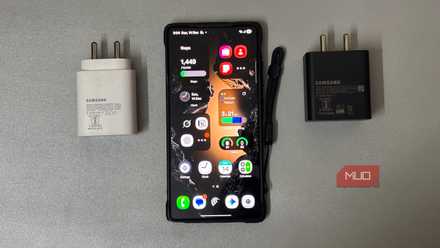
My fast charger wasn’t worth it and I wish I realized this sooner
I paid more for a change that barely mattered.
Toggle that changes everything
One setting unlocked the full speed

Once I knew the charger wasn't the issue, I went into the battery menu on my Samsung and opened charging settings. There was a toggle labeled Fast charging, and it was off. I turned it on and plugged in the same 45W adapter. The battery jumped from 6 or 7 percent to 25 percent in ten minutes. In half an hour, the phone sat at over 70 percent. A full charge from zero took 57 minutes, down from nearly three hours with the same adapter and cable.
I checked my Vivo phone and found the same kind of toggle inside its battery settings. The label and menu path vary across Android manufacturers, but the toggle works the same way. If your phone has a fast charging toggle, and it's off, it's limiting your charger the same way mine did.
Fast charging comes at a cost
More speed means more heat over time

Fast charging puts your battery under more pressure every time you plug in. Pushing more power into a battery in a shorter window makes it run hotter, and heat is what wears lithium-ion cells down fastest. At 40°C, a battery ages roughly twice as fast as it would at 25°C. Some manufacturers keep the toggle off by default because slower charging helps keep temperatures lower and extend battery life.
Still, the actual impact at moderate charging speeds is pretty small. At wattages under 65W, testing over 24 months shows less than 5% additional capacity loss compared to charging at 15W. If you upgrade your phone every two or three years, that kind of wear won't affect how your battery performs day-to-day.

And the batteries powering newer phones handle it better. Brands under BBK Electronics, like Oppo and Vivo have started using silicon-carbon batteries across their lineups, with some models packing up to 10,000 mAh. Lower internal resistance in these cells means they generate less heat during fast charging. Less heat, less strain on the battery over time.
Samsung still uses lithium-ion across its lineup, but that may not last much longer. The S27 series is expected to mark the company's first move into silicon-carbon after watching competitors make the switch over a year ago.
Your charger was always ready
When fast charging is active, you'll see Fast charging or Super fast charging on the lock screen. If it just says Charging, the toggle might still be off, or your cable might not support fast charging. Cables rated below 60W can cap your charging speed even with the setting turned on. Apps like Ampere or AccuBattery show real-time wattage, so you can check whether your charger and cable are actually performing at the speeds they advertise. The charger was never the problem on my end. Yours probably isn't either.

Samsung Galaxy S26 Ultra

- SoC
- Snapdragon 8 Elite Gen 5
- Display
- 6.9-inch Dynamic Super AMOLED 2X
- RAM
- 12 or 16 GB
- Storage
- 256GB, 512GB, or 1TB
The Samsung Galaxy S26 Ultra isn't a massive leap in specs compared to the previous generation Samsung Galaxy S25 Ultra, but it boasts improvements in every aspect. The major differentiators are two features that will appeal to power users and content creators, called Privacy Display and Horizontal Lock.