


We all have a junk drawer with the cables we've acquired over the years but don't know what to do with. As a tech reviewer, my junk cable drawer is more like a junk cable closet, and it continues to grow. That's because I don't use them for charging or data transfer on any of my personal devices. I have enough free USB-C cables to last a lifetime, and I continue to pay for high-quality cables instead.
Buy a new device or accessory that charges with USB-C, and it probably comes with a free cable. However, manufacturers have a cost incentive to give you the cheapest cables possible. This explains why these "free" USB-C cables skimp out on standard specs and even skirt official certification. Charging your expensive electronics with bargain-bin USB-C cables isn't worth the risk — and it isn't a good experience, either.

I stopped buying random USB-C cables after learning what three numbers actually mean
USB-C cables are notoriously hard to identify, but these three numbers will help you figure out what they can do.
Free USB-C cables offer the bare minimum
Sometimes, they are non-compliant USB cables that offer even less
USB-C cables have a set of minimum specifications mandated by the USB Implementers Forum, the group responsible for managing the standard and certifying the cables. In theory, this means you can pick up a USB-C cable and know the bare minimum charging and data transfer speeds you'll get from it. Reality is much different. The baseline USB-C cable should be capable of at least 15W charging speeds and 480Mbps data transfer.
These basic specs are underwhelming in the first place — the high end of USB-C cables can hit 240W fast charging speeds and 80Gbps of symmetrical data transfer speeds. Those 480Mbps data speeds you get from the worst USB-C cables are equivalent to USB 2.0 numbers, the version that first debuted in 2000. However, it gets worse from there. Many of the free USB-C cables you get bundled with cheap products and accessories are noncompliant, meaning they don't meet even these low-end requirements.
Cable standards are a mess, but you shouldn’t blame USB-C
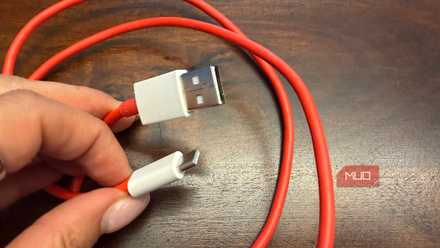
Universal connectors are convenient in theory. Without visual differences, it's hard to tell which USB-C cables support each connectivity standard.
Noncompliant cables exist because USB-C is a physical port and connector type, not a communication or charging protocol. Anyone can buy USB-C ends and use them to make a cable that can do just about anything. A common type of noncompliant USB-C cable is a "charge-only cable." These cables feature USB-C connector ends and wires for the charging pins, and they lack the copper data lines mandated by official USB specifications. Every USB-C cable should support at least USB 2.0 speeds — but they don't.
For some users, a charge-only cable might not be that big of a deal. The concerning part is not knowing what other corners a cheap cable cuts. There's a Configuration Channel (CC) part of USB-C that regulates voltage between the device and cable while charging, ensuring the charger doesn't push a higher voltage to a device that can't handle it.
Without the Configuration Channel, a cheap USB-C cable can permanently damage your device. Of course, you can't tell whether an unlabeled USB-C cable you got for free has it or not.
Don't trust a free USB-C cable for data and fast charging
They often lack the features you've come to expect from the best USB-C cables

My biggest fear when unboxing a product with a flimsy, unlabeled USB-C cable in the box is running into a cable that is noncompliant with official USB specifications. These are the kind of cables that can seriously damage your gear, and they're hard to spot without a cable tester. However, it's worth noting that even the compliant USB-C cables you get for free with a new device are lackluster.
The official Apple USB-C to USB-C cables are a fantastic example. I have a bunch of them from new iPhones and iPads, and they're made of high quality. The braided cable is nice, and the connection ends are fairly durable. The 60W charging speeds they offer are solid too, but their data transfer capabilities are underwhelming. You only get USB 2.0 speeds (480Mbps). Yes, that meets the baseline USB-C specifications, but it's nothing special.
The best USB-C cables include an E-Marker chip that identifies its precise capabilities, including data speeds, charging wattage, and manufacturer info. Without an E-Marker chip, charging speeds are limited and certain features are unavailable. The basic USB-C cable Apple includes in the box with iPhones and iPads doesn't have one. This goes to show that while some free USB-C cables look good, their actual features and specifications are a letdown.
Quality cables are worth their premium prices
I always use USB4 or Thunderbolt cables if I can help it

Looking at free USB-C cables as a whole, there are best-case and worst-case scenarios. The best-case scenario is that you get a high-quality, certified cable that simply charges or transfers data slowly. It might be missing a few features, but it won't brick your device. The worst-case scenario is that you end up with a noncompliant USB-C cable without the power regulation smarts designed to keep your devices safe — this could end in disaster if your device is fed more voltage than it can handle.
The risks outweigh the benefits in my book. When the perks of a free cable end up being along the lines of "free but slow," I'm left unimpressed. Instead, I'd rather buy a $20 or $30 cable I know is safe, fast, and fully featured. This is why I toss all the free cables I get with new products and buy trusted USB4 or Thunderbolt cables instead.

Satechi USB4 V2 Pro Cable
- Brand
- Satechi
- Cable Type
- Works with Thunderbolt 4, Thunderbolt 3, USB4, USB 3.2/3.1/3.0/2.0
- Length
- 3.9 ft / 1.2m
- Data Transfer Rate
- 80Gbps bidirectional
- Charging Rate
- 240W
- USB Version
- USB4 Version 2.0
The Satechi USB4 V2 Pro cable is a high-end USB cable supporting 80Gbps bidirectional data transfer and up to 240W charging speeds. The cable also supports an external display at up to 8K at 120Hz or 4K at 240Hz. It's backwards compatible with Thunderbolt 4, Thunderbolt 3, USB4, and USB 3.2/3.1/3.0/2.0.