


My computer has been begging for maintenance lately. I have an annual ritual that takes care of all hardware and software maintenance that Windows laptops require, but it's a time-consuming process. Unfortunately for my C: drive, there was no time to spare. I had 13 GB of space left on a 470 GB partition, and it needed to be cleared up immediately.
Much to my disappointment (and expectation), Windows' Storage Sense was oblivious to what was eating up space on my drive. So instead of manually hunting down program files, old documents, and leftover data by uninstalled programs, I put Claude Code on the job, and it found more space than I ever expected.
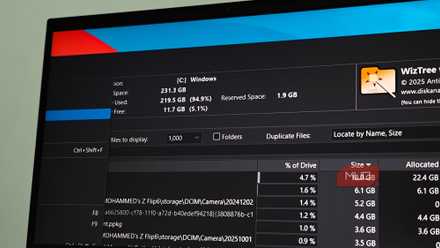
I skipped the cleanup apps and asked Claude instead
Why Claude Code was better suited to exploring a messy drive

If you've used web or desktop Claude to diagnose a system issue, you already know its limitations. It can advise you on what to do, but can't look at your machine. I asked Claude to scan my C: drive and instead got an explanation about sandbox rules and a suggestion to use WinDirStat instead.
Claude Code, however, is different. It runs directly in your terminal, executes commands on your actual machine, reads the output, and reasons about what it finds. I tasked it to figure out why my drive was full and what's safe to delete, and the results were nothing short of surprising.
What came back was a structured breakdown of every significant folder, with a column that stated not just the size of each item but whether it was safe to remove or not. The last part is what most Windows tools, including Microsoft's built-in ones, miss. They show you what's taking up space on your drive, but not whether deleting it will break something. This is also why I ditched Windows Storage Sense for a single-line fix.

Claude Code
- Developer
- Anthropic PBC
- Price model
- Free, subscription available
Claude Code is an advanced artificial intelligence coding agent developed by Anthropic. Built on Constitutional AI principles, it excels at complex reasoning, sophisticated writing, and professional-grade coding assistance.
It found the storage hogs Windows ignored
Cache folders, duplicate files, and forgotten data hiding in plain sight
The single biggest item Claude discovered was my forgotten VirtualBox virtual machine images, eating 72.6 GB of space for VMs I hadn't booted in months. I always keep a virtual machine handy, but since I've now turned my old laptop into a Linux server, VMs on my main machine are pretty much redundant. This was the easiest to delete.
Next up was the graveyard of AI tools I'd tested and in most cases already installed. Except that the uninstallers forgot to remove all the AI models I had downloaded, and in some cases, the tool itself. LM Studio left 13.21 GB of models, AnythingLLM left 7.1 GB, Jan left 3.59 GB, and GPT4All was still technically installed, and Nomic.ai had 1.79GB sitting in AppData.
Combined, these tools I thought I had deleted added up to around 30 GB — none of which was visible when searching installed programs, all of it buried in AppData folders that Windows' cleanup tools had zero awareness of.
Then came Nvidia's cached files, totaling up to nearly 19 GB across live locations. The biggest chunk was taken up by cached driver packages that accumulate after every update and somehow never get cleaned up. The DirectX shader cache added another 5.19 GB. Claude Code dutifully flagged it all safe to delete, clarifying that the shader caches regenerate automatically and driver packages re-download when needed.

The rest were smaller items I had forgotten about. A forgotten WSL Ubuntu installation at 3.4 GB; easily removable with a single terminal command. Other deletions included nn npm cache at 2.7 GB, Playwright browser binaries at 1.71 GB left from old testing work, TechSmith app data at 2.76 GB, Notion's local cache at 1.73 GB (a program I've deleted from my system ages ago), and a partial Android SDK installation at 3.7 GB — minus the platform-tools folder I kept since it has adb.exe for my Pixel phones.
There was another folder that appeared to hold 31.36 GB of backed-up data from my phone courtesy of Microsoft's Phone Link. It turned out to be a virtual filesystem backed by the feature, not actual local copies. Deleting it wouldn't free any meaningful space, but it can break the feature's integration, as I learnt the hard way. This is exactly the kind of nuance a dumb can would've gotten wrong.
The results were bigger than I expected
How 143 GB disappeared without deleting anything important

When the session was done, my C: drive went from 13.63 GB free to 157.06 GB free — 143 GB recovered on a 470 GB drive, dropping from 97% full to 66.6% used.
Claude Code also flagged a few items it recommended leaving alone for the time being. These included the Adobe Cache coming in at roughly 4.6 GB, a Fluent Search index at 3 GB, a Slack cache that needs to be cleared from inside the app, and an Arduino15 SDK at 10.2 GB that would make more sense to move to a secondary drive rather than delete outright.
The real lesson isn't about disk space
What this says about AI agents and their ability to investigate complex systems
Windows is conservative by design. Built-in cleanup tools only touch what Microsoft has explicitly defined as safe in order not to break functionality or program stability. Windows' own temp files, the Recycle Bin, and old update remnants are considered safe, but junk from other programs might not make the cut. Anything a third-party app leaves in AppData, any model files from AI tools you uninstalled, the shader cache your GPU has been piling on for months, if not years — none of that surfaces.
Your Windows 11 PC has a hidden cleanup tool that outperforms every paid alternative
Why pay for third-party services when Windows already offers free space management for you?
Claude Code can make that judgment because it's not working from a fixed list. It scans what's actually there, reasons about what each folder does, and explains the tradeoffs of removing anything before letting you take the final call. And after recovering more storage than an entire cheap NVMe drive, my machine can finally breathe.