


For the past few years, I’ve naturally gravitated toward compact phones like the Pixel 8, Galaxy S25, Pixel 10a, and iPhone 17. I’ve used smaller phones for so long that switching back to something big has become difficult.
So when I got my hands on the massive Pixel 11 Pro XL, I was honestly a little intimidated.
It felt huge compared to what I’d grown used to, and for the first couple of days, I had pretty much convinced myself that I wasn’t going to enjoy using it. My muscle memory was working against it before the phone even had a fair chance. But that was also exactly why I didn’t want to judge it so quickly. So, I stuck with the Pixel 11 Pro XL for a few more days and gave it a proper shot. And, surprisingly, my experience didn't quite go the way I expected.


Google Pixel 11 Pro XL

- Brand
- SoC
- Google Tensor G6
- Display
- 6.8-inch Super Actua display
- RAM
- 12 or 16GB
The Google Pixel 11 Pro XL is a premium Android flagship that pairs a massive, vibrant display with excellent cameras and a clean Android 17 experience. Its cameras continue to deliver the natural, true-to-life photos Pixels are known for, while Gemini brings plenty of useful AI features into everyday use. Battery life is dependable, and the new HiLight LED is a fun addition with plenty of potential. However, Tensor performance, overheating, and relatively slow 45W charging continue to hold it back. It’s a great Pixel experience, but one that still comes with compromises.
- Battery
- 5115 mAh
- Storage
- 256GB, 512GB, or 1TB
- Premium design
- Stunning display, 120Hz
- Good camera setup
- Excellent software experience
- Reliable performance in everyday tasks
- Unremarkable battery tech
- Raw performance can be much better
- Overheating issues
Google Pixel 11 Pro XL pricing and availability
The Google Pixel 11 Pro XL went on sale globally on August 20, 2026, and is available in four colors: Canyon, Olive, Fog, and Obsidian. In the US, pricing starts at $1,299, with higher-storage configurations costing more. You can buy it directly from the Google Store or through major retailers such as Amazon and Best Buy.
Google Pixel 11 Pro XL specifications
- Brand
- SoC
- Google Tensor G6
- Display
- 6.8-inch Super Actua display
- RAM
- 12 or 16GB
- Battery
- 5115 mAh
- Storage
- 256GB, 512GB, or 1TB
- Ports
- USB-C 3.2
- Operating System
- Android 17
- Dimensions
- 6.4 in (height) x 3.0 in (width) x 0.3 in (depth)
- Colors
- Canyon, Olive, Fog, Obsidian
- Weight
- 8.0 oz
- IP Rating
- IP68
- Display dimensions
- 20:9
- Display resolution
- 1344 x 2992
- Wi-Fi connectivity
- Wi-Fi 7
- Bluetooth
- Bluetooth v6
Beauty is apparently very heavy
My hands weren't ready for this

First off, I really like how the Pixel 11 Pro XL looks. It feels premium, looks stunning, and even though I’m still not completely comfortable with how massive it is, I can’t deny that it’s a beautiful phone. Put it next to the Pixel 10 Pro XL, though, and you’d probably have to look twice to spot what Google has actually changed. Most of it comes down to the camera visor. The company has replaced the metallic curvature around last year’s camera visor with an all-glass finish, and I think it makes the Pixel 11 Pro XL look cleaner and more polished. But there’s also a part of me that looks at all that glass and immediately thinks: what happens when I drop this thing?
That thought has crossed my mind more than once because I’ve been using the phone without a case. Probably not my smartest decision, but I really like using phones without cases, especially when they look this good. Thankfully, the matte finish on the back gives me a decent amount of grip, so I haven’t had one of those heart-stopping moments where the phone starts slipping out of my hand.

There’s also something completely new inside that camera bar. The infrared thermometer sensor from last year is gone, replaced by HiLight, a color-coded LED that lights up when one of my favorite contacts calls and can also glow when I’m interacting with Gemini. I was much more excited about this than the thermometer, mostly because it sounded like something I’d actually use. And I do, just not as much as I’d like. The favorite contact alerts work, but Gemini has been a different story. I have it enabled on my Pixel, yet HiLight refuses to light up when Gemini is speaking, thinking, or responding. I’ve tried multiple times, and nothing works.
Right now HiLight feels like Google had a great idea and stopped just as it was getting interesting.
But even if everything worked perfectly, I’d still want Google to do much more with it. The more I use HiLight, the more possibilities I keep thinking about. Why can’t WhatsApp notifications glow? Why can’t I give Instagram its own color? Or have a particular color for an important message, so I know whether something deserves my attention without even picking up the phone? HiLight could become one of those Pixel features I rely on every day, but right now it feels like Google had a great idea and stopped just as it was getting interesting.

In fact, I’ve already gone looking for a way around those limitations. I’ve been using an open-source app called HiLight Studio, and it basically gives me the HiLight experience I wanted from Google in the first place. I can assign colors to notifications from different apps and even mess around with different lighting themes. After using it, going back to Google’s limited implementation feels even more restrictive. Until Google opens HiLight up properly, HiLight Studio will stay on my phone.
Apart from the new camera visor and HiLight, Google hasn’t changed much about the overall Pixel design. And you know what? I’m completely okay with that. I don’t need my phone to look different every year just for the sake of change. I already liked this design; Google has polished the bits that needed polishing, and visually, there isn’t much here for me to complain about.
Maybe bigger really is sometimes better
I hate how much I like this screen

Of course, there’s one very obvious advantage to carrying around a phone this massive: you get a massive display with it. And as someone who usually prefers compact phones, this is probably the first thing that has made me understand the appeal of going XL. I’ve been watching The Big Bang Theory on Netflix lately, and I enjoy it more on the Pixel 11 Pro XL than I would on a smaller phone; the same goes for YouTube videos.
It helps that it’s an excellent display, too.
It helps that it’s an excellent display, too. It gets 300 nits brighter than last year, and I actually notice that extra brightness, particularly outdoors. Everything looks vibrant without feeling overly saturated. Reds and yellows pop, skin tones look great, and colorful scenes have exactly the kind of punch I want when I’m watching something.
That extra room also comes in handy when I’m doing everything else. I spend a lot of my day bouncing between apps, and inevitably ending up doomscrolling Instagram somewhere along the way. Combined with the 120Hz refresh rate, all of that feels wonderfully smooth and immediate.
Fast enough, until things heat up
Ah, there's the Pixel I remember

Performance was always the part I was most nervous about. I’ve had a complicated relationship with Tensor-powered Pixels over the past few years, and my Pixel 10 Pro didn’t exactly leave me with great memories. I regularly dealt with overheating, inconsistent performance, and battery drain, so the moment I switched to the Pixel 11 Pro XL, I wondered how long it would take for those familiar problems to return.
By now, I’ve also stopped expecting Pixels to perform like the Galaxy S26 Ultra or iPhone 17 Pro Max. That doesn’t mean I think Pixel performance is bad. But when I’m spending more than $1,000 on a flagship phone, I expect it to behave like one no matter what I throw at it. And for most of my everyday use, the Pixel 11 Pro XL actually has. The phone feels quick, keeps up with me, and hasn’t given me any obvious slowdowns.

Unfortunately, my old Pixel problem came back quickly: heat. I noticed it while I was outside taking photos and shooting some 4K video. After a while, the upper portion of the phone got warm enough that I stopped what I was doing and set it aside for a bit.
More surprisingly, I’ve noticed it during WhatsApp calls as well. A few longer calls or too many calls back-to-back, and I can feel the phone getting noticeably warmer in my hand. That’s what bothers me — there isn’t one specific thing I can avoid doing to keep the Pixel cool. Camera use can trigger it, calls can trigger it, and heavier workloads can certainly trigger it. It’s a familiar Tensor problem, and unfortunately, I don’t think the Pixel 11 Pro XL has completely escaped it.
It’s a familiar Tensor problem, and unfortunately, I don’t think the Pixel 11 Pro XL has completely escaped it.
Curiosity eventually got the better of me, so I ran AnTuTu (a popular benchmarking tool that measures raw hardware performance and processing speed). When the result appeared, I genuinely laughed at how low it was: 1,392,068 points. That number is difficult to ignore on a flagship in 2026, especially when phones are comfortably crossing the 2-million mark. For reference, the Samsung Galaxy S26's best score is 2.8 million, while the RedMagic 11 Pro with a Snapdragon 8 Elite Gen 5 topped an astonishing 4 million.
Yet, what caught my attention even more was the heat afterward. The back of the phone was incredibly hot by the time the benchmark finished. Yes, stress tests are designed to push phones hard, and some heat is completely expected. But I recently put the Galaxy S26 Ultra through similar heavy use, and I haven’t experienced this level of heat.

That said, I’m not ready to make a final call on performance yet. I’ve only been using the Pixel 11 Pro XL for a few days, and everyday performance has actually been quite good so far. I want to keep pushing it, use the camera more, and see whether the heat becomes a regular annoyance or something I only encounter occasionally. For now, I’m still giving the Pixel 11 Pro XL the benefit of the doubt.
This is why I keep coming back
The AI is great; the access isn't

Software, on the other hand, is where Pixels almost always win me back. No matter how complicated my relationship with Tensor gets, I really enjoy using Google’s version of Android. It’s clean, smooth, free from the unnecessary clutter I find on some other phones, and after spending a few days with the Pixel 11 Pro XL, that hasn’t changed.
A lot of that comes down to how cohesive everything feels. The animations are fluid, Google’s apps look like they actually belong together, and Material Expressive gives Android a playful personality without making it feel messy. The Pixel 11 Pro XL also ships with Android 17, and Google promises seven years of OS updates. That means a phone bought in 2026 should still be receiving updates in 2033, which sounds almost ridiculous when I say it out loud. I certainly don’t know whether I’d keep the same phone for seven years, but I like knowing that the software probably won’t be the reason I have to replace it.

Of course, you can’t really talk about Pixel software anymore without talking about Gemini. I can ask Gemini a question, get help understanding something on my screen, summarize information, or use it to avoid doing the little bits of digging I’d otherwise have to do myself. Over the past few days, I’ve found myself turning to it more often simply because it’s always within reach.

Then there’s Proactive Assistance, which takes that idea considerably further. Instead of waiting for me to ask Gemini for help, it can understand what I’m doing and surface useful information before I even ask for it. Say I’m looking at an email in Gmail with information I might need; Proactive Assistance can understand what’s on my screen and use that context to pull out relevant details. That sounds incredibly convenient, but this is also where my enthusiasm starts to cool down a little. For Proactive Assistance to be genuinely useful, I have to be comfortable giving Gemini access to a lot of context about what I’m doing. And personally, that’s where I draw a line.
Reality looks pretty good, actually
Sometimes a little too real

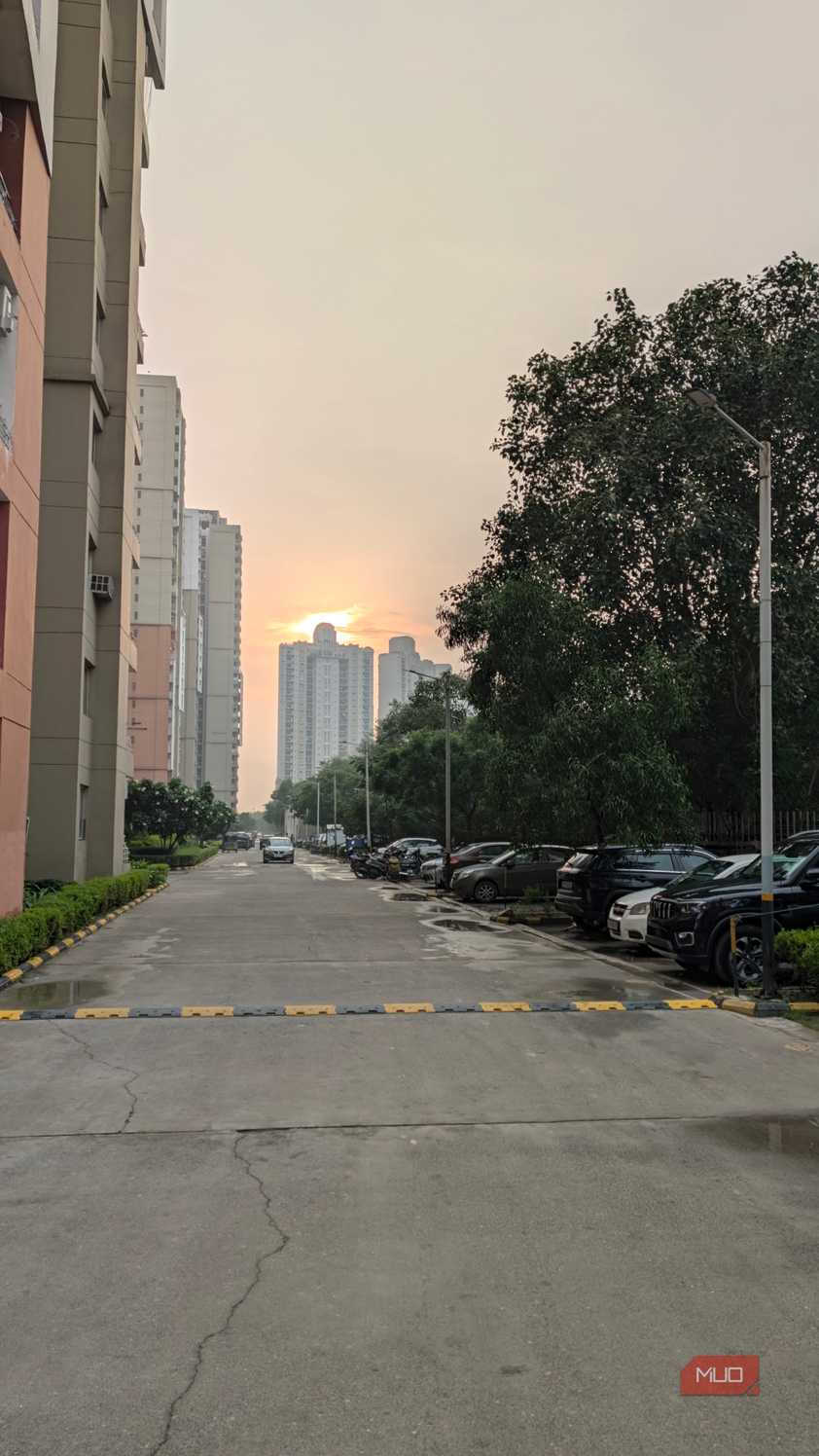
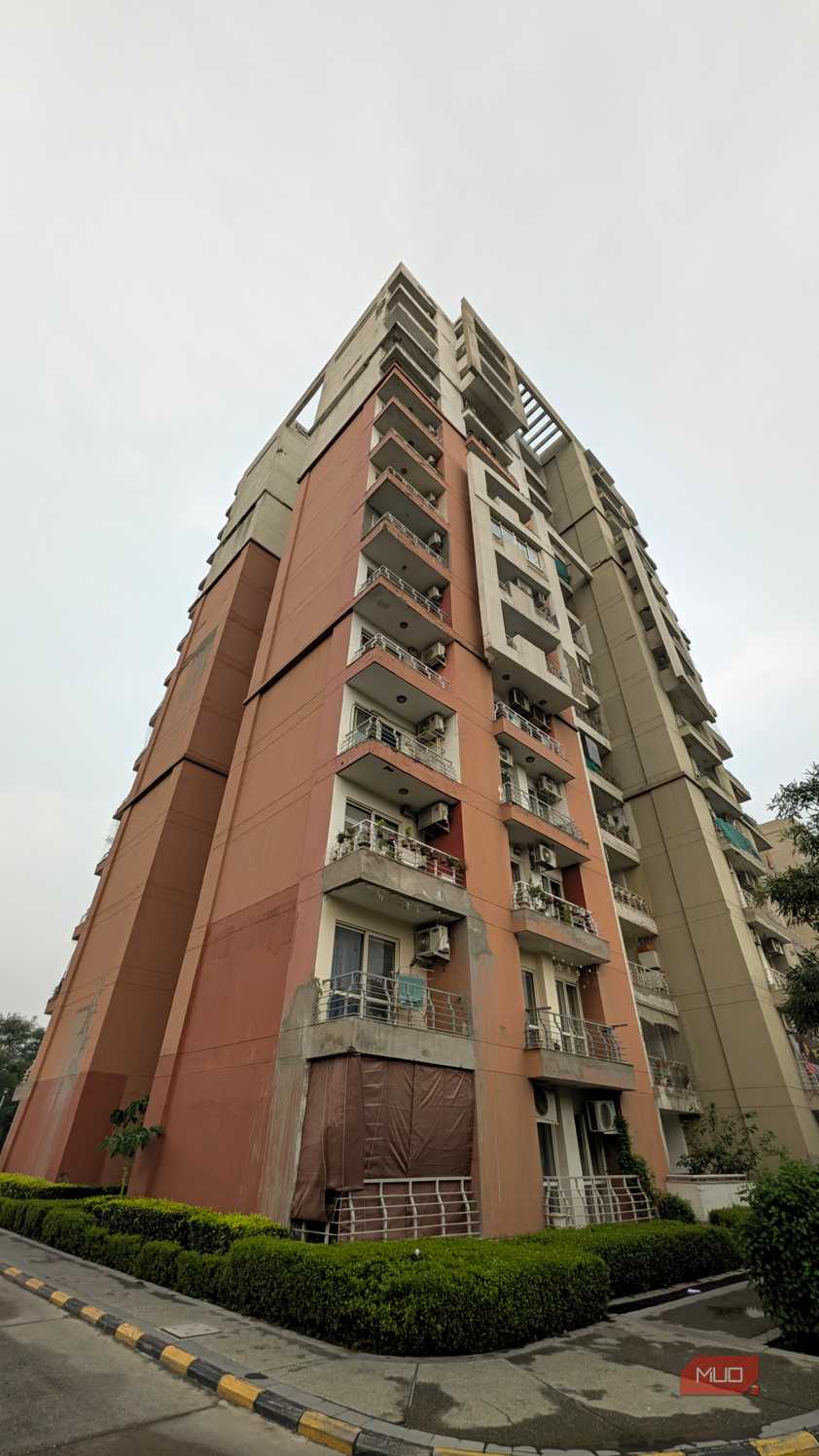
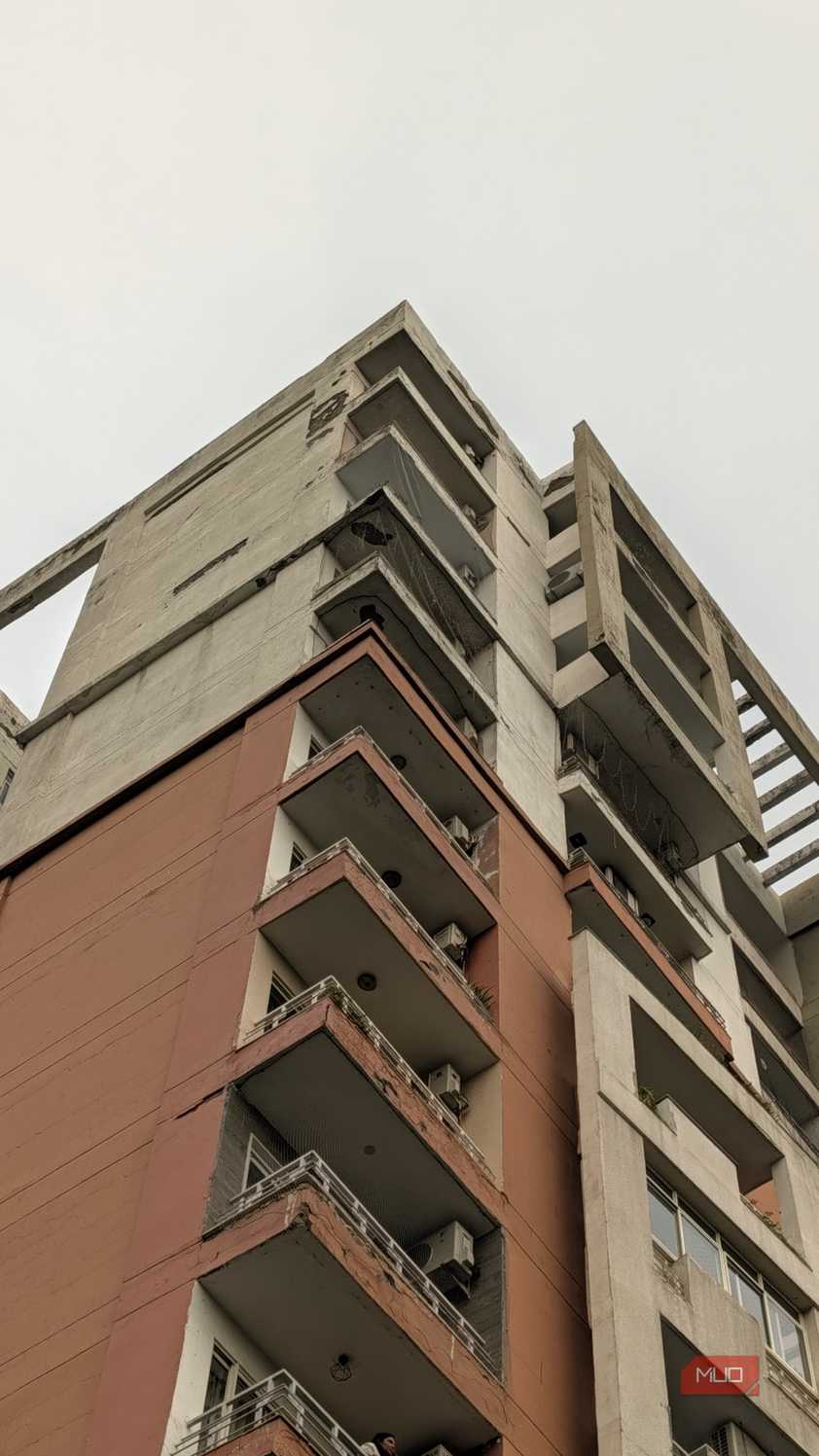
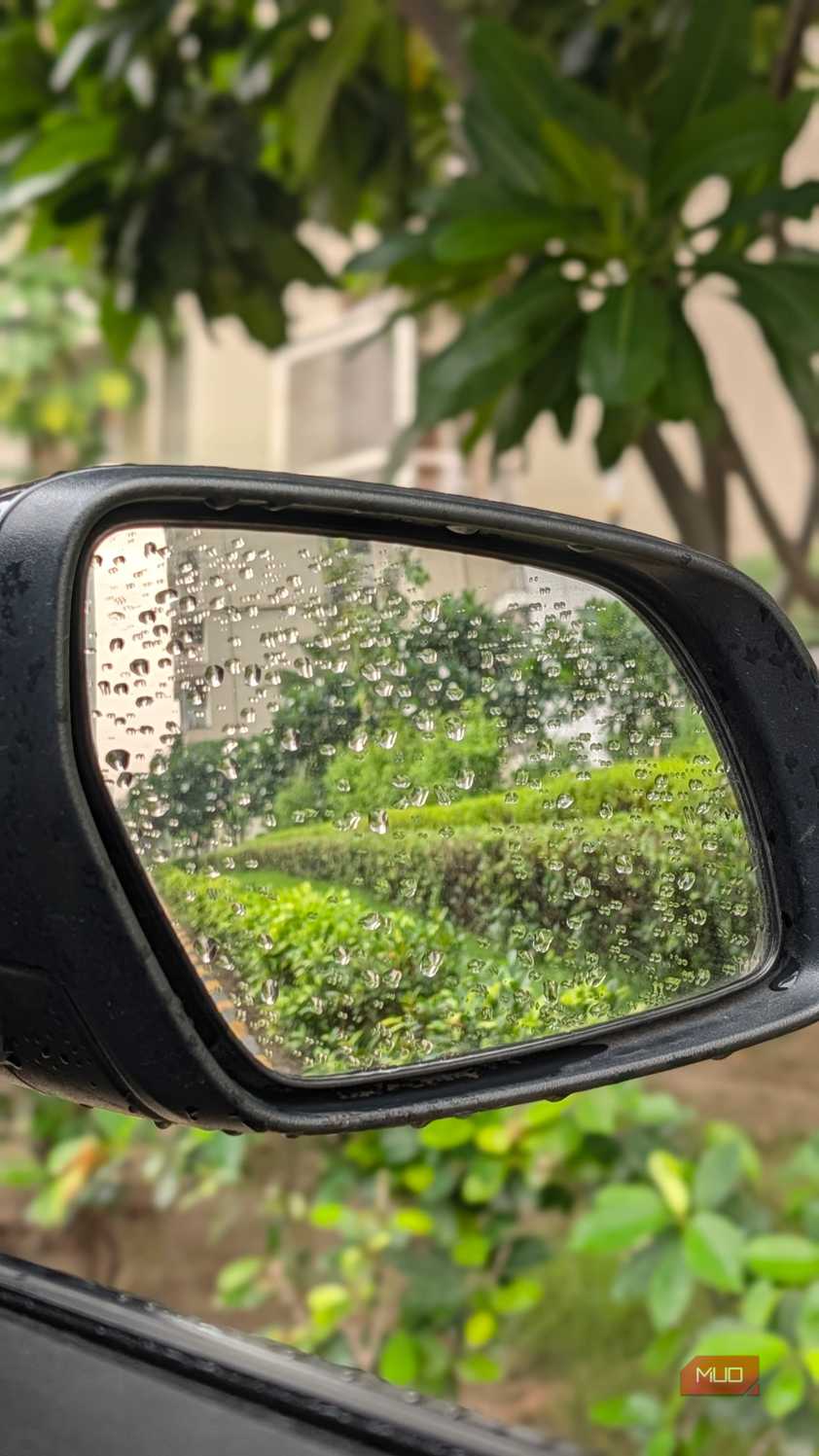
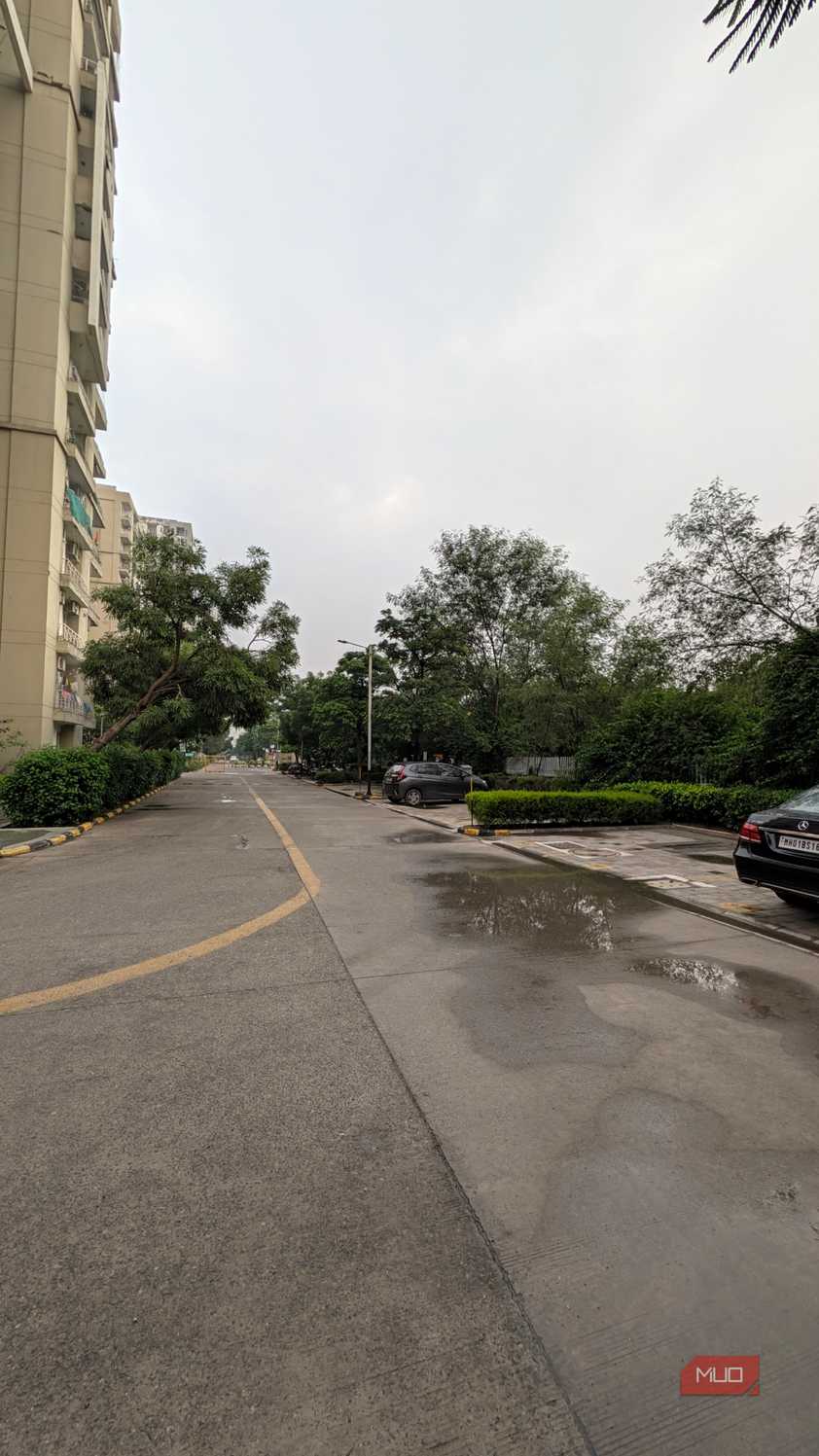
The cameras are another reason I’ve always enjoyed using Pixels. I don’t care too much about having the biggest megapixel numbers or photos with colors pushed way beyond reality. I want to pull my phone out, press the shutter button, and get something close to what I saw with my own eyes. And that’s something the Pixel 11 Pro XL continues to do really well. The setup itself is fairly familiar: a 50MP main camera, a 48MP ultra-wide, and a 48MP periscope telephoto with 5x optical zoom. This year brings a new main sensor and an upgraded telephoto, while the maximum zoom now stretches to 120x.
In everyday use, though, I’ve actually enjoyed shooting between 0.5x and 1x the most. That’s where I consistently get the natural, true-to-life photos I love from Pixels. Some people might prefer that extra pop, but I’ll happily take the Pixel’s approach. Zooming has been a little more hit-or-miss. At 2x, 5x, and especially 10x, I’ve noticed noise creeping into certain parts of my photos. So while 120x is fun to play around with, I’m far more interested in how the camera performs at the focal lengths I actually use.






 Credit: Shimul Sood / MakeUseOf
 Credit: Shimul Sood / MakeUseOf
 Credit: Shimul Sood / MakeUseOf
 Credit: Shimul Sood / MakeUseOf
 Credit: Shimul Sood / MakeUseOf
 Credit: Shimul Sood / MakeUseOf
 Credit: Shimul Sood / MakeUseOf
 Credit: Shimul Sood / MakeUseOf
 Credit: Shimul Sood / MakeUseOf
 Credit: Shimul Sood / MakeUseOf










Portraits have been much more fun. I’ve taken plenty of photos of my dog, random objects, and people, and I love how naturally the Pixel handles depth. Subject separation is convincing, background blur doesn’t look overly artificial, skin tones are accurate, and even tricky details around hair are handled surprisingly well.
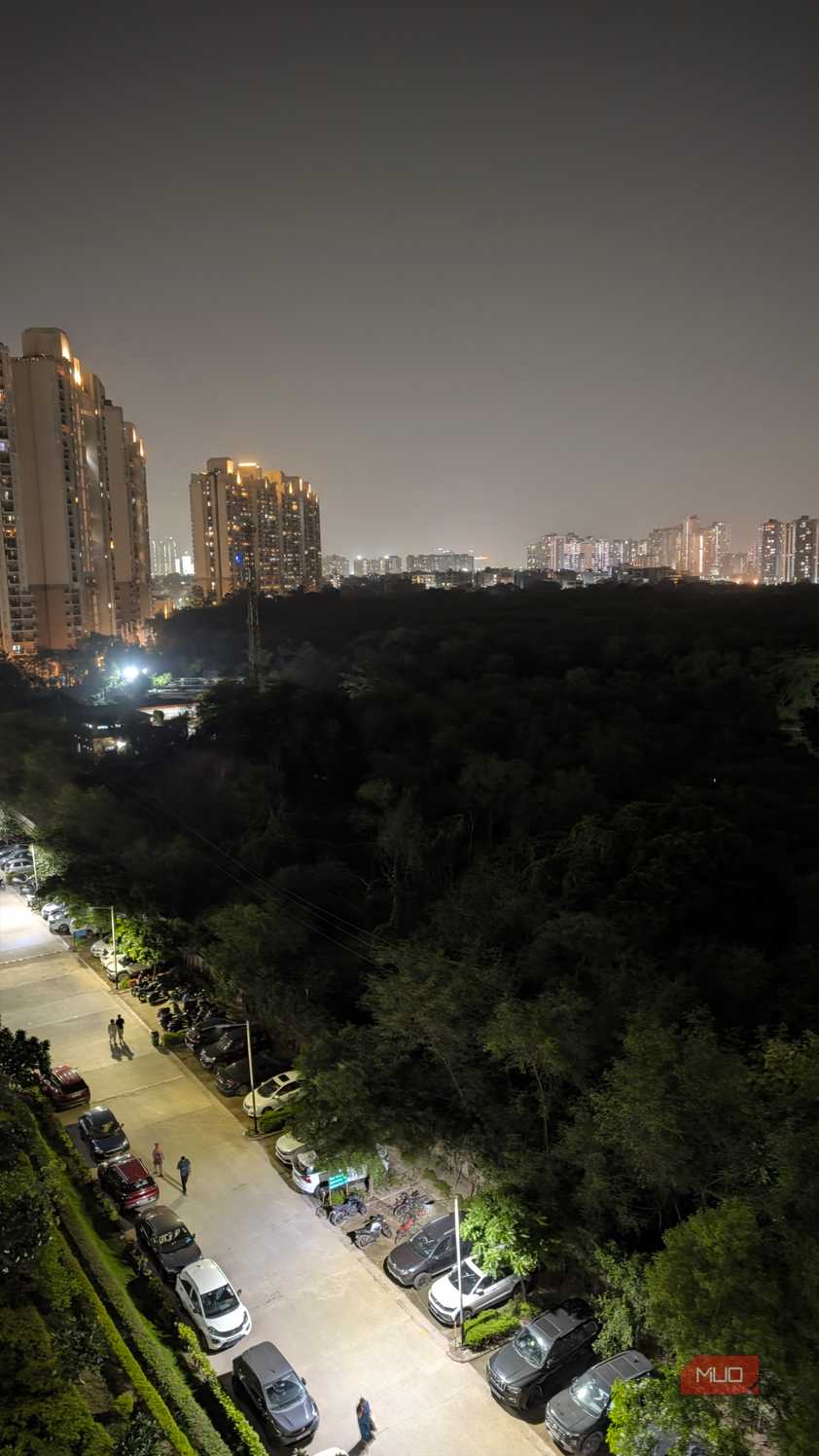
Low-light photography is where I’ve had a few more problems, though. Night Sight can produce some really good photos when there’s enough light around, but bright light sources can introduce noticeable lens flare. Selfies, on the other hand, follow the same philosophy as the main camera. They’re extremely natural. Personally, I’d much rather have that than a camera automatically smoothing my face until I barely look like myself.

I’ve also been enjoying Camera Looks, especially because I can choose a look while I’m shooting instead of taking the photo first and editing it afterward. Magic Capture is another nice addition. I don’t use it every day, but when I’m recording a video I really care about, it’s useful. And that’s ultimately what I want from a phone camera.
The battery is pulling its weight
Just don't ask it to hurry

Battery life was another area where I really wanted the Pixel 11 Pro XL to surprise me, especially after the problems I had with my Pixel 10 Pro. But I’m left wondering why Google didn’t do more. The Pixel 11 Pro XL has a 5,115mAh battery, which is actually 85mAh smaller than last year. That’s not a massive difference, but the decision still puzzles me. The phone hasn’t become dramatically thinner or lighter, so I’m not really seeing an obvious trade-off that explains why the battery needed to shrink.
I was also really hoping this would finally be the year Pixels moved to silicon-carbon batteries. After seeing Samsung embrace the technology with its latest foldables, I went into the Pixel 11 series expecting Google to follow along. Instead, we’re getting a fairly conventional battery in a phone that costs well over $1,000. Thankfully, the actual battery life has been better than those numbers might suggest. On days when I’ve been deliberately pushing the Pixel 11 Pro XL, and generally giving the phone very little opportunity to rest — I’ve managed to get more than six hours of screen-on time. That’s pretty solid for the way I’ve been using it.
This means battery anxiety hasn’t really been part of my experience so far.
More importantly, it means battery anxiety hasn’t really been part of my experience so far. With more moderate use, I can see the Pixel 11 Pro XL comfortably getting me through a long day, somewhere around 11 to 12 hours away from the charger.

Unfortunately, once the battery does run out, my enthusiasm drops again. The Pixel 11 Pro XL still tops out at 45W wired charging, just like its predecessor. In my testing, going from completely dead to 100% took around an hour and 15 minutes. Is that terrible? Absolutely not. But in 2026, it’s difficult for me to call it impressive either. The heat doesn’t help matters, either. I’ve already talked about the Pixel 11 Pro XL getting warm during camera use and other demanding tasks, and I can feel that warmth creeping in while charging, too. It makes an already unexciting charging experience a little more frustrating.
Should you buy the Google Pixel 11 Pro XL?
After spending the past few days with it, my answer is a slightly complicated yes — but you need to know what you’re signing up for. There’s a lot here that I genuinely enjoy. The cameras are reliable, the display has made me understand why people love enormous phones, and the software remains one of my favorite Android experiences. For everything I normally do in a day, the Pixel 11 Pro XL has been perfectly dependable.
My frustration is that, for a phone that costs $1,299, I’m still being asked to accept compromises that feel increasingly difficult to excuse. Performance still isn’t where I want it to be, the Tensor still runs warmer than I’d like, the battery technology feels conservative, and 45W charging simply isn’t exciting anymore. These were easier compromises to accept on Pixels years ago, but in 2026, I expect more.
And that’s ultimately where I’ve landed with the Pixel 11 Pro XL. If raw performance, incredibly fast charging, or having the absolute best hardware matters most to you, there are better places to spend your money. But if you care more about clean software, genuinely useful features, a great camera, and a phone that feels pleasant to use every day, there’s still something uniquely Pixel about the experience.
Google Pixel 11 Pro XL
- Brand
- SoC
- Google Tensor G6
- Display
- 6.8-inch Super Actua display
- RAM
- 12 or 16GB
- Battery
- 5115 mAh
- Storage
- 256GB, 512GB, or 1TB
- Ports
- USB-C 3.2
- Operating System
- Android 17
- Dimensions
- 6.4 in (height) x 3.0 in (width) x 0.3 in (depth)
- Colors
- Canyon, Olive, Fog, Obsidian
- Weight
- 8.0 oz
- IP Rating
- IP68
- Display dimensions
- 20:9
- Display resolution
- 1344 x 2992
- Wi-Fi connectivity
- Wi-Fi 7
- Bluetooth
- Bluetooth v6