


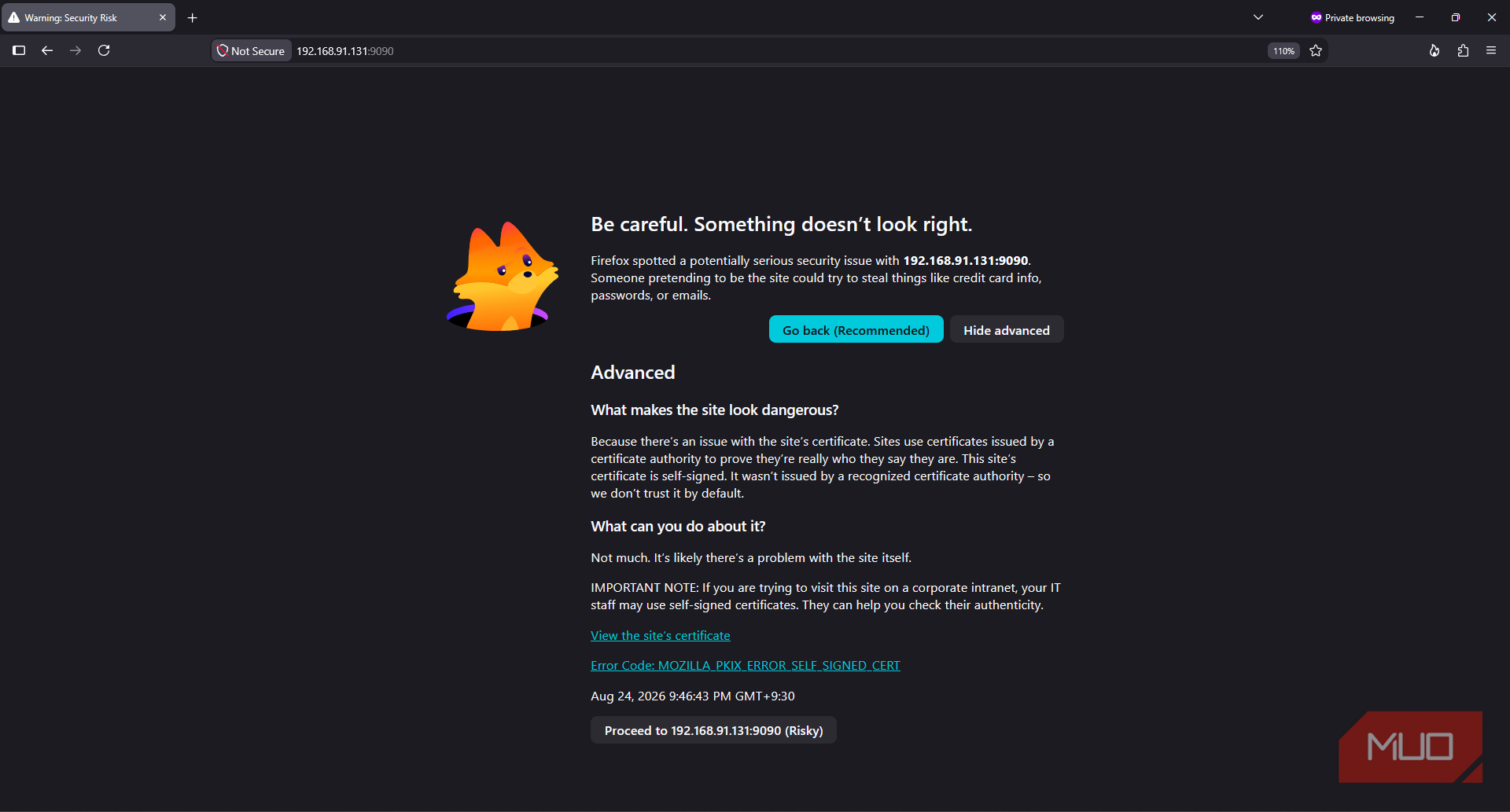
My Home Ops server has already managed files, containers, monitoring, and smart home automations, so it’s safe to say I already trust it. Unfortunately, my browser was less convinced. My Cockpit service greeted me with a full certificate warning, while Homarr, Portainer, Uptime Kuma, and other interfaces relied on ordinary old HTTP.
I could have created a private certificate authority and signed everything myself. I could also have imported its root certificate into every server, PC, and phone on my network. But that’s a little excessive for a homelab, even for me.
Tailscale Serve offered a much smaller fix. One command gave my dashboards and services a trusted private HTTPS address, and a slight variation also stopped Cockpit from scaring my browser.
My home server had every kind of browser security complaint
One interface used a self-signed certificate, while most of the others skipped HTTPS entirely


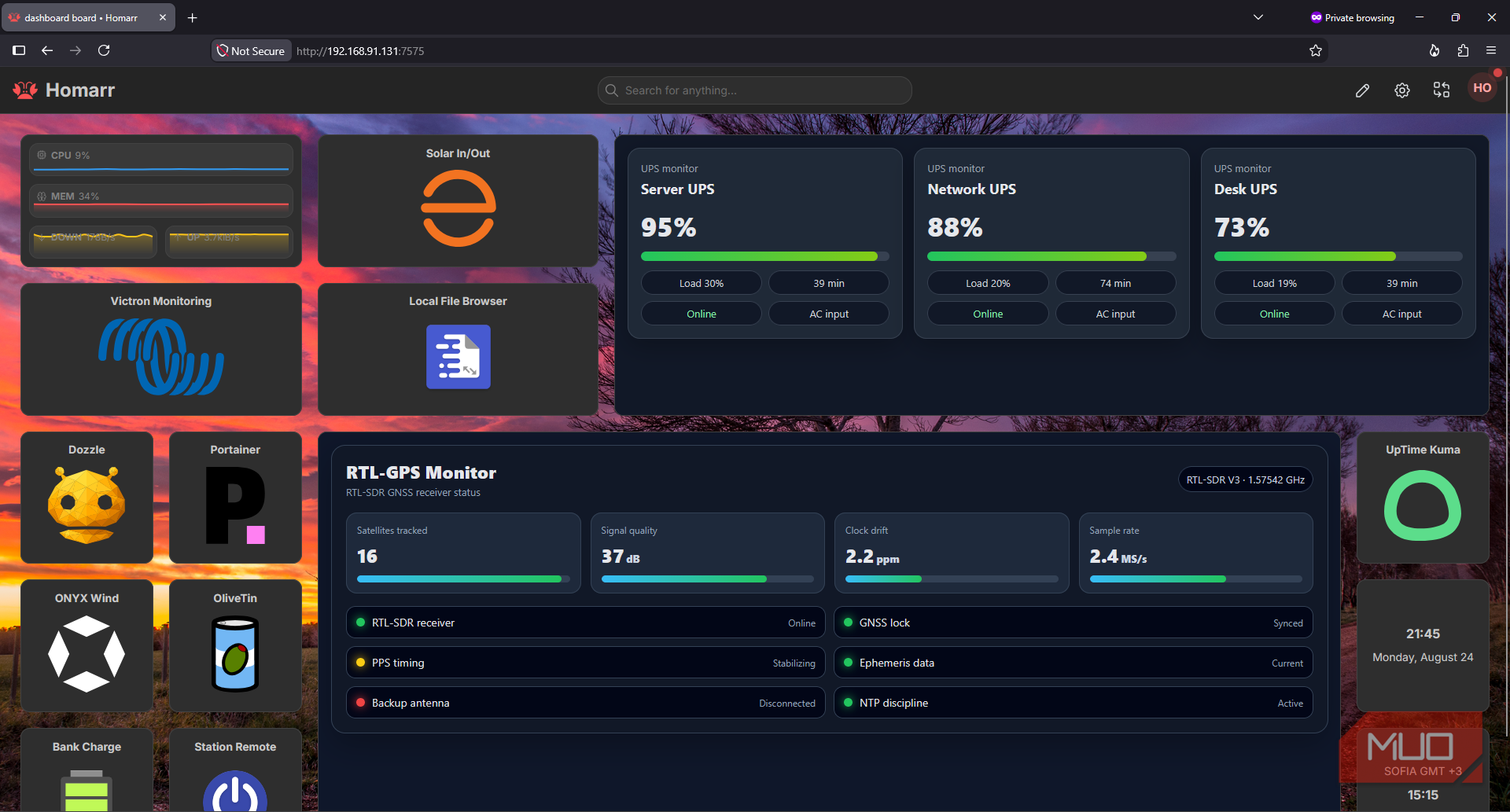
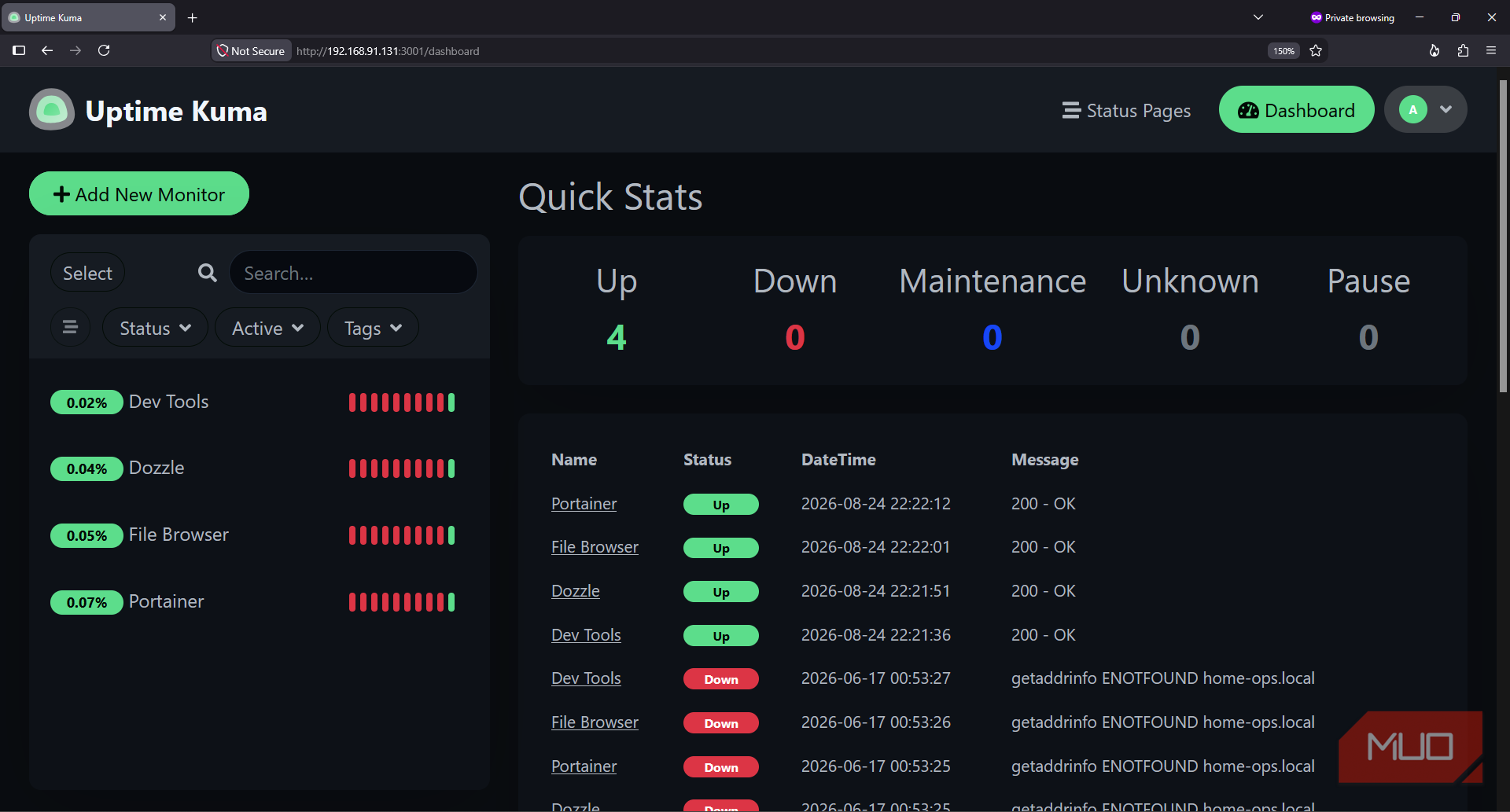
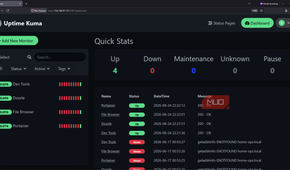
At 192.168.91.131, my Home Ops Linux server had far more services than I remembered installing. Running sudo ss -tulpn soon jogged my memory:
- Homarr dashboard on port 7575.
- Cockpit on port 9090.
- Portainer on port 9000.
- Uptime Kuma on port 3001.
- File browser on port 0801.
- A handful of custom Nginx pages on ports 8090-8099.
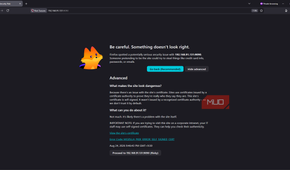
Most of these were merely HTTP. They didn’t trigger my browser’s full-page self-signed certificate panic, but the browser still couldn’t treat their logins and sessions as secure. Cockpit, however, did provide the genuine certificate warning.
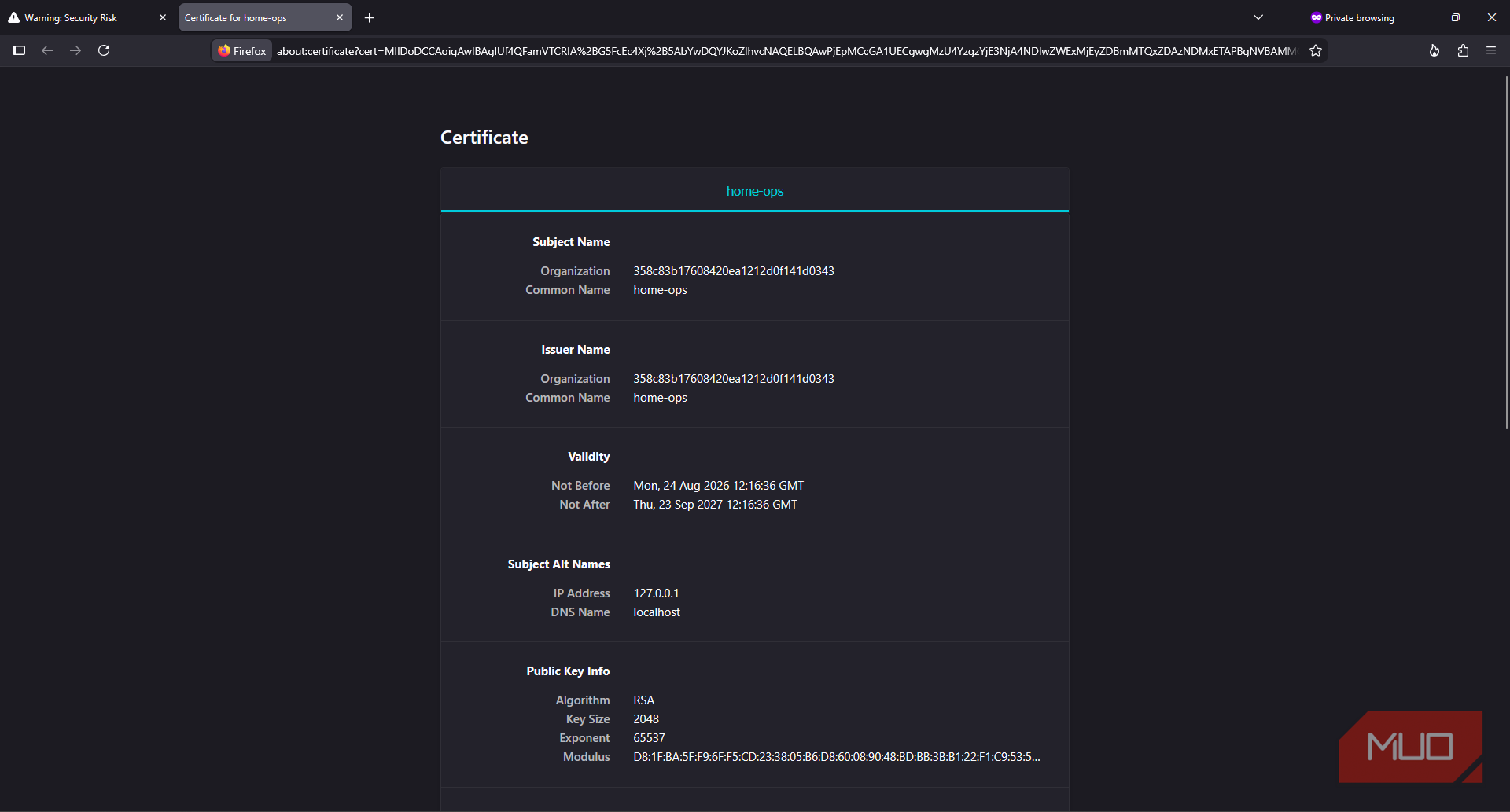
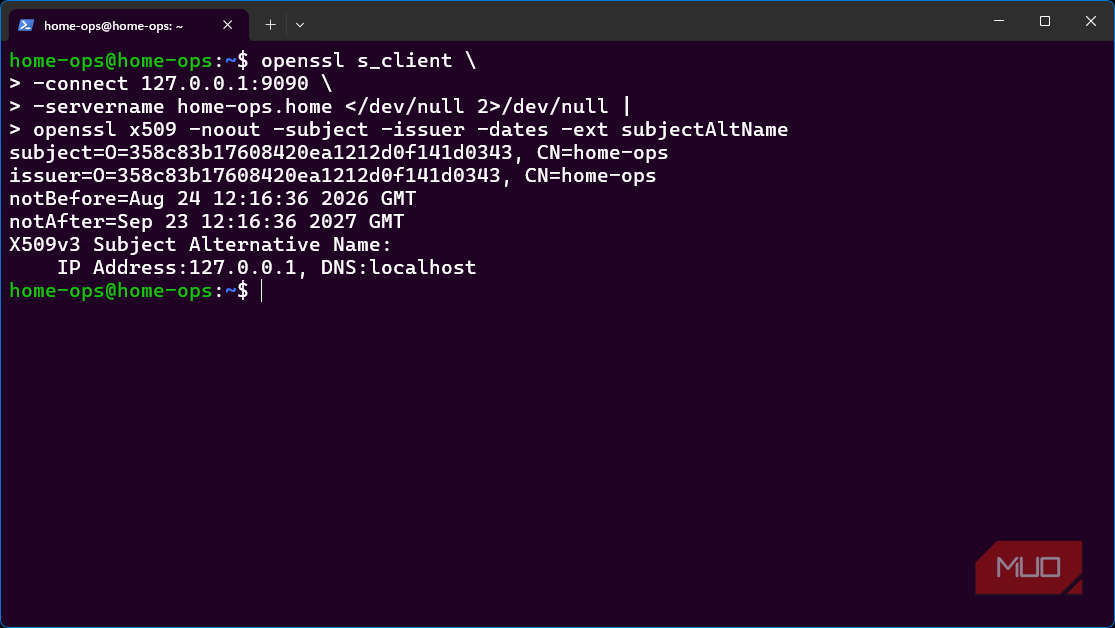
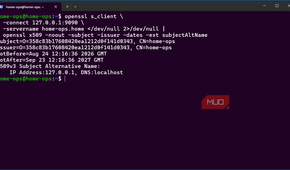
To get a little more information on the warning, I inspected Cockpit’s certificate directly:
openssl s_client \
-connect 127.0.0.1:9090 \
-servername home-ops.home </dev/null 2>/dev/null |
openssl x509 -noout -subject -issuer -dates -ext subjectAltName
Its subject and issuer were both home-ops, which confirmed that Cockpit had simply signed its own certificate. The Alternative Name extension only covered localhost and 127.0.0.1. Accessing 192.168.91.131 had therefore failed twice. My browser didn’t trust the issuer, and the certificate didn’t even cover the address I had entered.
Clicking through once was manageable. But despite all the effort I had put into setting up these services in the first place, having to repeat that ritual on every device and browser made the whole thing just feel unfinished.
Tailscale turned one local port into a trusted HTTPS site
Serve handled the hostname, certificate, reverse proxy, and renewal together

It’s no secret that I love Tailscale, and since I'd already configured it to wake my computers remotely, it was the perfect solution to my certificate problem. Tailscale already used WireGuard to encrypt traffic between devices and my tailnet. That produced the underlying connection, but my browser couldn’t see it. It still expected an HTTPS URL and a certificate from an authority it trusted.
Tailscale’s MagicDNS gave my Home Ops server a stable private name:
home-ops.tailfaeb31.ts.netThe anonymous tailnet suffix and neutral home-ops machine name were important because even when machines are inaccessible, Certificate Transparency logs still record certificate hostnames. With this setup, neither part identified me, my account, or my location.
With Tailscale already installed on the server, I ran:
sudo tailscale serve --bg 7575Serve requested a trusted Let’s Encrypt certificate for the complete .ts.net hostname. It also listened on HTTPS port 442 within my tailnet and forwarded requests to my Homarr dashboard on 127.0.0.1:7575. The –bg option kept the proxy alive after I closed the terminal and made it resume on server reboots.
Unlike exporting certificate files with tailscale cert, Serve also knew where the certificate needed to live and could even renew it automatically.

Serve wasn’t yet authorized on my tailnet, so its first run returned a Tailscale consent link. I approved the private HTTPS but left Funnel disabled. This is because Serve can share an application only within authenticated tailnets, but Funnel deliberately makes it reachable from the public internet. That’s handy for some services, but not my dashboards and applications with server control.

Tailscale
- OS
- Windows, macOS, Linux, Android, iPhone
- Developer
- Tailscale
Tailscale is a zero-config, VPN-based remote access tool. It's based on the WireGuard protocol and creates peer-to-peer connections between devices, regardless of location.
- Price model
- Free, paid plans available
The same certificate replaced Cockpit’s self-signed entrance
The browser saw trusted HTTPS even though Cockpit kept its original certificate behind the proxy

Homarr’s new HTTPS URL was wonderfully unremarkable:
https://home-ops.tailfaeb31.ts.net/It now loaded through a stable, readable hostname; my browser no longer treated it as suspicious, and I didn’t need to create a CA or install a root certificate anywhere. Cockpit needed a slight variation on the command I used for Homarr:
sudo tailscale serve --bg --https=8443 https+insecure://localhost:9090The https+insecure option only applied to Serve’s local connection with Cockpit. Serve accepted Cockpit’s existing self-signed certificate on localhost:9090, then presented Tailscale’s trusted certificate on port 8443. Cockpit essentially remained unchanged behind the proxy:
|
Original Cockpit address |
Tailscale Serve access |
|
LAN IP on port 9090 |
MagicDNS hostname on port 8443 |
|
Self-signed issuer |
Publicly trusted issuer |
|
Valid only for localhost |
Valid for the .ts.net hostname |
|
Browser certificate interstitial warning page |
Normal HTTPS connection |
Opening the new address took me straight to Cockpit, without the browser panicking and serving the interstitial warning page. My browser verified the .ts.net hostname against the publicly trusted certificate, while Serve quietly dealt with the self-signed certificate behind it.
HTTPS exposed two insecure pages hiding inside Homarr
Firefox secured the dashboard and then refused to load its HTTP-only tiles

Unfortunately, the first secure Homarr load wasn’t quite the victory I wanted it to be. It did, however, teach me a valuable lesson about how browsers handle mixed active content. Two of my tiles that were fed by Nginx HTML pages were blank.
My Firefox browser’s console explained exactly what had happened:
Blocked loading mixed active content
“http://homeops.local:8090/”
Blocked loading mixed active content
“http://homeops.local:8091/”Since both tiles embed complete pages served by Nginx containers, an HTTPS page can’t safely embed HTTP content because the inner page would be modified in transit. Allowing insecure content in my browser would suppress the protection.
So, I have each container its own server listener:
sudo tailscale serve --bg --https=8451 8090
sudo tailscale serve --bg --https=8452 8091
I then replaced the iframe address inside Homarr:
https://home-ops.tailfaeb31.ts.net:8451/
https://home-ops.tailfaeb31.ts.net:8452/
So the “one command” I spoke of in the beginning is actually one Serve command per service, not for the entire homelab. Still, it was simpler and easier than managing certificates inside every container.
Tailscale removed the warnings, but it did not replace my LAN
The private HTTPS entrance is convenient because its limits are deliberate

Tailscale didn’t rebuild any applications or replace my local network. Every client still needs Tailscale, and the .ts.net addresses obviously don’t work when a device isn’t on the tailnet. Multiple services on one machine also require separate HTTPS ports, unless I wanted to configure more elaborate routing.
Serve also didn’t discover the HTTP pages embedded inside Homarr either. My browser had to expose them separately.
Then there are a few privacy and dependency costs as well. Although my neutral machine and tailnet names don’t reveal much, Certificate Transparency still publicly records the home-ops.tailfaeb31.ts.net hostname. That opens my homelab contents up to OSINT queries. Tailscale now also sits in my administration path, while the original HTTP addresses as well as Cockpit’s awkward self-signed certificate continue to exist.
That boundary was deliberate. I left Funnel disabled, so disconnecting Tailscale made every server address unreachable. Nothing became public just because it had a publicly trusted certificate. I can, of course, still tighten things further by binding the original services to localhost or locking down their LAN ports with dedicated firewall rules, but that’s a project for another day.
For my own devices, the tradeoff is easy enough to accept since my computers and phone already use Tailscale. I am keeping the Tailscale URLs as my normal route into Home Ops. Homarr is now a secure landing page, Cockpit no longer frightens my browser, and the whole arrangement stays private while silencing that nagging, disappointing feeling I get every time I see a self-signed certificate warning.