


My home server runs everything from my smart home devices to ad and tracker blocking, but for all intents and purposes, it's a laptop with Linux Mint installed on it. Pi-hole quietly blocks ads and trackers, Home Assistant makes sure all my smart devices behave as expected, and Copyparty backs up all my files.
It's all very functional, but when it comes to monitoring all of these services, I have to remember multiple IP addresses and port combinations. Self-hosting will teach you a lot about servers, but it won't necessarily come with a graphical interface. So if you've ever wanted a single browser page where all your tools show up, Glance is the answer.
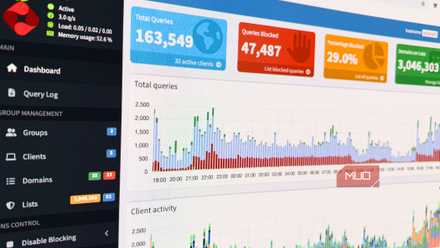
I set up Pi-hole on my home network, and the internet feels like a completely different place
The many benefits of hosting your own DNS server and the control it gives you over your network.
The homepage built for homelabs
What Glance is and why it replaced my old dashboard
Glance is a self-hosted dashboard written in Go that pulls all your feeds, widgets, and server stats into a single browser page. It lives on your server, runs on your terms, and since it's self-hosted, never phones a third-party server. So instead of opening multiple browser tabs and terminal windows every morning to check the news, weather, your YouTube subscriptions, Reddit, and your self-hosted services, you open one page, and that's it: no algorithms, no ads, and no surprise SaaS bills.
There's no shortage of self-hosted dashboards out there, and Homepage, Dasherr, and Heimdall are all great examples. However, Glance has carved out its niche by being genuinely feed-first rather than a glorified service link grid. That does come with a major problem, though — you can't control anything from Glance, only see stats — but that's outside its use case. It's a glanceable dashboard you can set as your browser's home screen, not a control mechanism.

Glance
- OS
- Web-based
- Developer
- Glenn Johansson
- Price model
- Free, Open-source
Glance is a lightweight, self-hosted dashboard that aggregates news, RSS feeds, service status, bookmarks, and system information into a single customizable homepage;
Widgets are where it shines
News, services, metrics, and everything else in one place

Glance ships with a surprisingly deep library of built-in widgets. You'll find everything from RSS feeds, Reddit posts, Hacker News, YouTube channel uploads, weather forecasts, Twitch channel status, stock and crypto market prices, calendars, to-do lists, DNS query stats from Pi-hole or AdGuard, Docker container status tracker, GitHub release tracker, monitor widget for uptime checks, and the list goes on.
But the most important, and the most useful for people running self-hosted software, is the custom-api widget. It lets you pull JSON from any URL and render it with your own HTML template. Meaning you can embed just about any service that uses a web dashboard.
The community has already done quite a lot of work for you on this front. There's a community-widgets repository where people share custom widgets for everything from home automation stats to sports scores. If a widget doesn't exist in the dashboard, there's a good chance you'll find it on the community widget repository, or even make one yourself.
Fast because it does less
A featherweight design that loads instantly and stays responsive

Glance demands very little from the hardware you're running it on. The entire binary comes in at under 20MB, and the Docker image is comparably slim as well. It runs comfortably on a Raspberry Pi without any thermal throttling issues, the kind you'd expect from a seemingly heavy Node.js app. Load times remain under a second, even on heavy pages with a dozen or more widgets on them.
To achieve this, Glance uses vanilla JavaScript and no frontend framework. No React, no Vue, and no webpack bundle. The Go backend handles caching, giving each widget a configurable cache lifetime, and nothing fetches in the background. The pages load fresh data every time you load it, meaning your internal DNS doesn't get hammered. If you're running Pi-hole or AdGuard Home, it's recommended that you raise the DNS rate limit since a page full of widgets can briefly spike query counts.
The YAML is surprisingly painless
Configuration that balances flexibility with simplicity

Your dashboard can be entirely configured by editing the glance.yml file. There's no web UI editor, no database, no clicking through settings panels and tweaking parameters — just plain old YAML.
This has some obvious advantages. You define pages, columns, and widgets in YAML, save the file, and the dashboard reloads automatically. No restart required courtesy of an auto-reload function. And if you've spent time with Ansible, Home Assistant, or any Docker Compose setup, those YAML skills you picked up transfer directly.
The layout system is column-based. Each page can have as many columns as you want, sized as small, full, or large. Widgets stack inside columns. You can group multiple widgets into a tabbed group widget so they share a single card and don't eat up too much vertical space as well. It's not as easy as dragging and dropping your widgets of choice wherever you want, especially if you're a beginner to YAML. But the structure is logical enough that you can build exactly the layout you want with plenty of help from any vibe-coding tool you want.
Now it’s the first thing I see every morning
How Glance became my browser’s default start page
I now actually open the page every morning. In an era where browser homepages might be going extinct, it's refreshing to have an actual dashboard as your browser's home that shows you everything from the weather to your Docker containers' health at a glance. It takes seconds to absorb this information, and then I get on with my day. It's a self-hosted app that's worth trying out over the weekend.

5 things you shouldn't self-host, even though you technically can
Some things are better left to professionals.
And that's really the real win here. Glance gave my home server a front page that's not just an infrastructure management tool, but something I'd actually want to look at. If your homelab has been missing that kind of glue layer — something that bridges the server-monitoring side with the content you consume every day — this is the project to try.