


Microsoft and Linux might seem like an odd combination at first — after all, Microsoft did have a rather terrible history of scaring away users from alternatives. That might have been in the past, though, as the barrier between Linux and Windows has slowly dissolved over time (not completely yet, though!).
Perhaps it was this weird experiment that kicked off Azure Linux, an open-source Linux distribution developed and maintained by Microsoft itself. It’s based on Azure, Microsoft's cloud computing service.
Microsoft recently released a fully featured offline ISO installer for curious folks like me to try out. I ended up running it (with great difficulty) on a virtual machine, and here’s why it doesn’t really mean much for the general user.
Installing Azure Linux 4.0 in a virtual machine
Surprisingly complicated, with not a whole lot to do


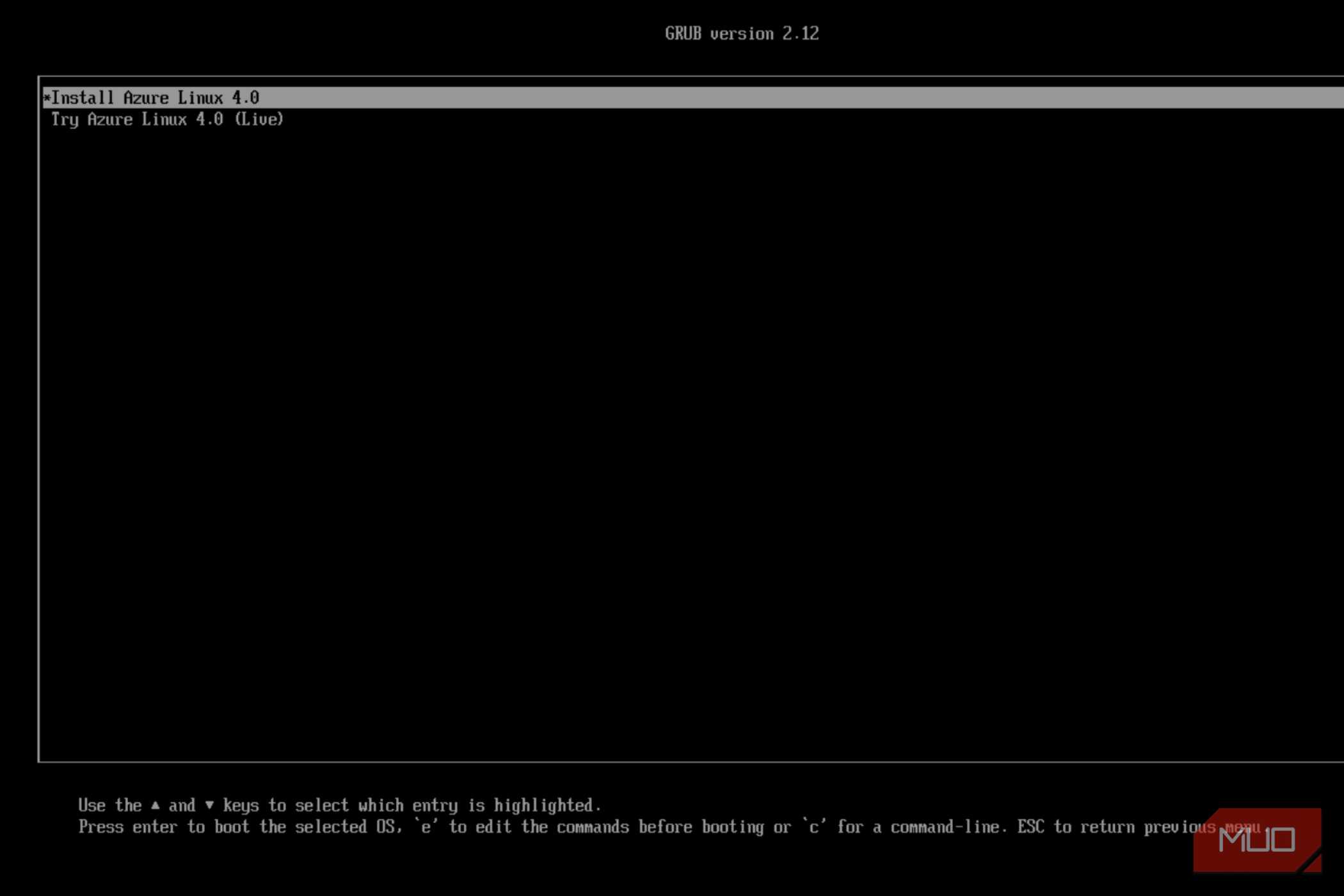
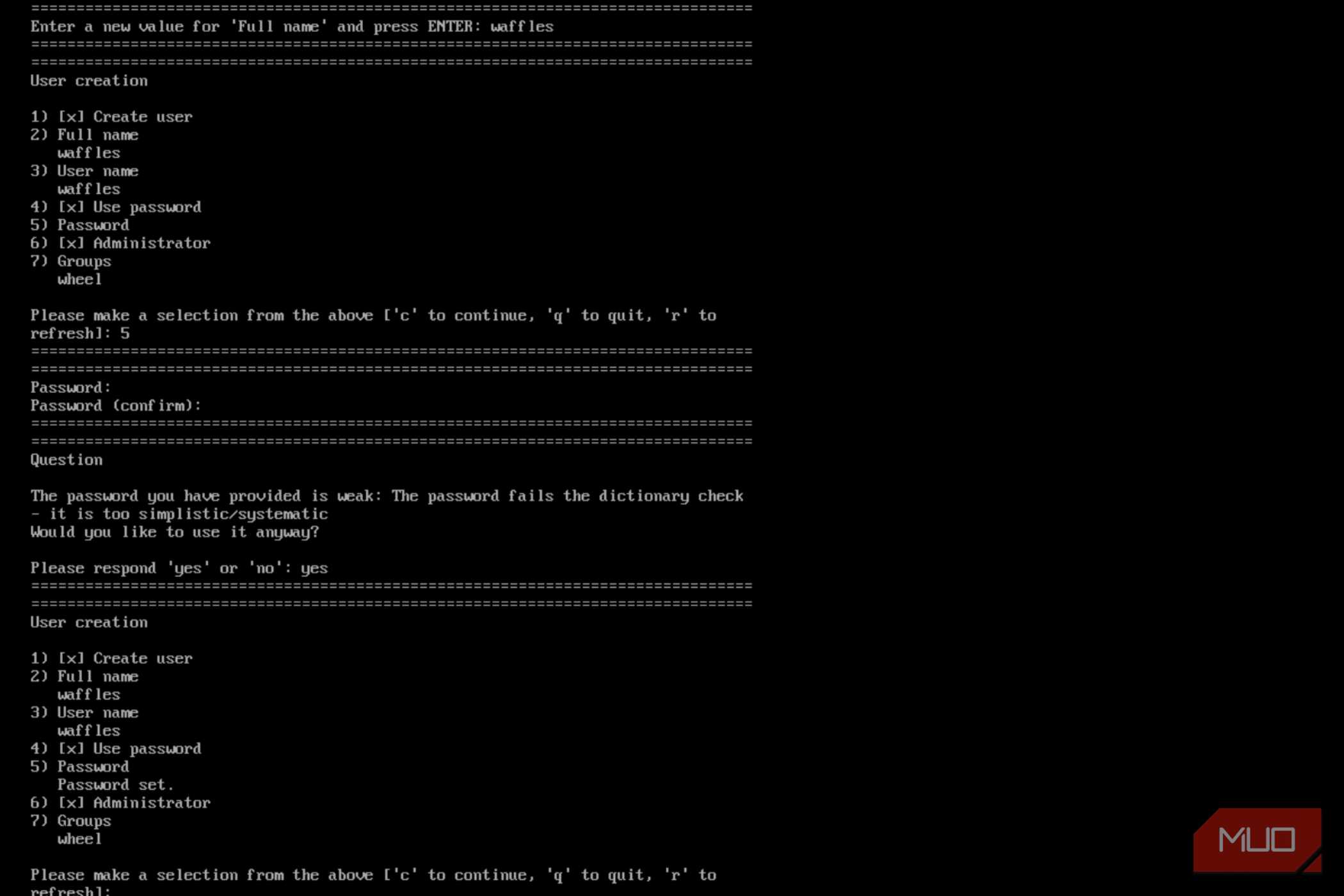

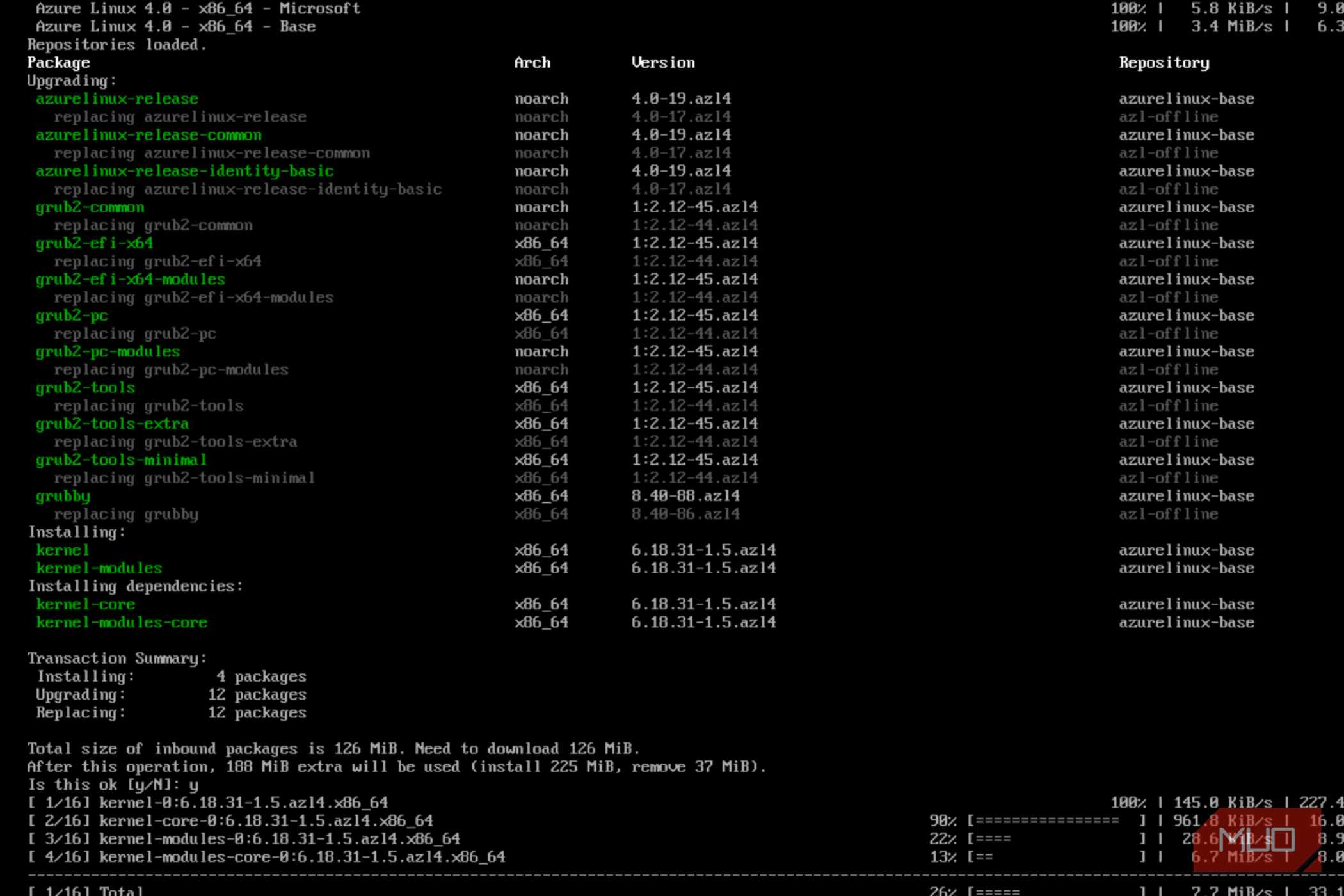






Let’s get this straight. The current iteration of Azure Linux is not some new, proprietary operating system crafted by Microsoft. Far from it, really; Azure is derived from Fedora Linux, sharing its command-line usage and package managers.
Azure Linux uses tdnf (or tiny dnf) along with the usual host of RPM packages. Version 4.0 of the distribution’s beta also added dnf5 support, which should bring it a lot closer to Fedora.
Being built on Fedora meant I could theoretically run it on any x86 or ARM device, including inside a virtual machine. I simply fired up virt-manager for QEMU and chose a standard Fedora install, with the virtual disk drive pointing to the Azure Linux ISO file, which is available for download from the project’s GitHub page.
You’ll want to use the more modern BIOS options in virt-manager to install Azure Linux. The regular BIOS will throw up an error during partitioning.
Azure Linux offers a “live environment” to test things out, but it has no graphical user interface. This renders the mode pretty pointless.
Everything must be done from the console, and that is by design. I had to resort to the CLI installer, accessed by typing “install-azl”.
After choosing a standard installation, I went through the next menu, which offered a bunch of customization options. After setting the root password, disk partitioning, and local account, I was ready to begin the installation, which didn't take too long.
One restart later, and I was able to enter the Azure Linux installation on my local disk, which presented me with a tty. That was it, and there was no GUI to interact with. Even more puzzling, the Azure Linux package manager does not seem to include all the repositories found in a standard Fedora installation.
This includes things like a display server or even a simple utility such as neofetch. As it stands, Azure Linux is highly containerized and strictly built for specialized use cases, none of which matter to someone looking to drive this OS daily. It is not meant to be a desktop, since you’d have Windows for that.
So, what exactly do you use Azure Linux for?
Container stuff and servers, not general desktop use

Azure Linux is expected to be deployed in web servers for cloud workloads. Which makes total sense, given that the distro is a stripped-down installation of Fedora Linux, with just the essentials packaged to keep things up and running.
As per the GitHub page, Azure is defined almost entirely by a set of TOML configuration files, which are applied using azldev, an open-source configuration tool. Azure is far from complete, though. It is still in active development, which would explain the many missing features.
Documentation is sparse, and there isn’t a whole lot of information floating around it either. Which begs the question, is Azure Linux even worth it? To which the answer would probably be, maybe not now, but in the future.
Azure Linux seems to be a new foundation for Microsoft, and it’ll be intriguing to watch it develop. The fact that Microsoft released the OS for public use does imply that they intend to develop it further, which has me hopeful.
It makes sense if you think about it
There was a time when Windows dominated the server space, with Windows NT and Windows Server 2003. It also made sense. Many of these companies needed Microsoft services and their own brand of specialized software, which made it a necessity.
Things changed when Linux began to gain popularity in the hobbyist scene. Suddenly, you didn’t require a license (since Linux was free) to run servers. Things started to change dramatically with the shift toward cloud infrastructure, and Linux has taken a considerable leap forward, serving as the backbone of the entire World Wide Web and throwing Windows Server into the dust.
Microsoft had no choice but to shift over to Linux itself, since it was simply a superior platform for web and development, or risk falling behind. Windows Server still exists, but it is a lot more focused on the Microsoft stack right now.
It should come as no surprise, then, that Microsoft, of all companies, has ultimately started to (if not reluctantly) embrace the Penguin.

Azure Linux
Azure Linux is Microsoft’s hardened, open-source server operating system optimized for Azure cloud and container infrastructure. Formerly CBL-Mariner, this headless distribution features an RPM-based Fedora foundation, strict security patching, and a minimal footprint. It delivers fast boot times and reduced attack surfaces for virtual machines and Azure Kubernetes Service nodes.