


When it comes to Bluetooth wireless headphones, it's the audio codec that matters, not the version. And there are plenty of Bluetooth codecs. It begins with the most basic, subband (SBC), and moves up to AAC, aptX, aptX HD, aptX Lossless, and then LDAC and LHDC, the latter two of which represent gold standards in audio quality.
With LDAC, you get 24-bit, 96kHz, up to 990Kbps quality, which relates to the bit rate, sampling rate, and bit depth. LHDC ups this to 24-bit, 96kHz, and up to 1,600Kbps. To put this in perspective, CD-quality is 16-bit, 44.1kHz, and 1,411Kbps. But there's a newer standard that's raising the game, not just in audio quality, but in efficiency and versatility as well: LC3.
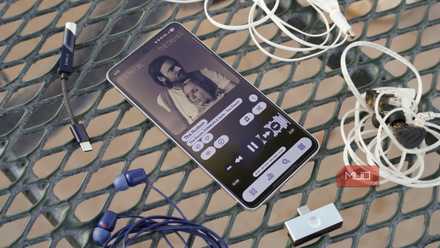
Lossless audio is pointless without these cheap Android accessories
Want to use Apple Music or Spotify's lossless audio support? You'll need some extra gear to make the most of it.
What is LC3?
Improved sound and efficiency
Driven by Bluetooth Low Energy (LE) Audio, LC3, or Low Complexity Communications Codec,replaces SBC. It promises greater efficiency and higher quality, support for multiple wireless audio streams with independent left and right channels, support for Bluetooth hearing aids, and support for broadcast audio.
With this combination, basically the best of LDAC and Bluetooth LE combined, companies can create devices that blend both improved audio quality with better power consumption using LE Audio versus Bluetooth Classic. LC3 isn't new. It came as part of the Bluetooth 5.2 update, which introduced LE Audio. But it's an exciting development in the Bluetooth space. That's especially true since Bluetooth SIG, which oversees the technology, says LC3 can sound better than SBC, even at lower bit rates. You can also get smoother switching among devices.
Independent, multiple streams
Auracast, hearing aids, and more
One of the big advantages of LC3 is the ability to transmit audio independently, as noted. With Bluetooth Classic, stereo data is set to one earbud, and a mono channel is sent to the other. With LC3, this setup is no longer in place. Both connect to the source, resulting in a more reliable connection with no latency or synchronization issues. You can get true wireless stereo sound. With support for multiple streams, two people could be listening to the same source, like a movie streaming from a laptop, and listen through their own headphones.
This Auracast broadcast support extends to larger venues, such as sports bars, museums with guided tours, or gyms that provide in-ear training for a class or an audio feed to connected TVs that anyone can tap into. The advantages for wearers of more modern-looking hearing aids with innovative technology are crucial, too. With a broadcast sent directly to your ears, sound can be more immersive and easier to hear.
How to use Bluetooth LC3
The right devices
To leverage everything Bluetooth LC3 has to offer, you need devices that support at least Bluetooth 5.2 and the adaptation layer (ISOAL) within the Bluetooth Core Specification. This includes both the source device, such as a smartphone or laptop, and the receiver, such as a pair of headphones or a speaker. Thankfully, more and more devices support LC3, including the latest Samsung Galaxy and Google Pixel phones like the Galaxy S26 Ultra and Google Pixel 10 Pro, earbuds like the Sony WF-1000XM5, and headphones like the Sennheiser Momentum 5 Wireless and the AirPods Max 2. You can use LC3 with the latest iPhones, such as the iPhone 17 Pro, but the company restricts itto Made for iPhone hearing aids.
You may need to check the device's settings to ensure LC3 is enabled. For example, on most Android phones, go to Settings -> Bluetooth to make sure LE Audio is turned on. With a compatible Mac and headphones, you may get codec support but not Auracast. On Windows computers, turn LE Audio on in Device Settings and ensure the necessary drivers are installed. For other earbuds and headphones where it's available, you should be able to find the LE Audio/LC3 option within the companion app, where you can toggle it on or off. Adjusting this hidden setting can instantly make your music sound better.
LC3 is about more than just audio
Convenience and shareability

Using LC3 in devices that support it can yield better sound quality, but it's about more than that. It's about convenience, shareability, and greater efficiency. I use the Sennheiser RS 275 TV Headphones and the Sennheiser Momentum 4 wireless earbuds with the Sennheiser BTA-1 Bluetooth transmitter. I can broadcast audio from my connected Sony TV and listen privately, while others can also listen to the same source at their preferred volume through their own Auracast-enabled headphones. For those with hearing aids, it's a game-changer as well, while video gamers will especially appreciate the lower latency. But when it comes to audio quality, being able to listen at higher quality with lower bitrate and improved battery life is a win-win.

Sony WF-1000XM5 Noise Canceling Earbuds
The Sony WF-1000XM5 wireless earbuds are one of the best-sounding around. But they also support the LC3 codec, which means lower latency, more efficiency, and great sound all around when listening from a compatible source. They have excellent noise cancelling, too.