


There’s a common misconception that battery life on Linux is far superior to that of Windows, which is plain untrue. The truth is, Linux installs can often get just as bloated over time, and this drastically affects battery life, just as it would on Windows.
To test this out, I ran a simple battery drain test across two popular desktop environments, using GNOME as a reference — in two separate installs: one “bloated” with extensions and another with barely anything on it. The results were eye-opening, to say the least.
Setting a baseline for the battery test, and some parameters
Hardware, software, and test configuration specs

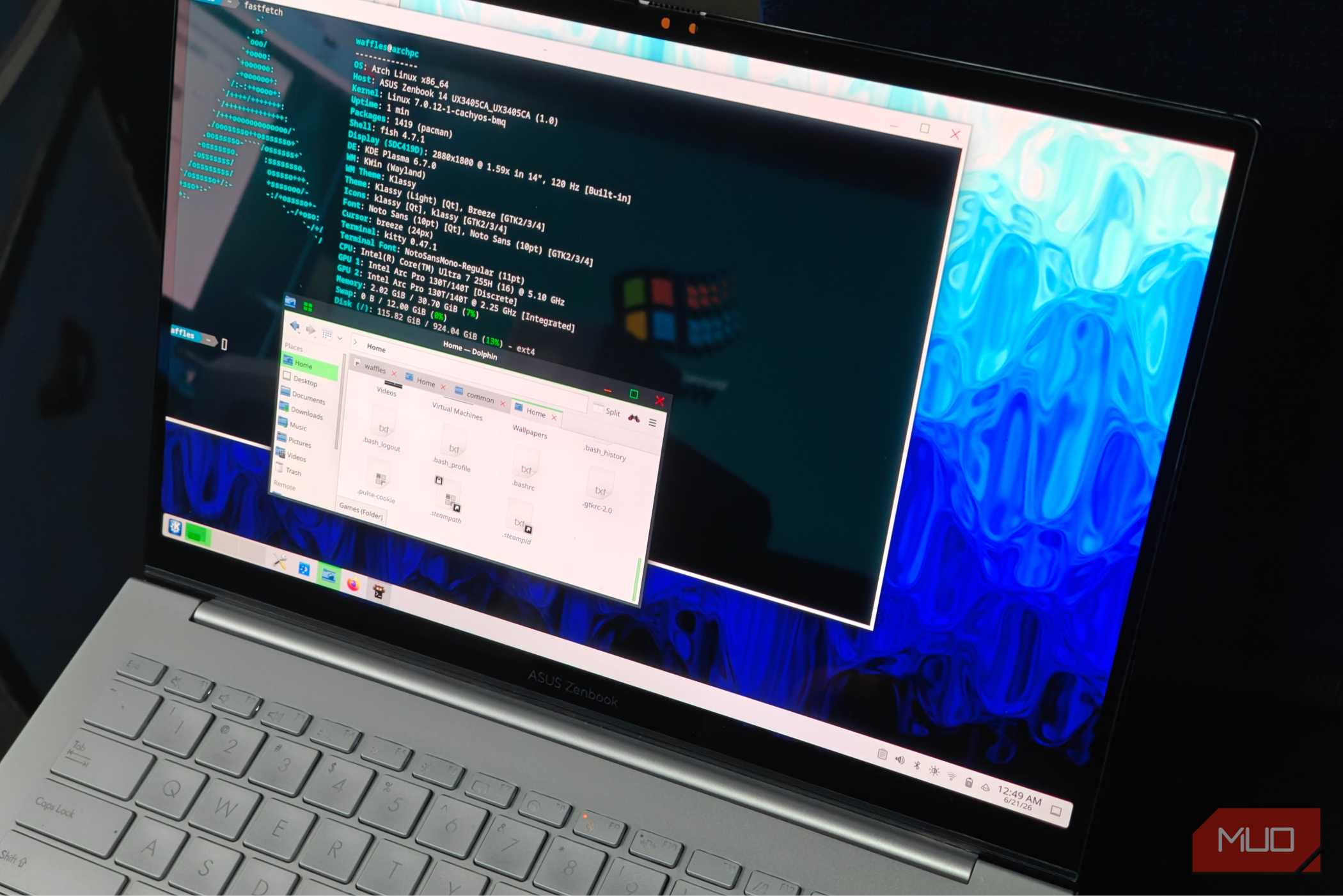
I used a gaming laptop for this battery drain test, specifically a ROG Flow Z13 (2025) with an AMD Ryzen AI MAX 390 as its CPU/iGPU combo. The device is equipped with a meaty 70Whr battery, which should give it enough juice for a few test runs.
The reasoning was simple: I needed a high-performance laptop to test things out, and one that could chew through the battery, while still being scalable. The Z13 was the only device I had that met these prerequisites, but any gaming laptop should do just fine.
To proceed, I had to devise a simple battery drain test — taking place at around 500 nits (full screen brightness) and lasting an hour. The Z13 was set to the Performance profile with its maximum 93W TDP limit. All of this was done on a fresh Arch Linux installation.
Making matters a bit more complicated, there doesn’t seem to be any standardized suite of battery tests on Linux. Which is why I decided to settle on using upower to measure all necessary parameters, the most important of which are the battery percentage drain, energy use (in Whr), and, finally, the voltage.
upower - --monitor-detailSimply running the command in a blank terminal was enough to get me started. Of course, I still needed to log the data to something, so I used a simple logging script that saved it to a plain .txt file.
With the test medium prepped and ready, it was finally time to begin. All tests were conducted on a 90%-charged battery to maintain consistency. The kernel in use was the standard Arch Linux Zen kernel (version 7.1.3.zen1-2).
Scenario A: A fresh KDE Plasma installation with some add-ons
Decent battery life, could be a tad better

I started by installing both GNOME and KDE onto the system. After a reboot (and some configuration), I was presented with the login screen, which I used to log back into KDE.
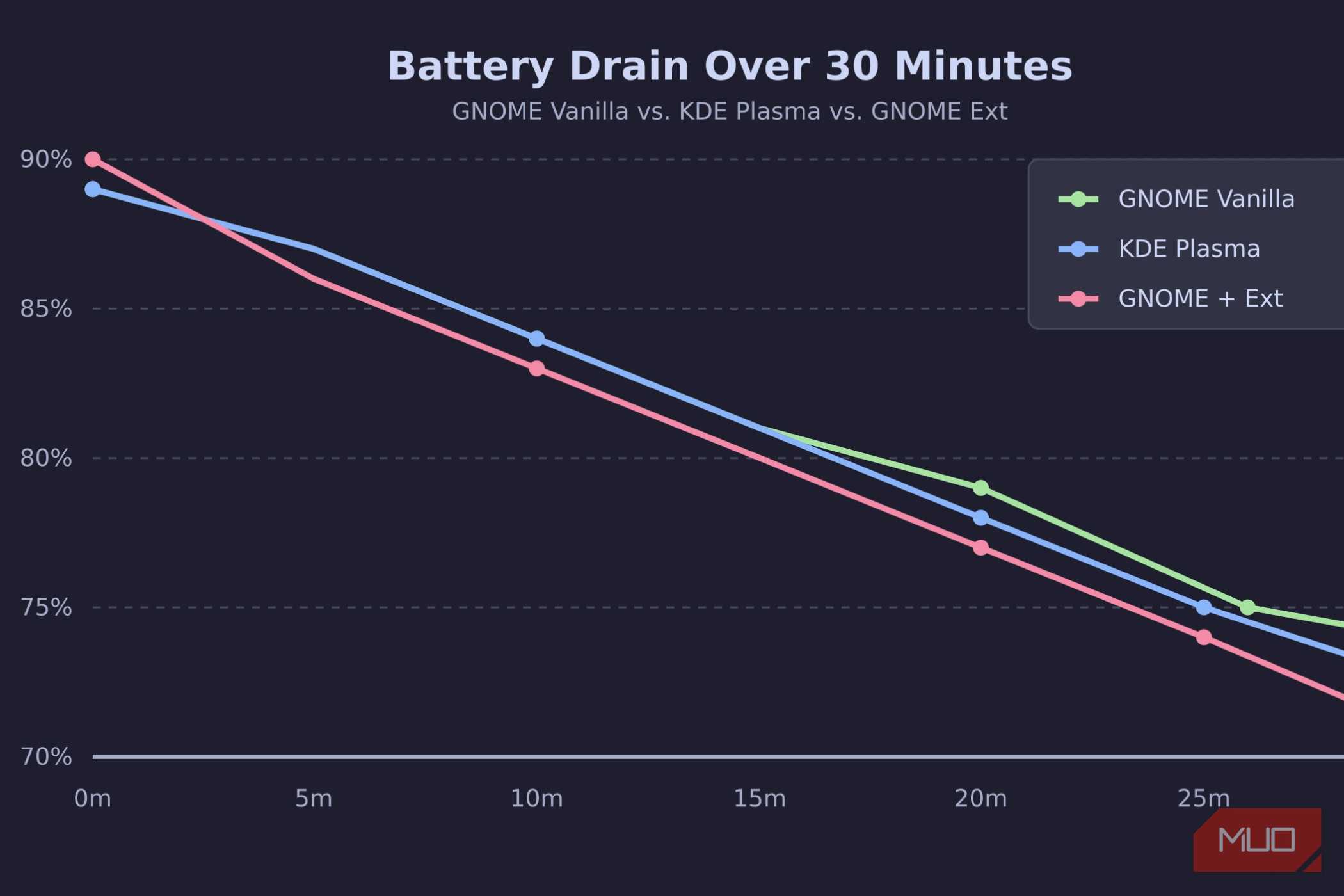
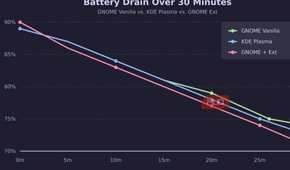
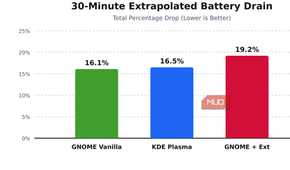
With everything set up, I ran the script and started a 4K video from YouTube. Starting from 90%, I ended up at 53% at the end of the hour, which seems about right. Gaming laptops have poor battery life anyway.
With the first run completed, I opted to reboot the system for a cleaner second run.
Scenario B: A stock, vanilla GNOME installation (control)
A slight upgrade in battery life

Logging into GNOME, the first thing that struck me was how different it was from KDE. It’s been a while since I’ve used GNOME, but there’s no denying that it is a very good-looking desktop environment. Even if there are a few quirks that vex me enough to not daily drive it.
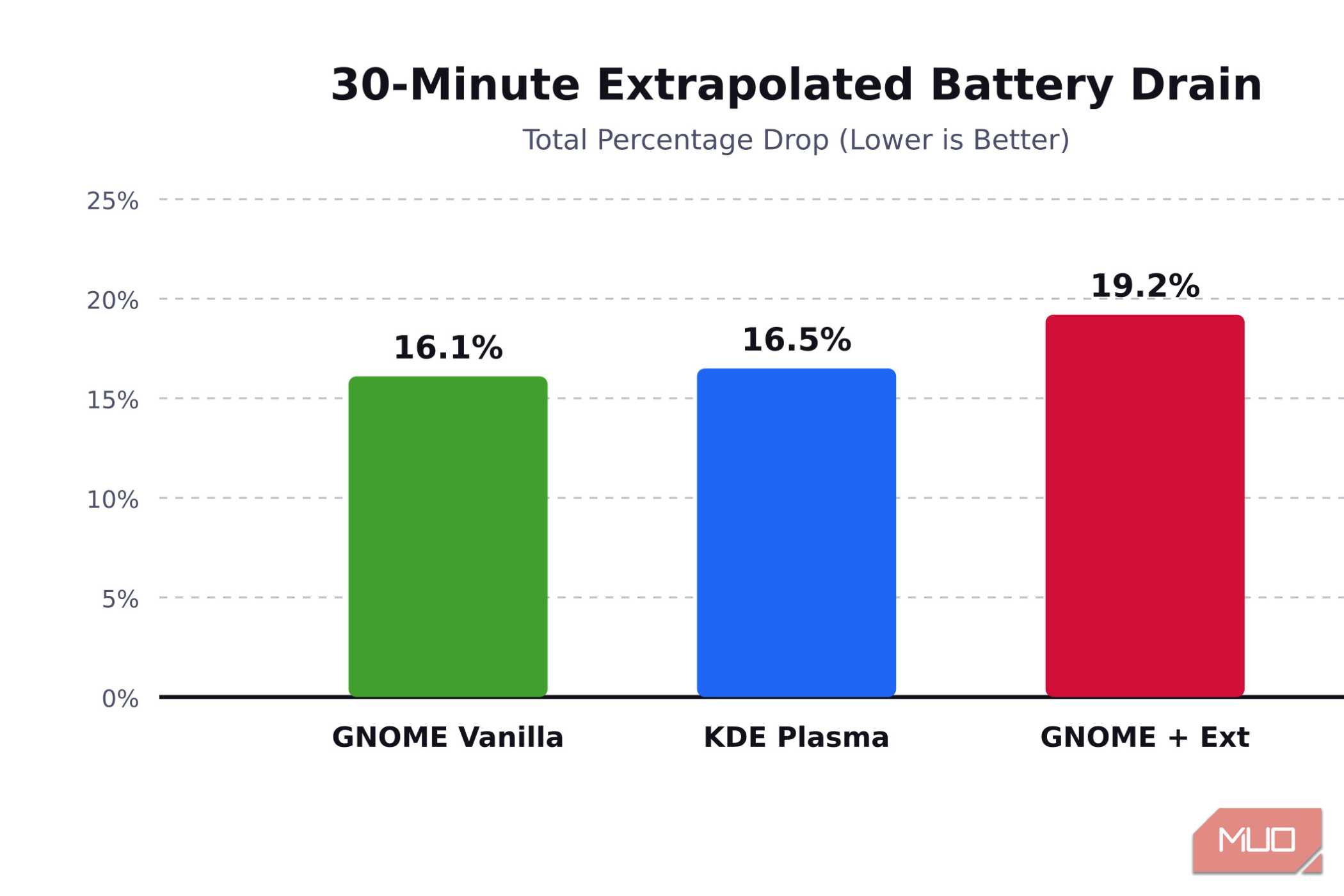
Going back to the test, completing the benchmark yielded surprisingly good results. I ended up with 56% battery, which is 3% more than KDE!
It’s clear that GNOME by itself wasn’t a battery-chewing monster, so there has to be something else causing it…
Scenario C: GNOME with a boatload of extensions
A significant impact on battery life

Setting up GNOME extensions on Arch Linux was super easy, and I chose a few of the more popular ones to establish a reasonable baseline. With 10 or so extensions added, it was time to fire up the test again.
During the course of an hour, I ended up with 51% battery left, the lowest of the bunch, which proved what I had been suspecting all along.
Switching over to KDE Plasma instead



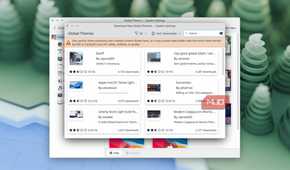
GNOME extensions are pretty great. They offer a ton of features and bring about customizations, I’d argue, that would be impossible to completely add into something like KDE.
Unfortunately, extensions can also be very, very finicky. They've been known to break with major GNOME updates, and slapping multiple extensions onto a system will compromise it in one way or another.
Which was pretty evident with the battery tests. GNOME on its own is fantastically well-optimized, but since extensions can be so wild and varied, it’s hard to say how much impact they might have on battery life.
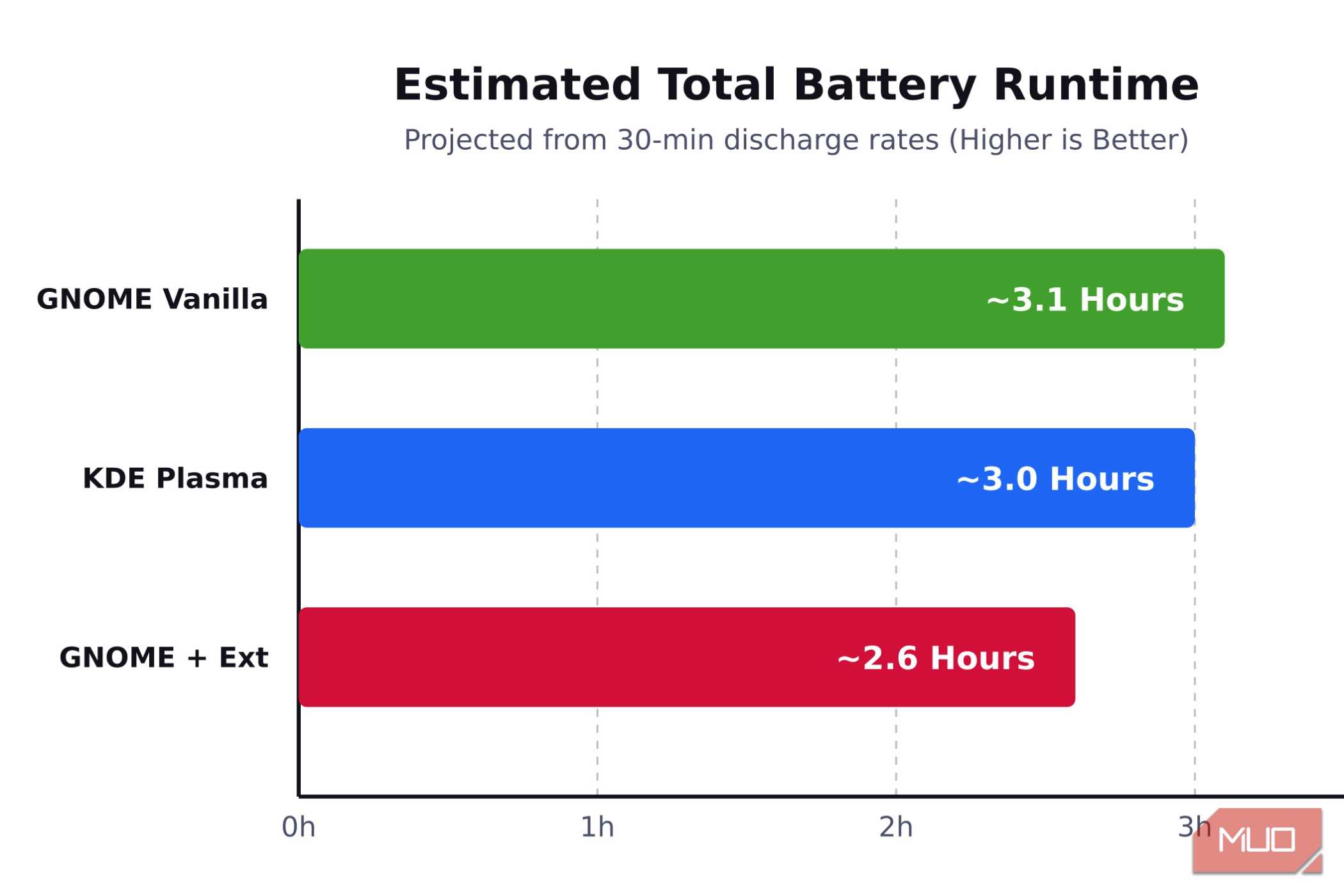
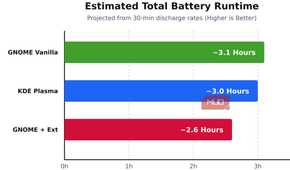
In this case, it was alarmingly high, and plotting it on a graph shows it drains out 40 minutes faster than vanilla GNOME and KDE Plasma. Arguably, you’d have better battery life on something a bit more power-efficient, but I wanted to test a worst-case scenario.
Ultimately, though, I really don’t think GNOME is usable on its own without a few extensions installed. I’m just not familiar with the vanilla workflow (which is arguably worse than what the extensions offer), and I do not want to risk the hit to battery life.
I had to switch over to KDE Plasma, which has been mostly fine. Battery life is appreciably consistent, although I do miss the visual polish that GNOME brought to the table.

GNOME
The Gnome desktop is one of the many options on Linux, and is very opinionated in its nature. The DE does however support additional functionality via the use of extensions.