


Turning off Samsung's Offline finding feature is supposed to save you battery life, but when I tested it, it barely made a difference.
A Samsung Community thread listing ways to squeeze out more standby time puts turning off device offline finding right next to disabling Nearby device scanning, treated as another small win alongside a dozen others. Thinking I'd found another way to save battery life, I ran offline finding on and off on my Galaxy Z Fold 8 to see what it really costs.
Offline finding is part of what Samsung calls the Galaxy Find Network, its version of the crowdsourced device-finding mesh Google also runs under Find Hub. This Samsung support page describes it directly. Your phone stays detectable via Bluetooth even without an internet connection, and does the same job in reverse for every other participating Galaxy device nearby. I tracked standby drain with the setting on, then off, expecting to find the battery tip vindicated.
Unfortunately, I didn't.
What "offline finding" is actually doing on your phone
It's not the same scan as Wi-Fi or location tracking
This isn't about Wi-Fi or Bluetooth scanning; those settings are under Location and help your phone know where it is. Offline finding does kind of the opposite. It turns your Samsung into a listener for everyone else's lost Galaxy phones, much like Apple and Google's systems for doing the same thing. Once the setting is on, says Samsung, your device is detectable via Bluetooth, even without any network connection. Plus, every other Galaxy nearby (with the setting on) does the same job, creating what Samsung calls a Find Node.
Google's version of this same crowdsourced mesh got renamed from Find My Device to Find Hub in May 2025, but that's not what you're looking for here, since offline finding opts a Galaxy phone into Samsung's own separate network instead.
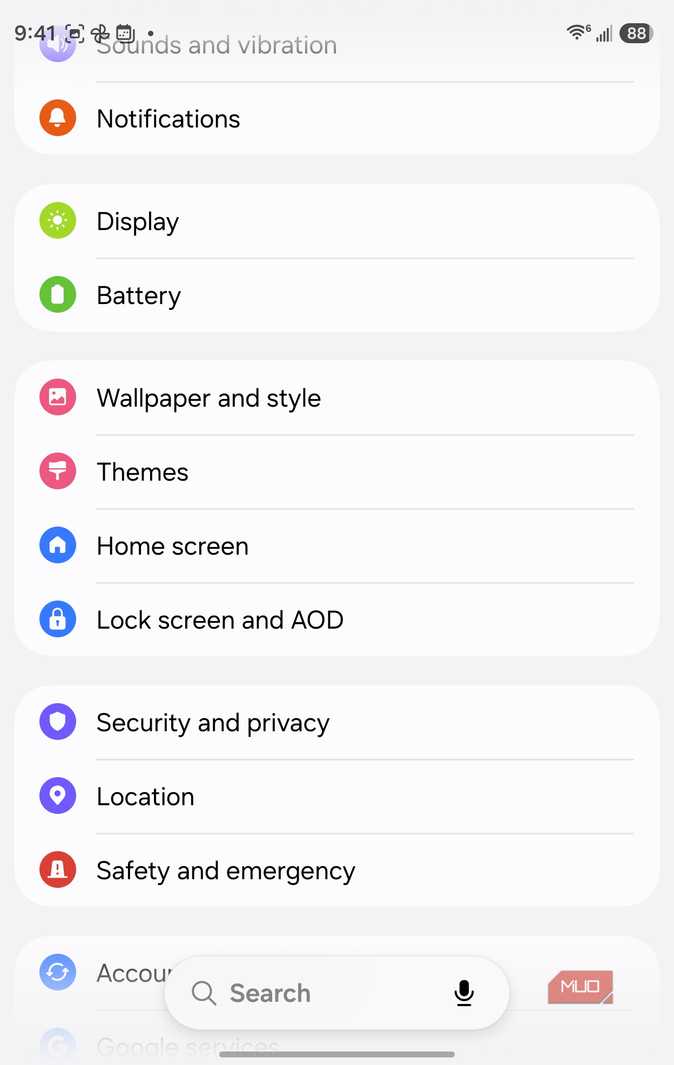
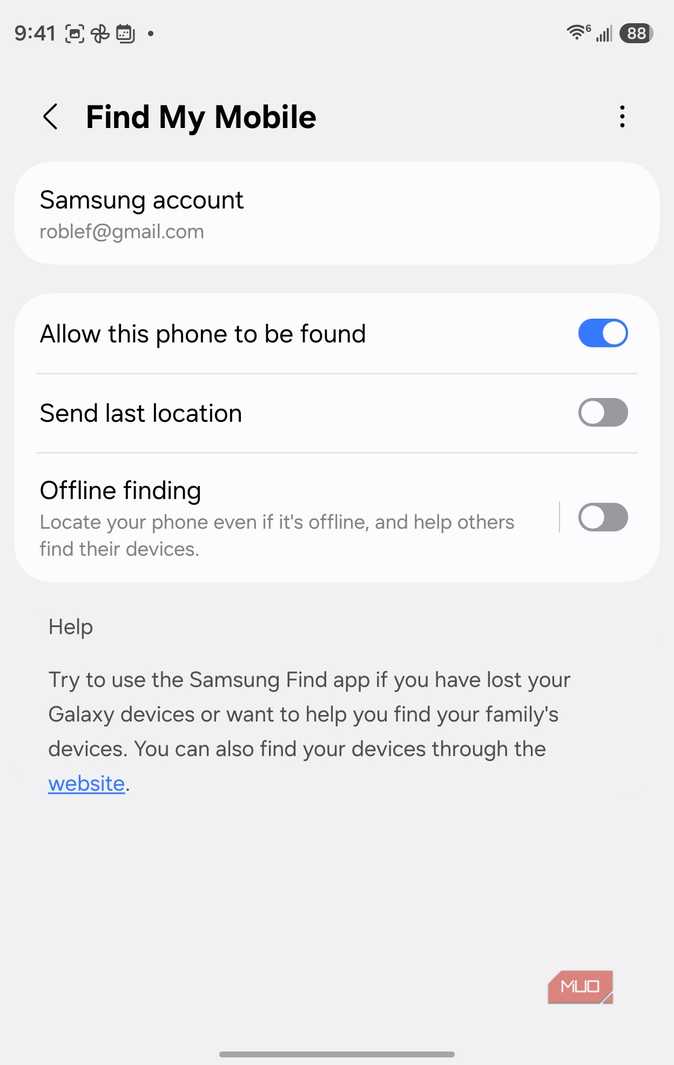
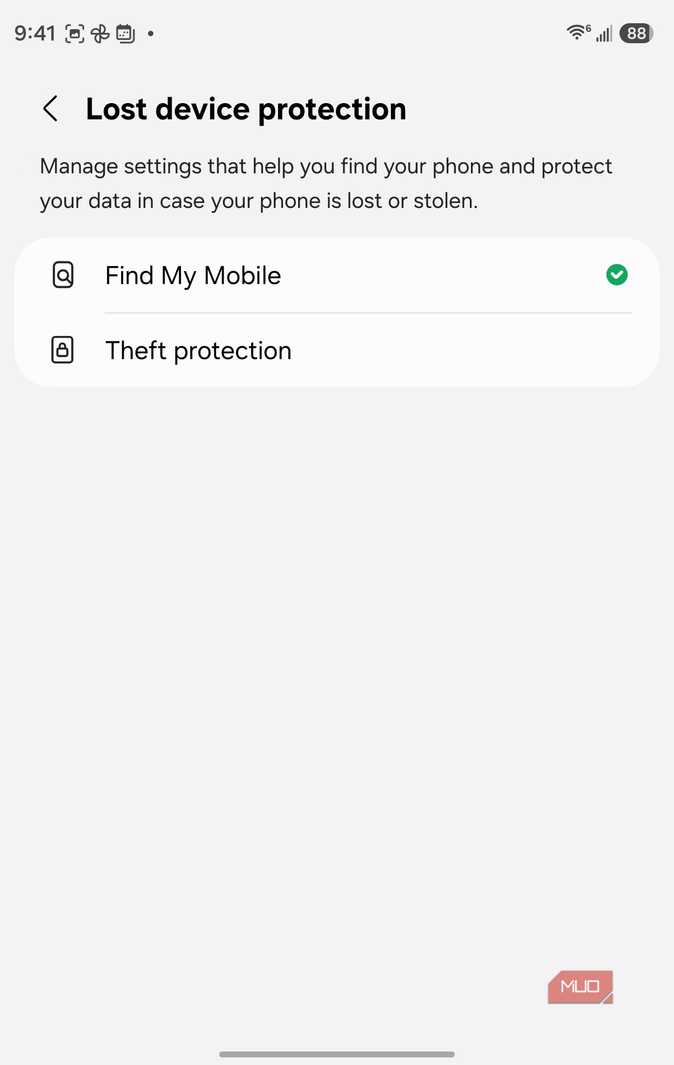
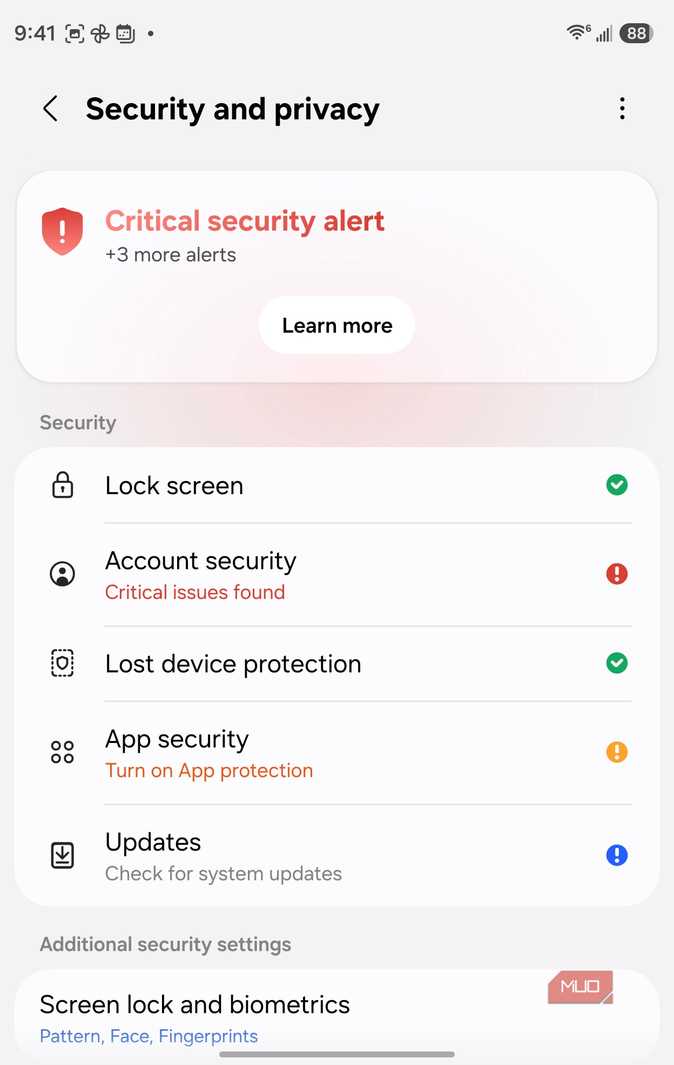


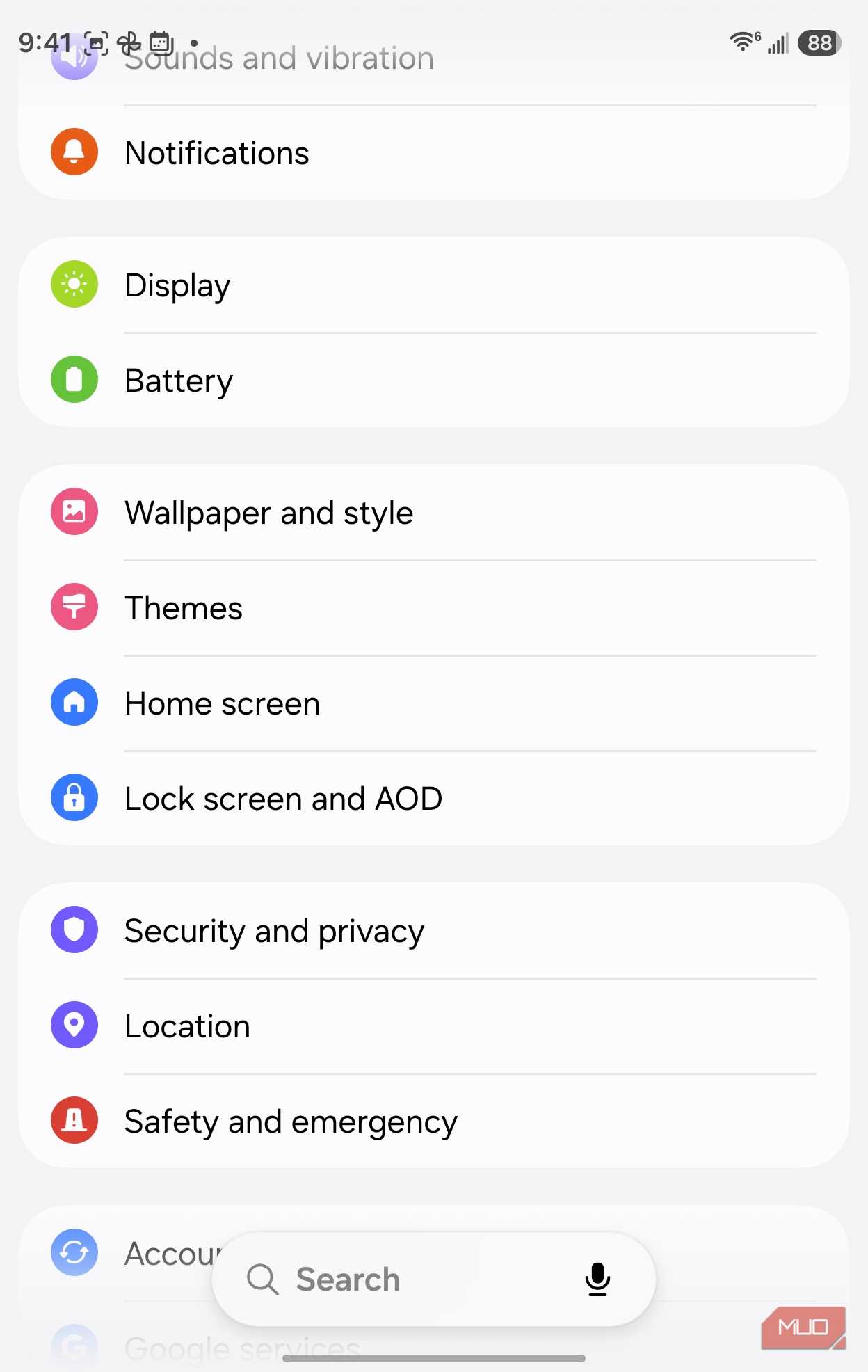
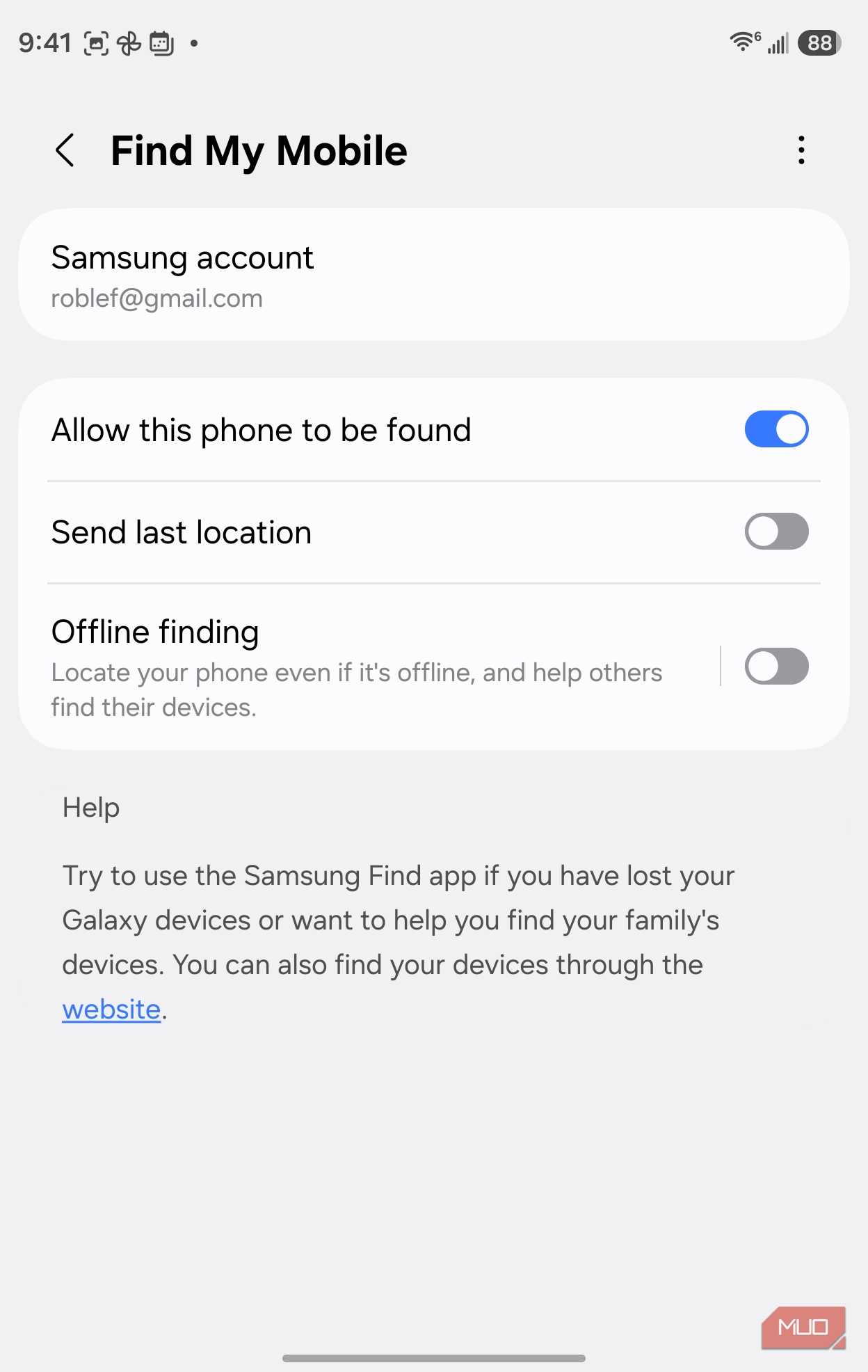
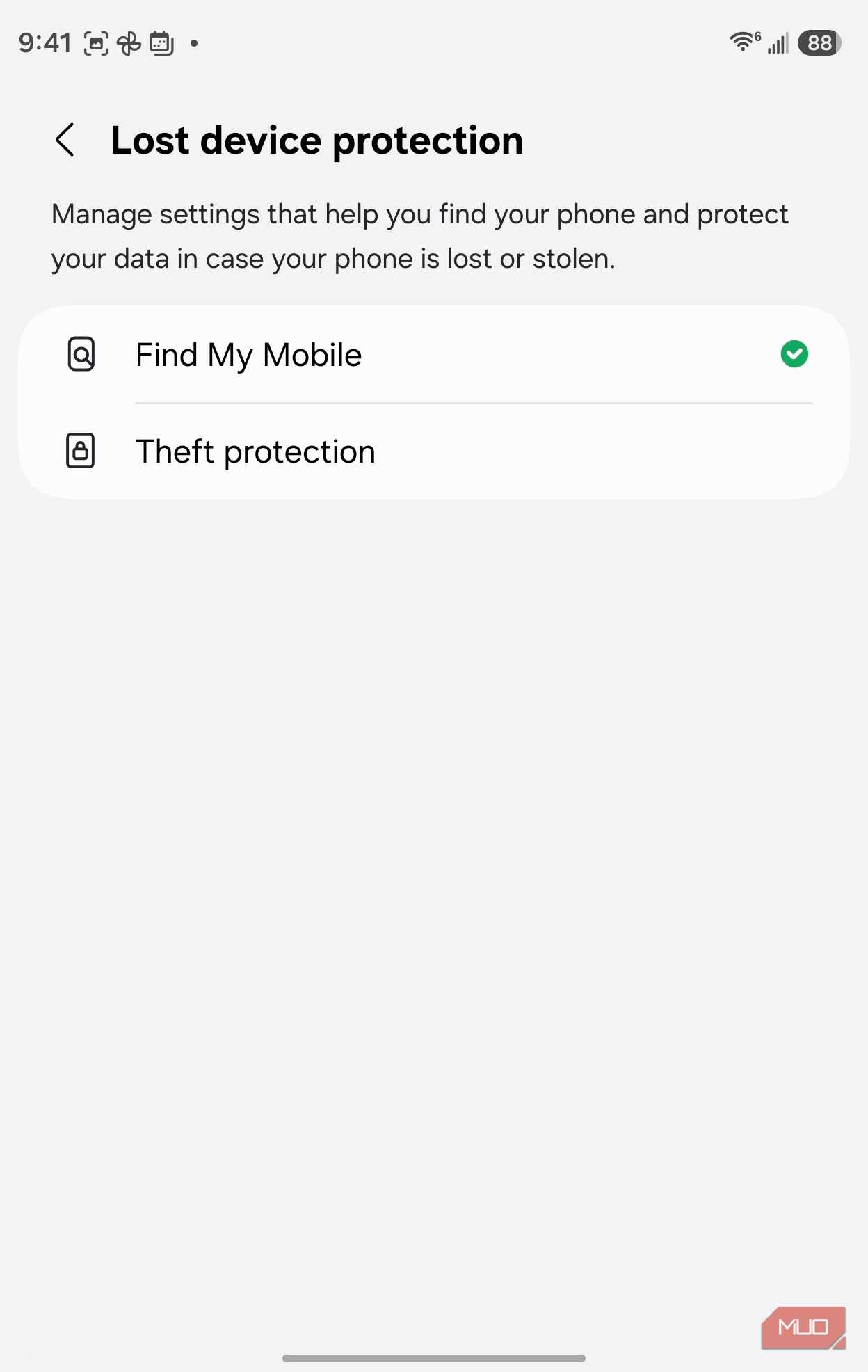
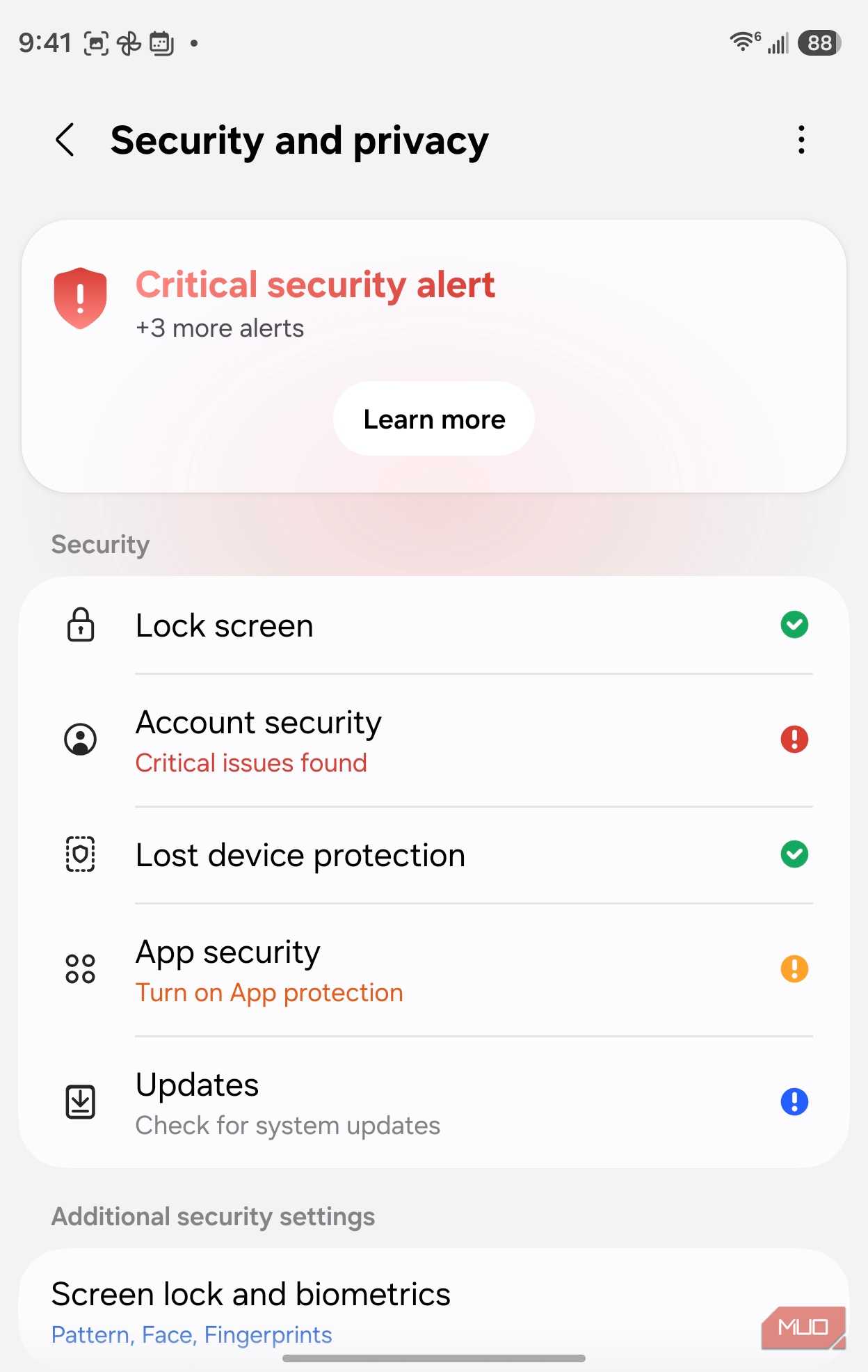

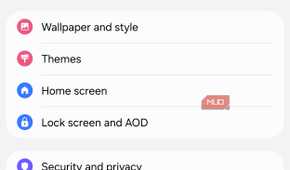
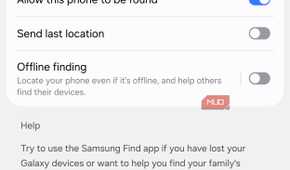

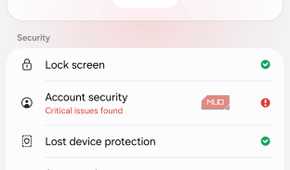
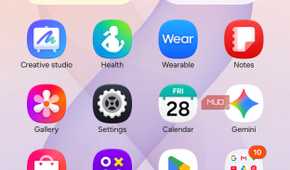
Where is Find offline? Drop into Settings > Security and privacy > Lost device protection > Find My Mobile, then the Offline finding toggle, alongside "Allow this phone to be found" and "Send last location." This works on my Z Fold 8 and other Samsung phones, like the Galaxy S23.
What it costs to leave it on
Why a relay job never lets the radio fully idle

Unlike an app that you can freeze or restrict, offline finding's whole function means your phone has to have the Bluetooth radio on at all times, even if it's in deep standby, which usually cuts these radio scanning signals off. Of course, it doesn't mean that BLuetooth is transmitting at full power; the scanning intervals are low-power on purpose to make sure it doesn't affect your battery too much.
Apple's Find My network is similar, and many reports say that there's a small bit of battery hit, but not a huge drain. I wanted to test my own phone, which is obviously a fairly new handset, to see how it held up on an Android device.
The difference came out to roughly 0.07%/hour, which could be accounted for by just different amounts of notification action, not a real signal of battery saving.
I did two runs with the toggle for Find offline on, one during the day and one overnight. Then I did one more run with the toggle off, overnight. Here's what I found.
| Condition | Start | End | Duration | Type | Rate |
|---|---|---|---|---|---|
| ON, test 1 | 12:28 PM, 100% | 8:30 PM, 92% | 8h00m | Daytime, stationary | 1.0%/hour |
| ON, test 2 | 8:30 PM, 92% | 6:50 AM, 83% | 10h20m | Overnight | 0.87%/hour |
| ON average | ~0.94%/hour | ||||
| OFF, test 1 | 8:11 PM, 100% | 7:44 AM, 90% | 11h33m | Overnight | 0.87%/hour |
| Difference | ~0.07%/hour |
While this might seem like a slim sample to base my conclusions on, you can see that the difference between the average of ON and OFF is fairly negligible. If offline finding were showing a meaningful drain, I'd likely have seen a bigger gap than the noise between the ON readings themselves.
It's also worth noting that my Z Fold 8's battery is only a few weeks old, so it hasn't really picked up any drain that comes with normal wear over a year or three of charge cycles. If you're looking at an older Samsung phone, your battery savings could be higher.
What you give up if you turn it off
You can still find your own phone, just not if it's offline

Turning this feature off doesn't shut down Samsung Find on your phone completely. You can still leave "Allow this phone to be found" and "Send last location" on and you'll be able to find your phone as soon as it's connected to the internet. What you won't have, though, is the ability to find your phone if it's utterly offline.
The reason for this offline finding is for when your phone is stolen and immediately switched to airplane mode or its SIM gets pulled. That's when you want Offline finding set to ON.
Turning it off, at least on a newer phone, may not be worth the tiny battery percentage it saves. It also keeps other Samsung owners from using your phone as a node to help find theirs.
What I decided after the testing
The battery tip that sent me out looking for Offline finding results didn't pan out. It costs me relatively nothing to keep it on. Given that and the tradeoffs above, I'm likely to leave the feature toggle ON and just go on from there.