


My Home Assistant setup didn't begin with lofty ambitions. I just wanted to stop fumbling around in half a dozen smart home apps and wanted a unified dashboard where I could see both commercial and my DIY sensors talk to each other. A temperature sensor here, a smart dashboard there, throw in a few automations, and suddenly, the house feels a lot smarter.
But Home Assistant's dashboards aren't just decorative, and with some tweaking, my smart home dashboard is now as smart as my home. Not only does it let you control your smart devices, but it can also replace a handful of apps you might check in the morning. So instead of using Home Assistant as a glorified light switch, I now use it as my information hub.
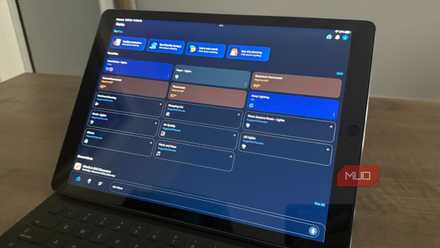
I turned my old tablet into a smart home dashboard, and it's perfect
I use my 1st-gen iPad Pro as a smart home dashboard
My schedule is finally visible at a glance
A clean calendar view that keeps me on track without opening another app

I've never liked traditional calendar apps in the morning. They tend to overwhelm you with too much detail when all you really need is a quick glance at your day.
On my dashboard, I've integrated my monthly calendar in a way that feels lightweight. I can see upcoming events without notifications or pop-ups fighting for attention. It's just enough to remind me what's coming up without pulling me into a productivity rabbit hole.
And because it's part of Home Assistant, I can also tie events to automations if required. For example, I can trigger certain routines on busy days or adjust my home environment based on my schedule. It's a subtle thing, but it makes the system feel more aware of my day.
Weather that actually changes my plans
Forecasts, temperatures, and conditions that help me decide what to do before I leave the house

Weather widgets are everywhere, but most of them are passive. You glance at them once and move on with your day. On my Home Assistant dashboard, they're more actionable.
I've got current conditions, forecasts, and a few extra details like humidity, wind, and visibility — important factors for someone whose primary vehicle is a motorcycle. When combined with controls for my house, like lights and ACs, I can use this data to then make automations that can change the lighting or the AC temperature if a day is going to be particularly hot or cold. And because it's all in one place, I don't have to bother with another app and then plan my day separately.
RSS beat my morning social media habit
Staying informed without getting trapped in an endless doomscrolling loop

Home Assistant can pull in various RSS feeds, meaning you can set up your dashboard to deliver news, articles, and other data via RSS straight alongside the rest of your controls and information. So instead of reaching for my phone and heading to different websites or a separate RSS reader, I can simply glance at anything interesting that might be happening around the world.
I'm still consuming content, but it's more intentional. I see updates from sources I care about — open-source projects, software releases, tech news, MUO articles — without the noise of algorithms vying for my attention the moment I wake up.
My 3D printer checks in before I do
Live print progress, temperatures, and status updates right from the dashboard

I often leave bigger prints on my Bambu Lab A1 Mini running overnight. If there's a print running, one of the first things I do in the morning is check on it to make sure the print is going fine (in case it's still running), and pause it in case something has gone sideways. If and when a failure happens, being able to monitor the printer directly from Home Assistant has helped save a ton of filament and frustration alike.
I've even added basic controls, so I can pause or stop a print directly from the dashboard. It sounds like a small convenience, but it adds up, especially when you're juggling multiple projects or just trying to keep your morning friction-free. Home Assistant does what Alexa and Google Home won't, and it costs almost nothing.
Energy data that's actually actionable
Monitoring electricity usage in real time to spot waste and optimize automations

One thing that most people don't immediately realize after setting up their Home Assistant dashboard is that it can also be used to track energy consumption around the house. Home Assistant's built-in Energy dashboard gives you a real-time view of your electricity consumption, solar production, battery storage levels, and EV charging, all on one screen and running locally.
I've got a small dropdown switch that not only controls my AC, but also shows the current power consumption and the total power consumed in the month so far. The Energy dashboard can show trends across months, when your house was pulling more power. Seeing real-time power draw and daily usage has made me far more aware of how I'm using air conditioning around the house. I can then tweak the temperature or switch modes purely based on what I see there.
It's become my morning command center
At this point, calling my Home Assistant dashboard just a smart home dashboard feels a bit limiting. It's not just controlling devices anymore — it's orchestrating information.

Lights, switches, and sensors were just the entry point. What I've ended up with is something closer to a personal control center, designed to fit exactly how I live and work. It reflects my priorities, my projects, and even my habits.
And the best part is that it didn't need a massive overhaul. It grew organically, one integration at a time, until it became something I actually rely on.

Home Assistant
- OS
- Windows, macOS, Linux, Raspberry Pi
- Developer
- Open Home Foundation
- Price model
- Free, Open-source
A self-hosted, open-source smart home platform that lets you control, automate, and unify all your devices locally without relying on the cloud.