


Excel remains one of the most useful tools on my computer, especially for organizing data, tracking expenses, and building detailed models. But somewhere down the line, I started opening it for calculations that didn't need rows, columns, or formulas spread across multiple cells.
Converting measurements, checking a discount, estimating a project's cost, or working through an equation often became slower than necessary. Thankfully, there are four apps that do specific calculations better than Excel, to the point where I no longer need it for every little calculation.
Soulver turns math into a notepad that does the arithmetic
Variables, units, and currencies without a single cell reference


 Credit: Apple
 Credit: Apple
 Credit: Apple
 Credit: Apple
 Credit: Apple
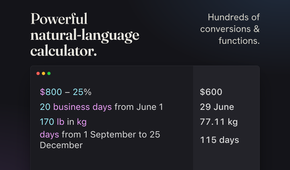

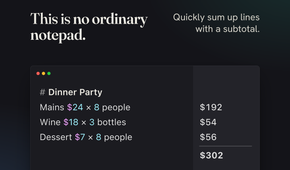
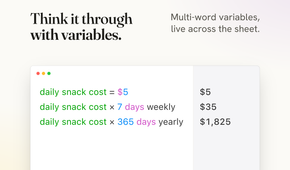
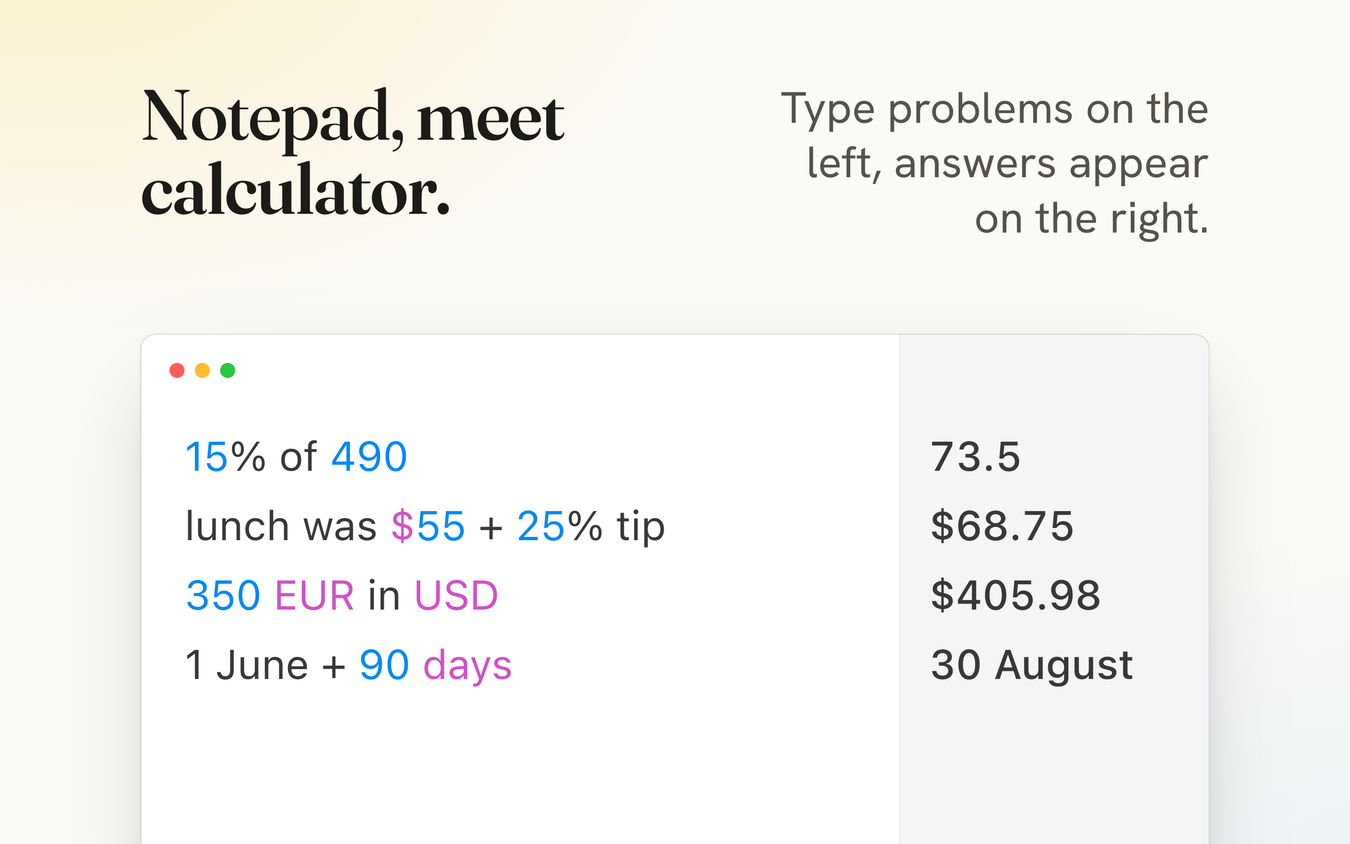
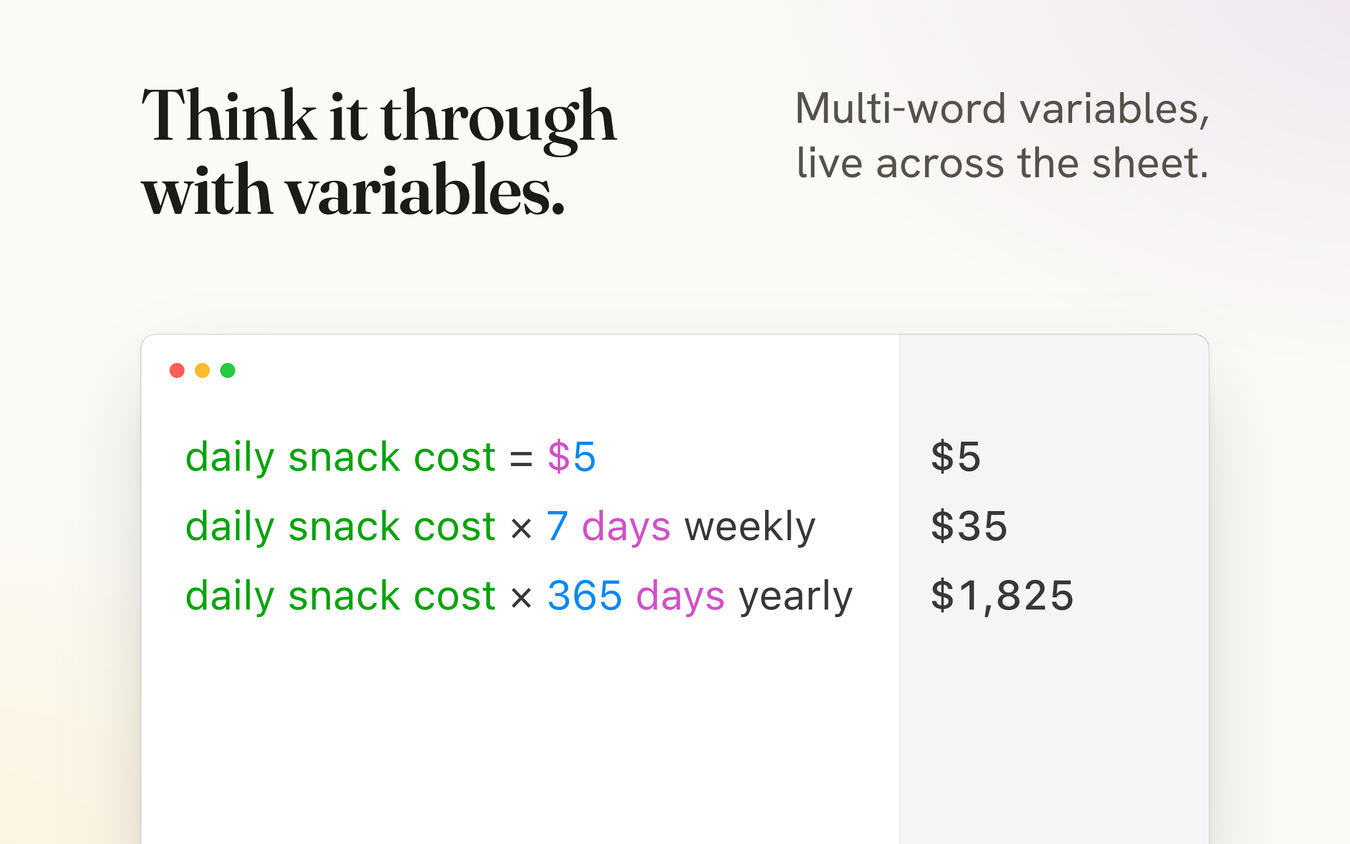
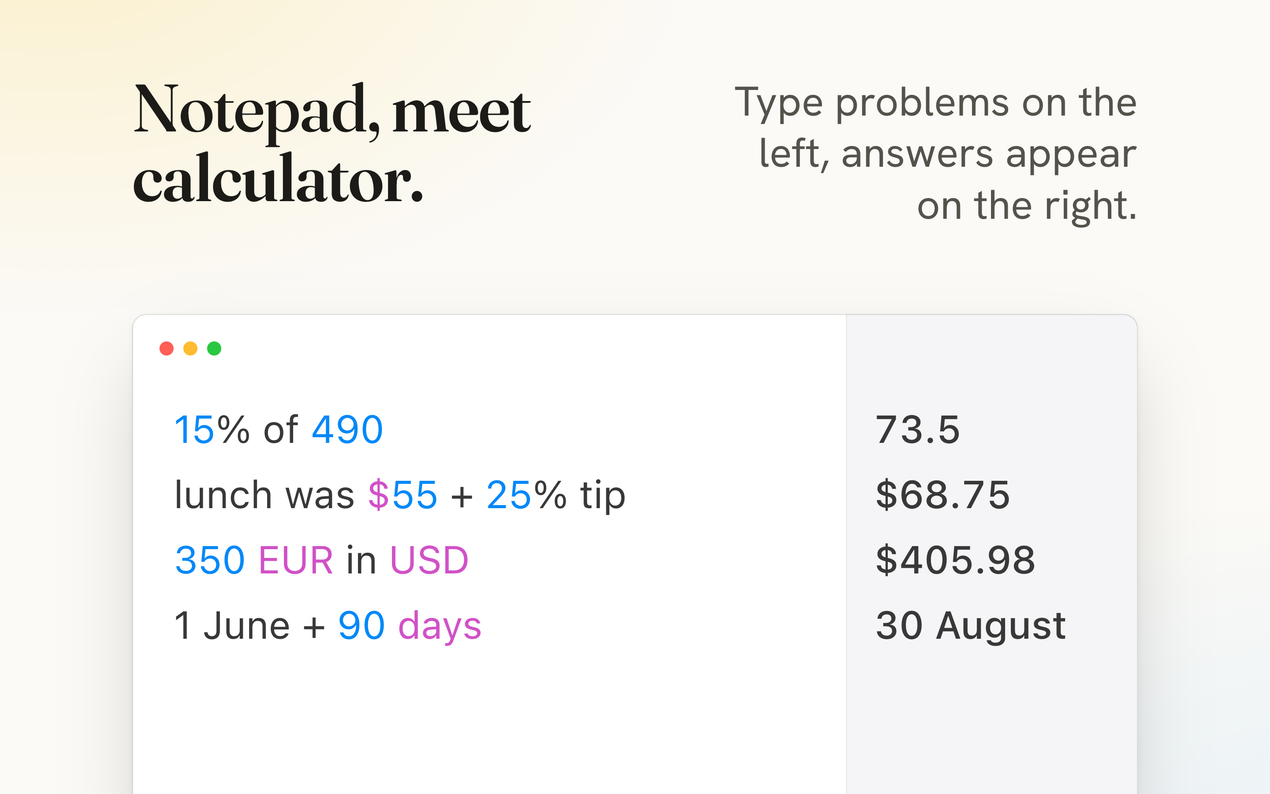
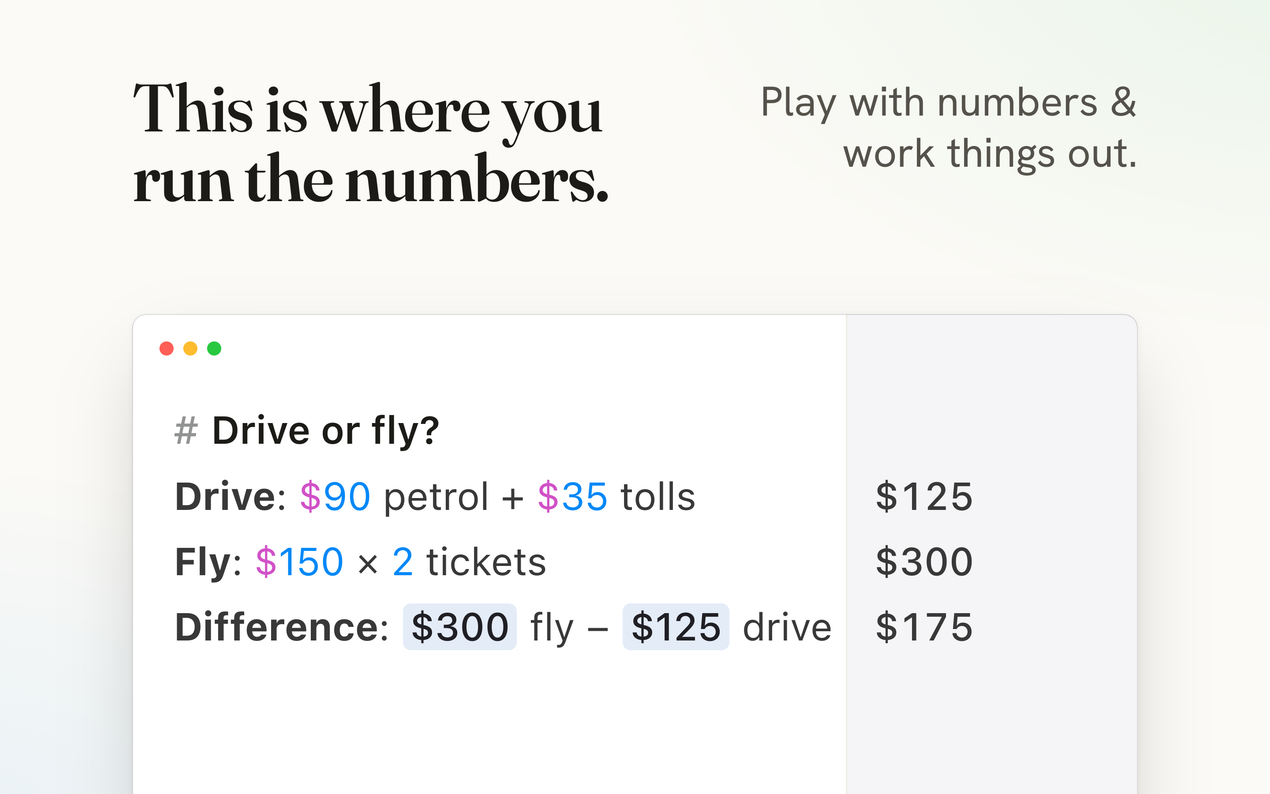
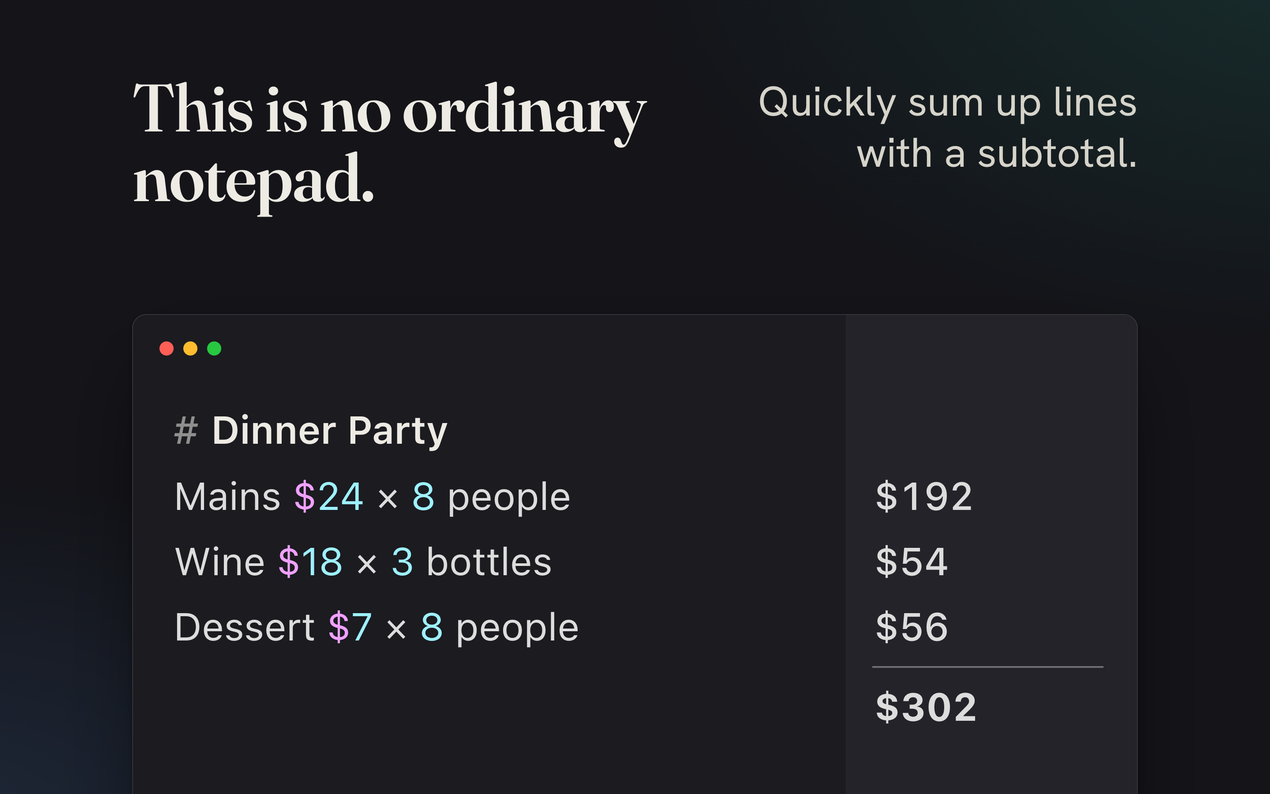
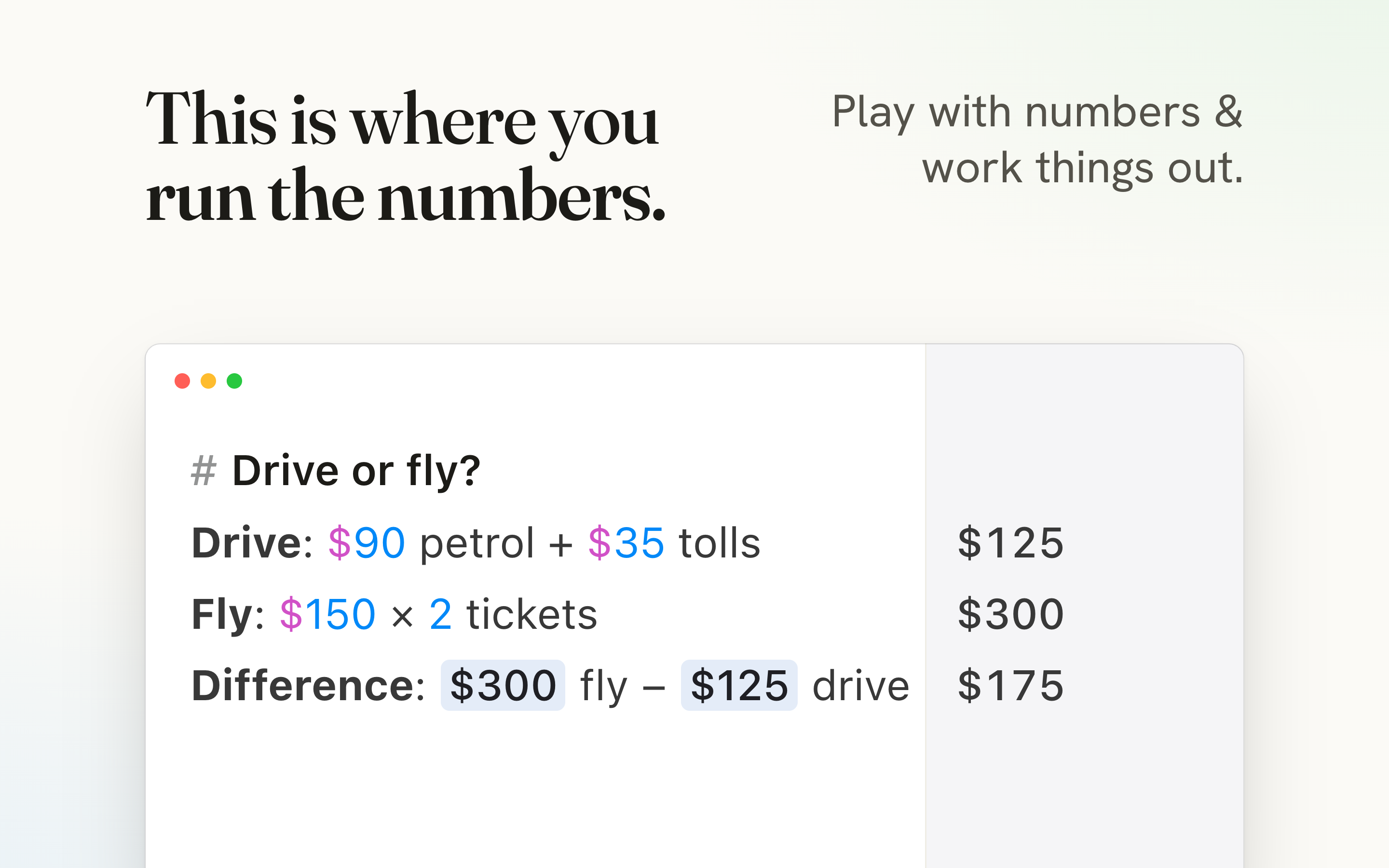
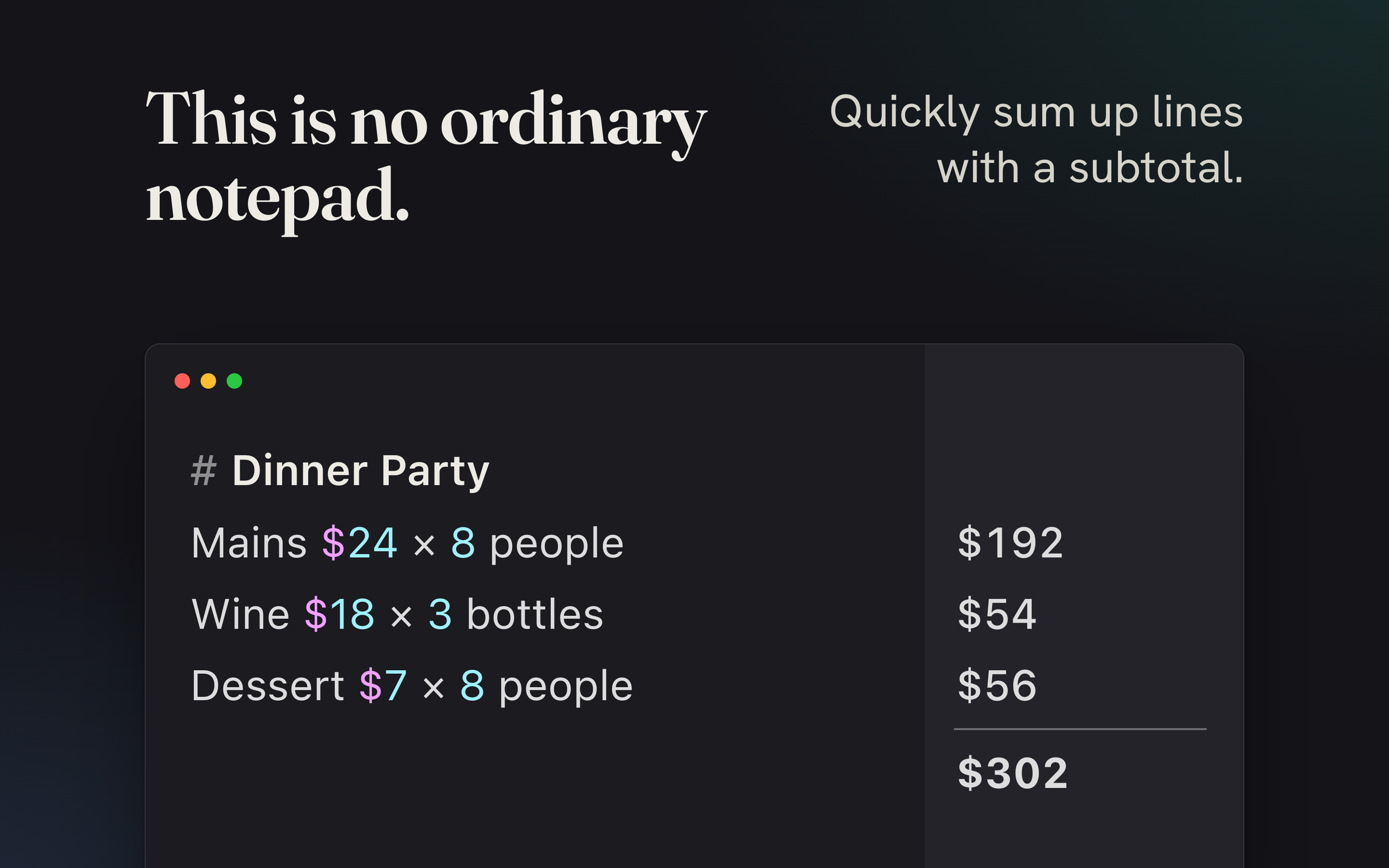
Soulver is the app I reach for when a calculation makes more sense as a train of thought rather than a grid. It combines a text editor with a calculator, evaluating the math on every line and placing the result right next to it. Change an earlier number, and dependent figures update automatically.
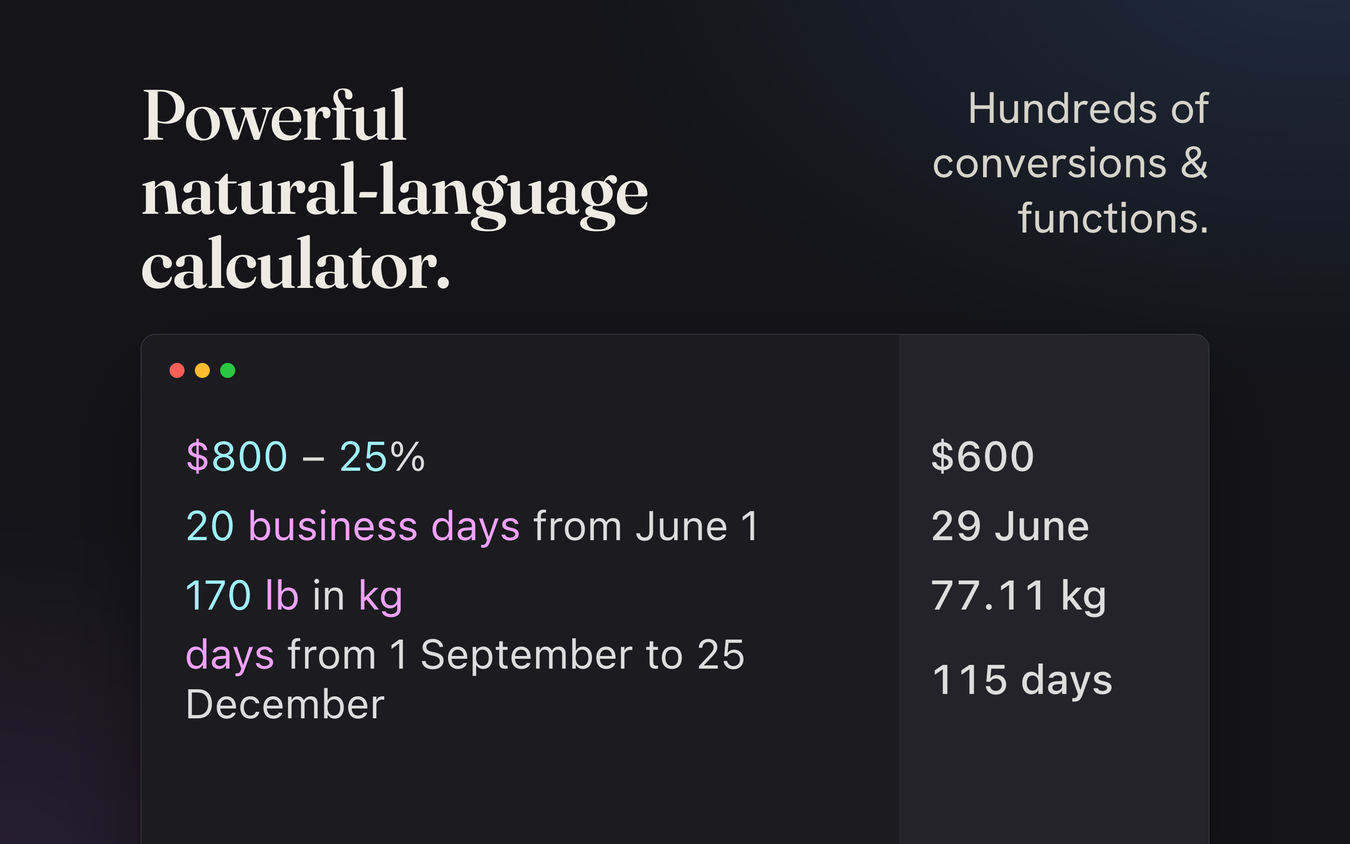
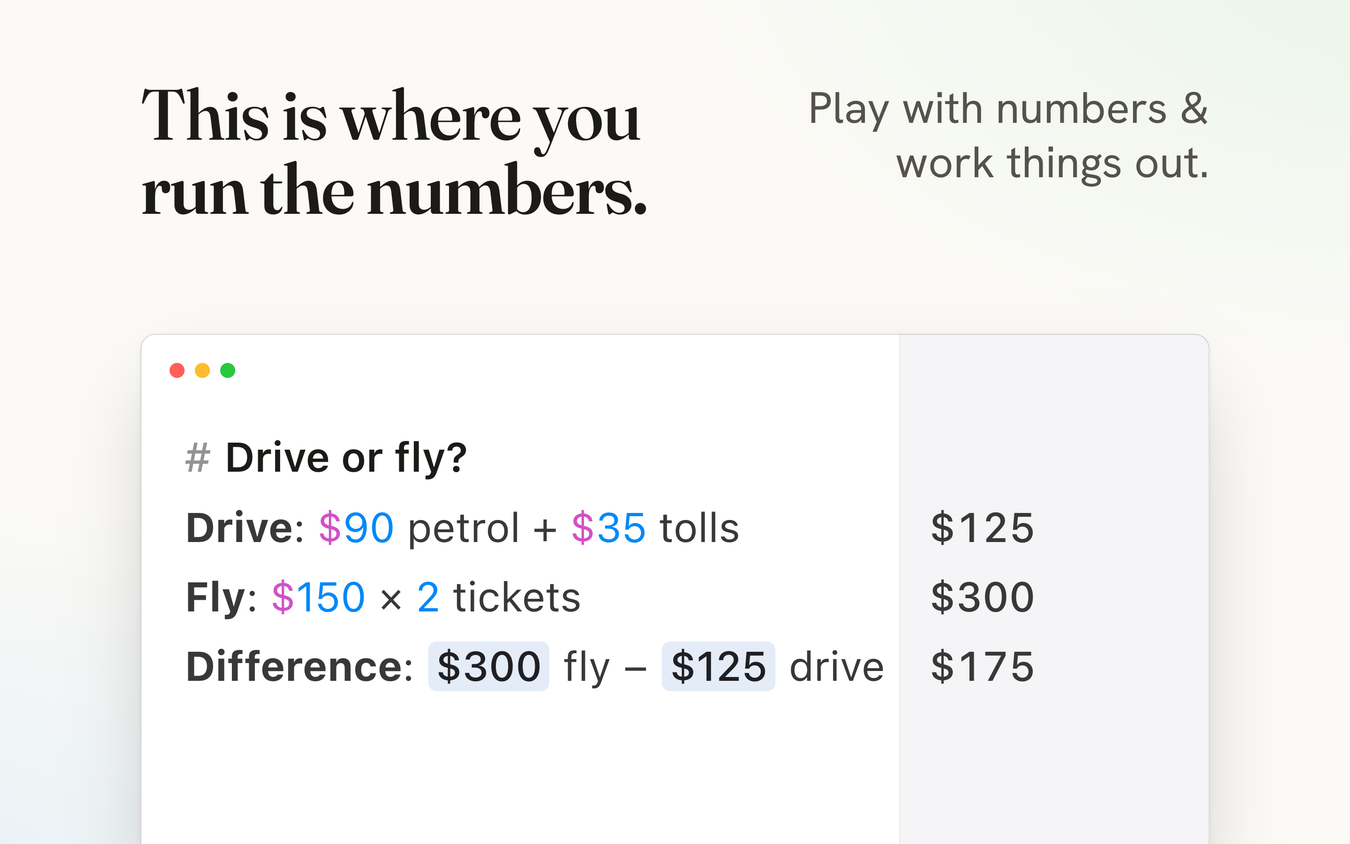
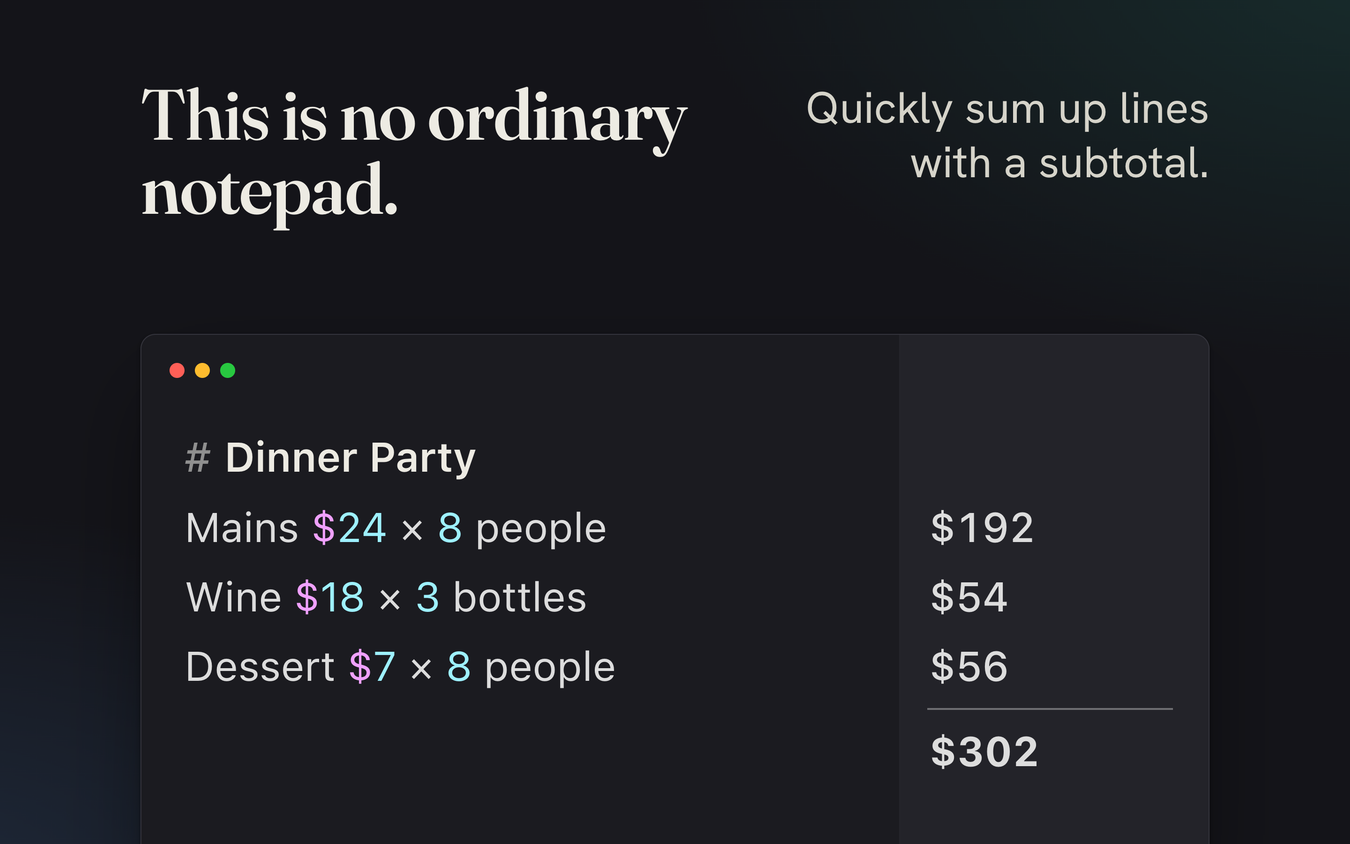
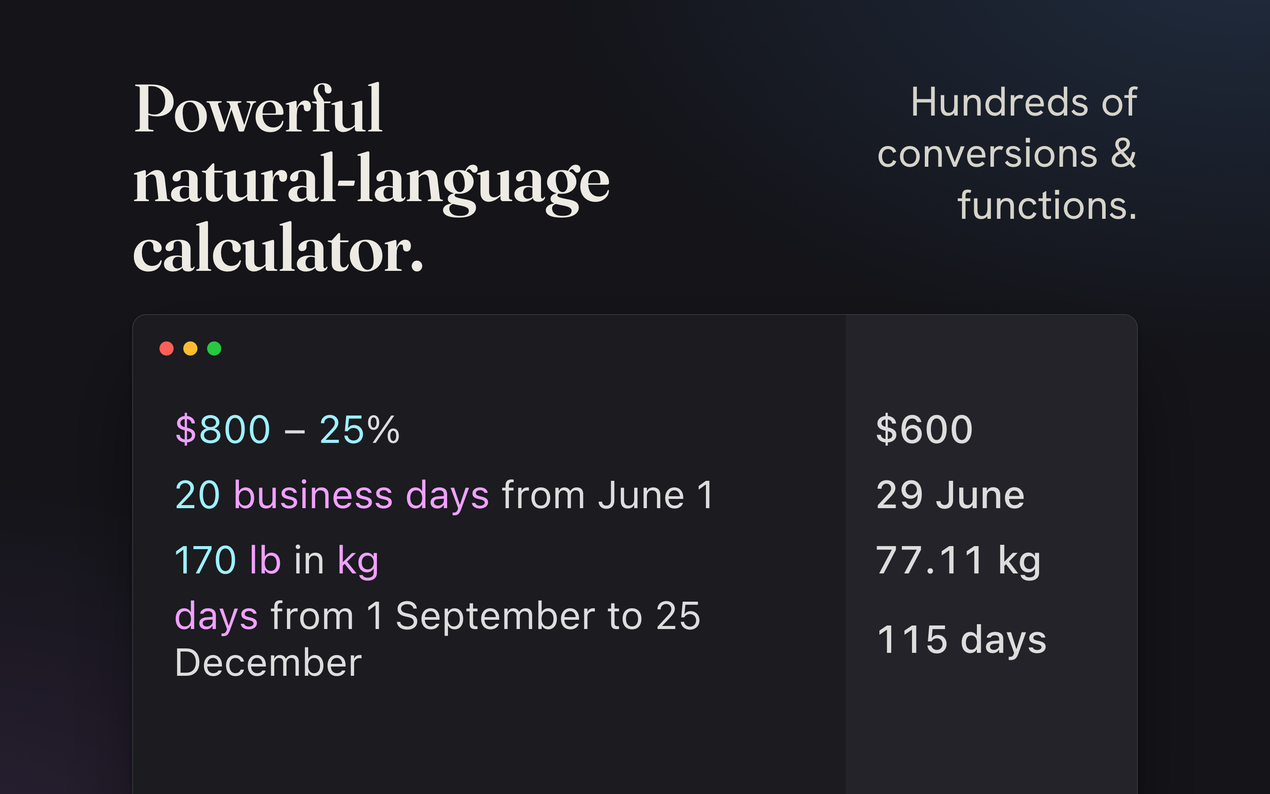
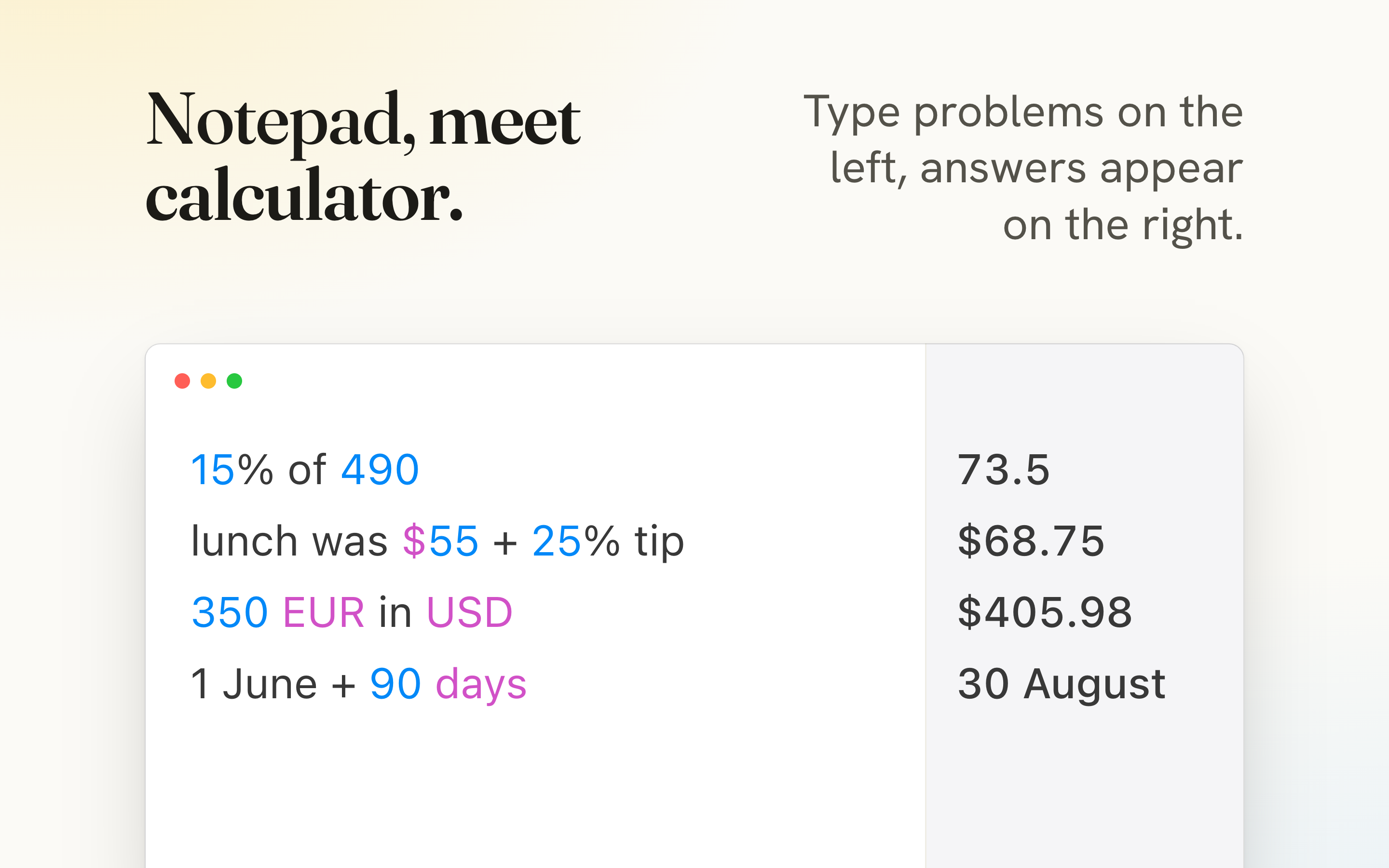
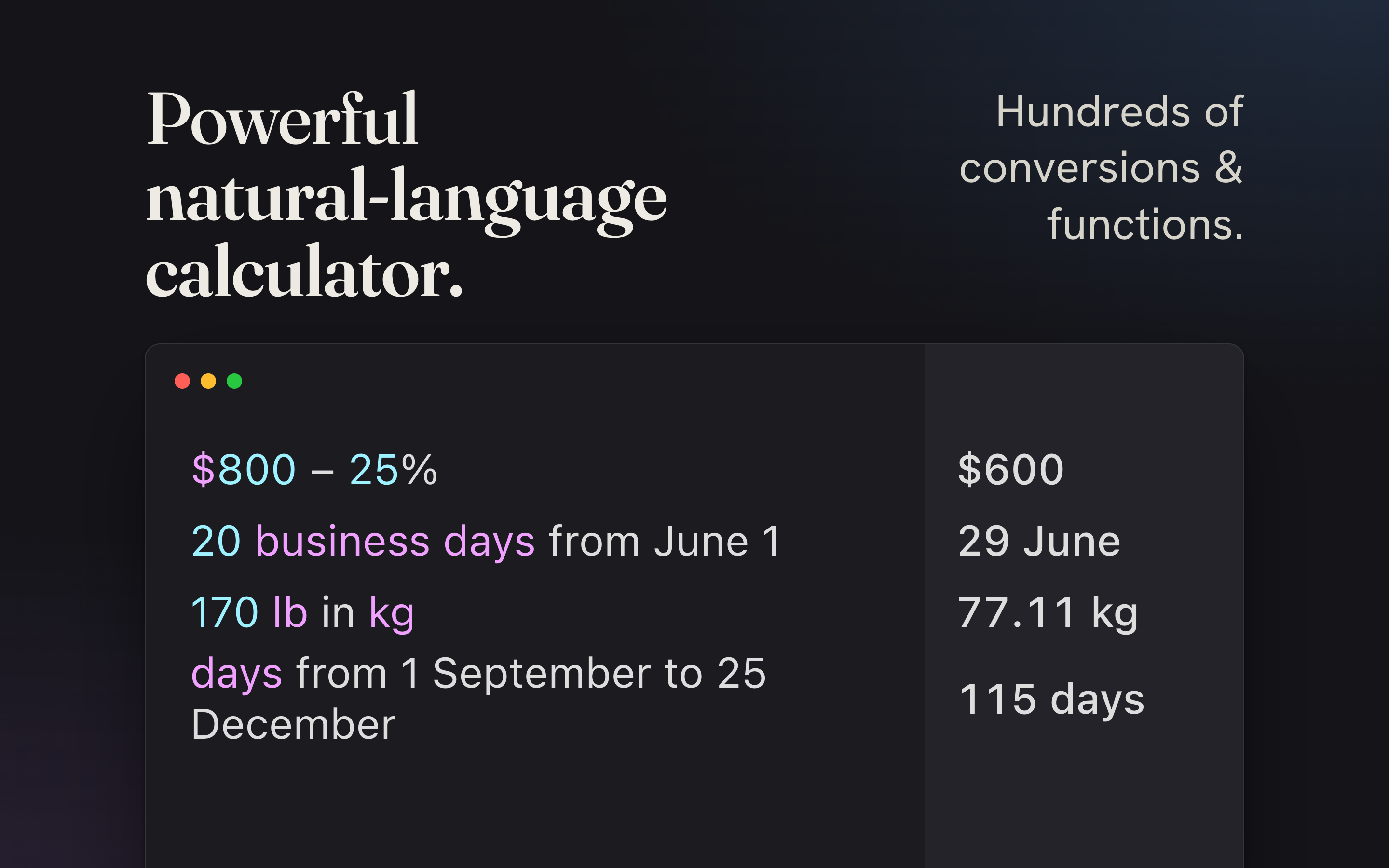
That makes Soulver particularly useful for everyday planning. I can type out a list of expenses with notes explaining each amount, add a subtotal, factor in a discount, and convert the final figure into another currency without jumping between cells. The app understands expressions involving percentages, units, dates, times, time zones, and currencies, so I do not have to translate every thought into spreadsheet syntax first.
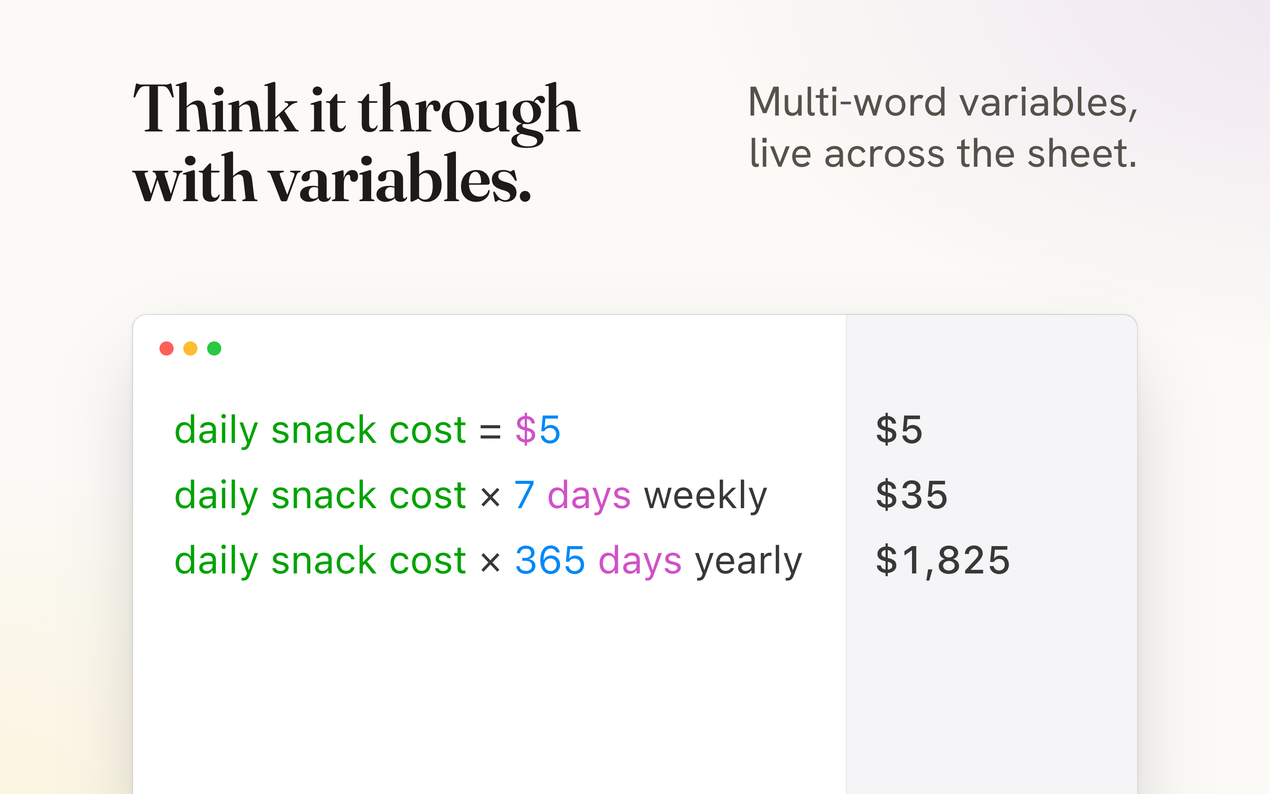
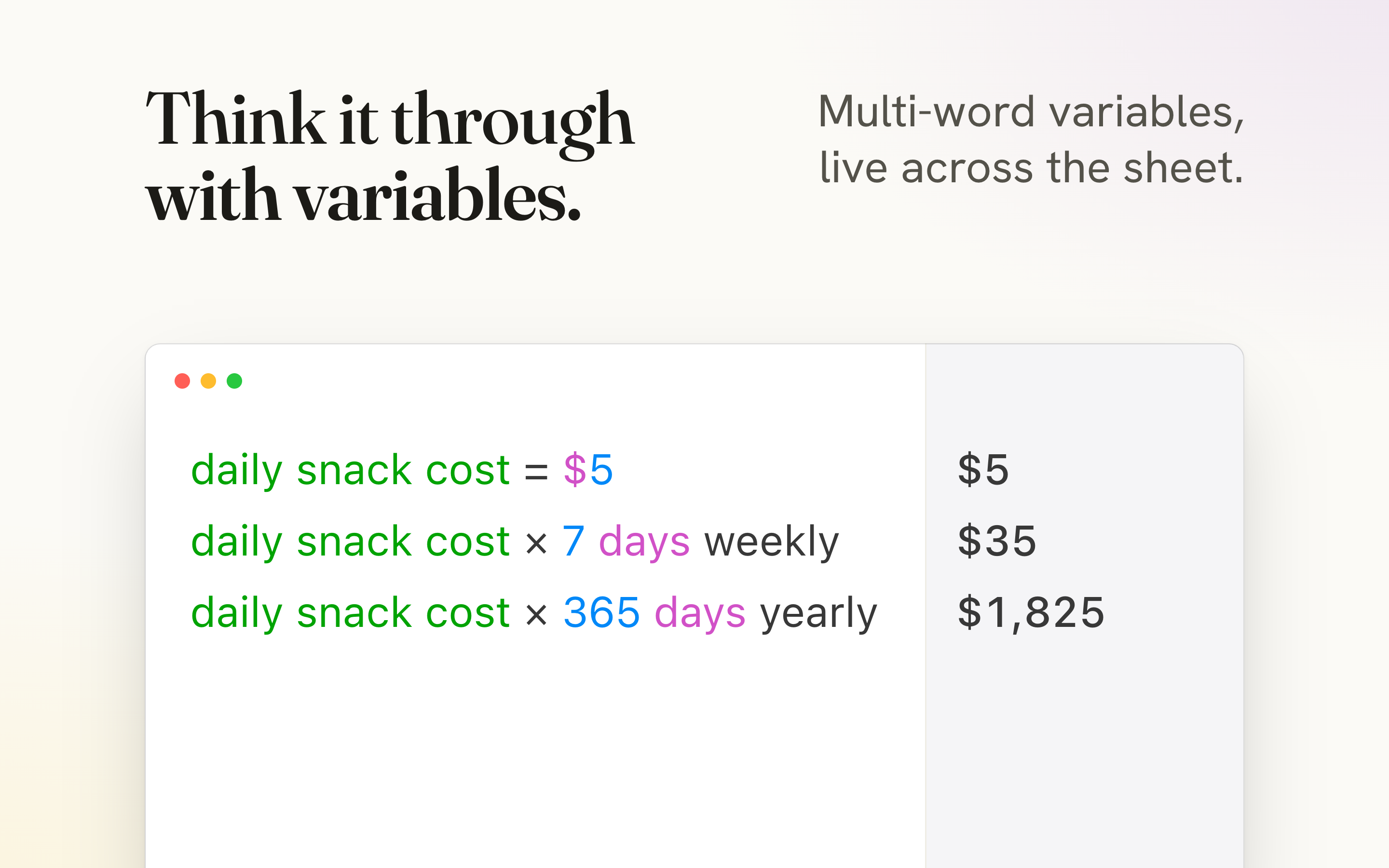
It also supports variables, which make calculations far easier to follow. Rather than assigning a value to cell B7 and hoping I remember its purpose, I can write something like hourly rate = $35 and reuse that label throughout the document. Soulver also works with headings, comments, folders, exports, and syncs across Apple devices.
That's also its biggest drawback. Soulver is an Apple-specific app, meaning you can only use it on macOS, iOS, and iPadOS. It does have a command-line tool for Windows that uses its cross-platform engine, SoulverCore-Multiplatform, but that's not even close to the fully featured app Apple users get. It's also a paid app coming in at $59 for a lifetime purchase, but it's well worth the money.
Qalculate! is a calculator with a graduate degree
Symbolic algebra, uncertainty propagation, and a terminal version
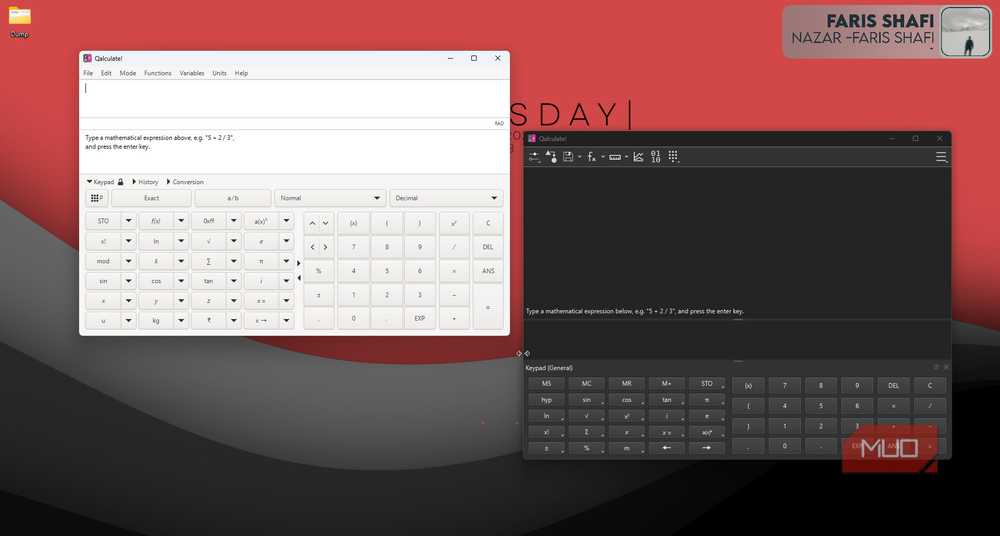
Qalculate! is at the other end of the spectrum. It's a free, open-source calculator available across desktop platforms with graphical interfaces and a command-line version for anyone who'd rather calculate from a terminal. Windows users can install it normally or run it portably, while Linux users have several package options.
The interface resembles a more traditional scientific calculator but the underlying engine is much more capable. The program supports symbolic algebra, equation solving, derivatives, integrals, arbitrary-precision arithmetic, matrices, vectors, complex numbers, uncertainty propagation, and plotting. It also includes hundreds of built-in functions and units.
That said, it's not limited to serious mathematicians. I can mix feet, meters, and yards in a single expression, calculate percentage changes, convert speeds, or work with currency conversions without building a lookup table first. It can show both exact and approximate results, which is also useful when I want a simplified fraction or radical alongside a practical decimal answer.
There is, however, a learning curve with Qalculate! as you'd expect. The program exposes many controls and output options, but once it's set up, it is quicker than building formulas in Excel and far more capable than the basic calculator bundled with most operating systems.
Calcpad writes your calculations like a report, not a grid
Show the formula, plug in the numbers, export the evidence
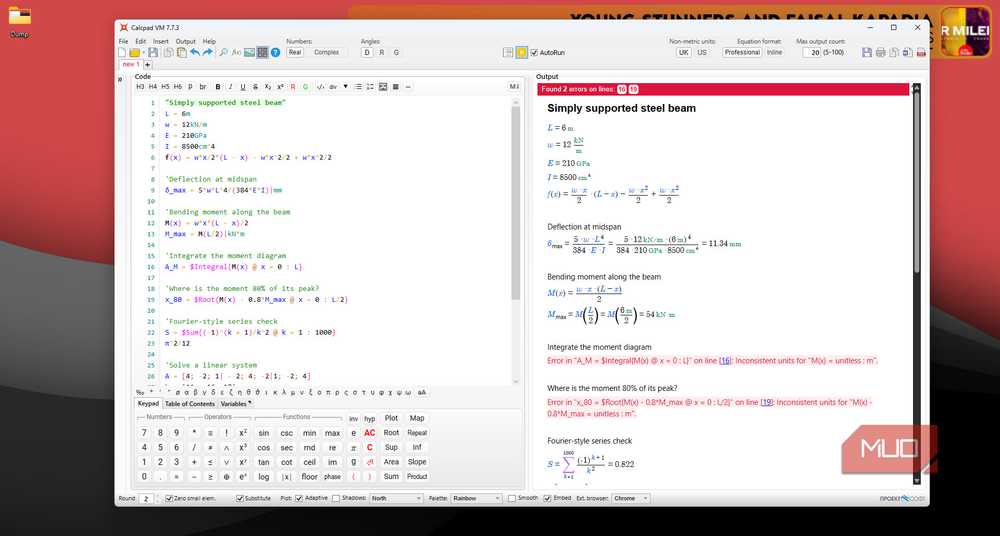
Calcpad is the closest app on this list when it comes to replacing a spreadsheet for technical work, though it takes a very different route. It is a free platform for mathematical and engineering worksheets that runs on the web, with a Windows desktop app. Its last open-source release lives on as the community fork CalcpadCE, which adds Linux packages.
Instead of arranging calculations in cells, you write a document using Calcpad's readable calculation language. It can combine explanations, variables, equations, units, functions, conditions, loops, matrices, numerical methods, plots, and formatted results. When processed, the source becomes a polished HTML report with substituted values and properly formatted equations. Reports can also be exported to Word or PDF.
That is far more useful than Excel when reasoning is as important as the answer. A structural, electrical, or mechanical calculation can document each assumption, show the formula, insert the supplied values, and produce a result with the correct unit. Calcpad can also create input forms from worksheets, allowing someone else to reuse a tested calculation without touching its core logic.
Yes, it's excessive for a simple calculation like splitting your bills. But for repeatable engineering, construction, or technical calculations that need to be checked, shared, and preserved, Calcpad is an excellent alternative to an otherwise fragile spreadsheet template.
MyScript turns your stylus into the keypad
Scratch out a digit and the answer updates itself
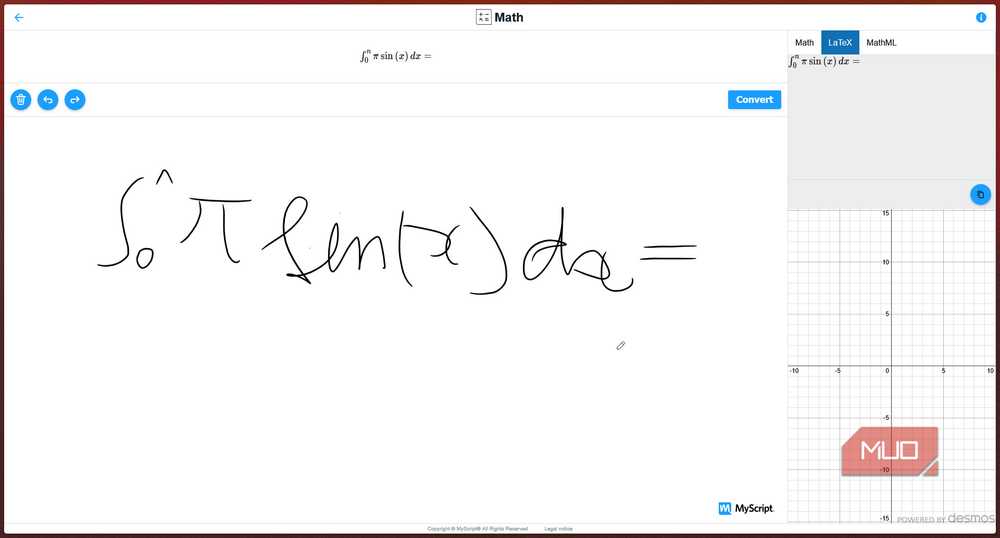
MyScript Calculator is the fastest option when typing an expression would take longer than writing it. Instead of tapping through a keypad, I draw the calculation directly on a phone or tablet, and the app recognizes the handwriting before solving the expression.
Editing works naturally, too. I can scratch out a number to delete it, overwrite an incorrect symbol, or extend an existing calculation with a new term. The app supports multiline expressions, calculation history, temporary memory, fractions, powers, roots, logarithms, trigonometric functions, and single-unknown equations with a question mark.
It cannot replace a spreadsheet, and that's not the goal either. MyScript Calculator works best as a digital scratch paper, particularly on a tablet with a stylus. It removes both the rigid keypad of a standard calculator and the unnecessary setup of Excel.
Excel still wins the spreadsheet job, just not every sum
Match the tool to the size of the question
None of these apps make Excel obsolete. Spreadsheets are still the right choice when you need structured data, shared tables, charts, sorting, filtering, or a model that spans dozens of related inputs. But using Excel for every quick calculation is like opening a database to write a shopping list.
Soulver is better for readable everyday math, Qalculate! handles serious offline calculations, Calcpad turns complex work into reusable documents, and MyScript Calculator makes tablet-based math feel immediate. Choosing the right tool saves time, reduces formula clutter, and makes it much easier to understand the calculation later.