


I've been through the cycle of using different AI for my projects, and switching them out has been difficult. It takes too much work for a simple change, but OpenRouter ended up being exactly what I wanted. It doesn't matter what you need it for or whether the AI you want is available; it is there, ready to change when you need it. If you've never tried it, you are missing out.
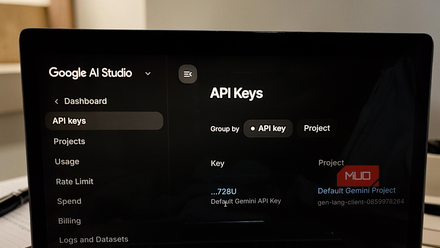
You can get a free Gemini API key right now with no billing required — here's what to do with it
I grabbed the free key out of curiosity and immediately had ideas.
A single API endpoint handles everything for you
Switching models is a one-word change in your code
Working with AI means dealing with a mess of different providers, each with its own way of doing things. Every company, such as OpenAI, Anthropic, and others, has its own API structure, authentication setup, and billing portal. If you want to make apps using their AI, you have to call on them in different ways, and it can get really annoying if you want to do things like video or otherwise. It generally means a lot of redundant work just to keep everything connected and running.
OpenRouter is great for being a single point of contact for all of it. Instead of managing a dozen integrations, you get a single endpoint that connects to over 400 models across more than 60 providers. Whatever model you need is all accessible from the same place, which is not normal at all.
The biggest benefit is that you're no longer stuck with whoever you started with. Normally, switching AI providers means going back into your codebase and rewiring things to match the new provider's format. I've switched from Gemini to plenty of others, and every time, it is incredibly annoying because of the different foundations. With OpenRouter, all of that is handled for you by a standardized interface that's compatible with OpenAI's SDK. Swapping models is literally just changing a string in your request.
The same code that calls GPT-4 can call Mistral or Claude without any other changes. That means you can test different models, compare outputs, and change direction without it becoming an engineering project every time. Billing gets a lot simpler, too, if you pay for AI. Normally, you'd be juggling separate accounts and spending commitments across multiple platforms. OpenRouter puts all that into a single prepaid credit balance. You load funds once, and costs get deducted per token as you make calls.
No matter which model you're hitting, you're fine. That means your team's budget can flow freely across whatever combination of models makes sense for a given project, without worrying about minimum spends or separate invoices everywhere. You also get centralized analytics, so you can actually see where your token budget is going across different projects and environments. This is a lot handier than something like Gemini, since Google keeps its billing in a different area than its AI Studio setup.
How to get OpenRouter to work
It's easier than it sounds

To get started with OpenRouter, you'll need to create an account on their website, add credit to your balance in the billing section, then head to the Keys tab to generate an API key. Give it a name, then copy the token right away because it won't show again.
This is not like other AI sites; you actually won't see this key again, so write it down somewhere.
From there, install the standard OpenAI library in your terminal with pip install OpenAI for Python or npm install openai for Node.js. The base URL needs to be changed to https://openrouter.ai, and the API key field should get your OpenRouter token instead.
There are also a couple of optional HTTP headers you can add that help identify your app in the OpenRouter dashboard, if you care about that. When you're ready to actually send something, you call the chat completion function, create the data for the model you want to use, and provide a message array.
Each item in that array needs a role (either system or user) and the actual text. To find the right model name, browse OpenRouter's model directory and grab the slug, which always looks something like anthropic/claude-3.5-sonnet or google/gemini-pro-1.5.
One cool feature is that if your chosen model is down or getting hammered by traffic, you can pass in a list of model slugs instead of just one, and OpenRouter will automatically move down the list until it finds one that works. This is my favorite part about it, and you should put at least three there. The response comes back in the same format as the OpenAI SDK, so you pull the text out of response.choices[0].message.content.
Every token you use gets calculated on the spot and pulled from your prepaid balance, and it all shows up in your dashboard, broken down by model, app name, and time.
On the privacy side, when you sign up and enter your payment info, OpenRouter itself doesn't store your card details. It will go through the payment processor. That said, your email, billing info, and account activity are still tied to your profile.
There are downsides to routing everything through one middleman
The convenience has a small downside

The single-account feature is really cool, but it sometimes causes noticeable latency. OpenRouter runs on edge infrastructure like Cloudflare Workers and uses caching to keep the extra delay small, but you can't route around physics. There will always be a baseline cost of roughly 20 to 40 milliseconds per request. For most projects, like a chatbot, a background summarization job, or a single-turn API call, you'll never notice it.
If you're building something like a voice assistant, a real-time streaming interface, or just something that takes a lot of tokens, it is noticeable. The gateway does have automatic fallback routing when models go down, which is great because it's better than the email you normally get. However, that only helps if the gateway itself is still running.
If OpenRouter has an outage, your entire AI portfolio goes down at once, no matter how many providers you're using.
OpenRouter is likely for you
OpenRouter is genuinely useful, but the outages can be a deal-breaker. I think it's okay since every AI has outages anyway, but that may not be worth it for you. Having a single account, a single billing dashboard, and the ability to swap models without rewriting anything is too good to pass up.

OpenRouter AI
OpenRouter AI is a API gateway that lets developers and users access hundreds of different LLMs from many providers.