


You can't scroll through a 3D printing subreddit or watch a maker YouTube video for more than a few minutes without someone showing off their immaculate Gridfinity setup. Rows of perfectly aligned bins, every tool in its place, and a workshop so organized it looks like a prop from a sci-fi film.
In a time where Claude can 3D print parts for you, following the Gridfinity system is easier than ever, even if you have no prior 3D design knowledge. So I dove headfirst, and while I get my workspace organized, I'm not sure if it was the best use for my filament.
The idea behind Gridfinity is clever
Why a modular organization system became a 3D-printing phenomenon


Gridfinity was created by Zack Freedman in 2022 and became an immediate hit with the maker community. The pitch is perfect: an open-source, modular, and infinitely expandable grid system built on a 42x42mm standard. There are thousands of community-designed bins available for free on sites like Printable, Thingiverse, and Maker World, and even web-based bin or baseplate generators that'll let you create your own Infinity system in no time.
Everything required for the system can be 3D printed, unless you want to use magnets to snap your bins into place or screws to hold down the baseplate. But with a few measurements and some tinkering in surprisingly easy-to-use web generators, Gridfinity is truly a system anyone can use to organize anything, and if implemented right, it can be the 3D printed system that makes your biggest housekeeping problem disappear.
The grid became the problem
How adding a base plate everywhere created more work than value


The system might appear cool in concept, and to be honest, it actually is. But what you might not immediately realize is that the baseplate is a print job in itself, and that's going to be a problem faster than you think.
There are a few things you need to keep in mind before you start printing baseplates for your Gridfinity project, starting with your print bed size. My Bambu Lab A1 mini, with its 180x180mm print bed, can print up to a 4x4 grid. The bigger your print bed, the larger a baseplate you can make. Depending on how big the area you want to organize is, this can be a bit of a challenge, especially for smaller printers, where you might have to print multiple grids and join them later.
Then there's the filament cost. The standard baseplate design from Zack Freedman himself is notoriously thick, complete with magnet holes, chunky edges, and enough material to make your spool weep. There are parametric models and generators like the Perplexing Labs Gridfinity Generator that let you print thinner plates, but you're still spending at least 20 to 25 grams of filament and roughly an hour in printing time, for a single 4x4 grid as measured on my printer.
3D printed desk organizers can save you money, but if you're burning through filament, you're just replacing one expense with another. You might find baseplate variants that take up less filament and hence print faster, but those can deviate from the standard measurements (especially in height) and can be tricky to print depending on the design.
This introduces another problem. Since the entire system is open-source, you'll find hundreds if not thousands of variations for everything from bins to baseplates. For a newcomer to 3D design, this can seem intimidating. All of these systems are compatible with each other, but if you hop between them, you will end up producing a system that functionally performs at par, but doesn't look the part, as there might be gaps between plates, blocks, or height differences.
Not every surface needs to be modular
Why desks, workbenches, and open spaces often work better without it

I understand that the baseplate keeps everything in place in situations like a drawer. It's an enclosed rectangle with fixed walls. The baseplate fills that rectangle, the bins lock in, and nothing slides around when you yank the drawer open. The geometry makes sense, and your filament and print time investment pays off. But that doesn't make Gridfinity the default recommendation for every organization scenario, especially open desks and shelves.
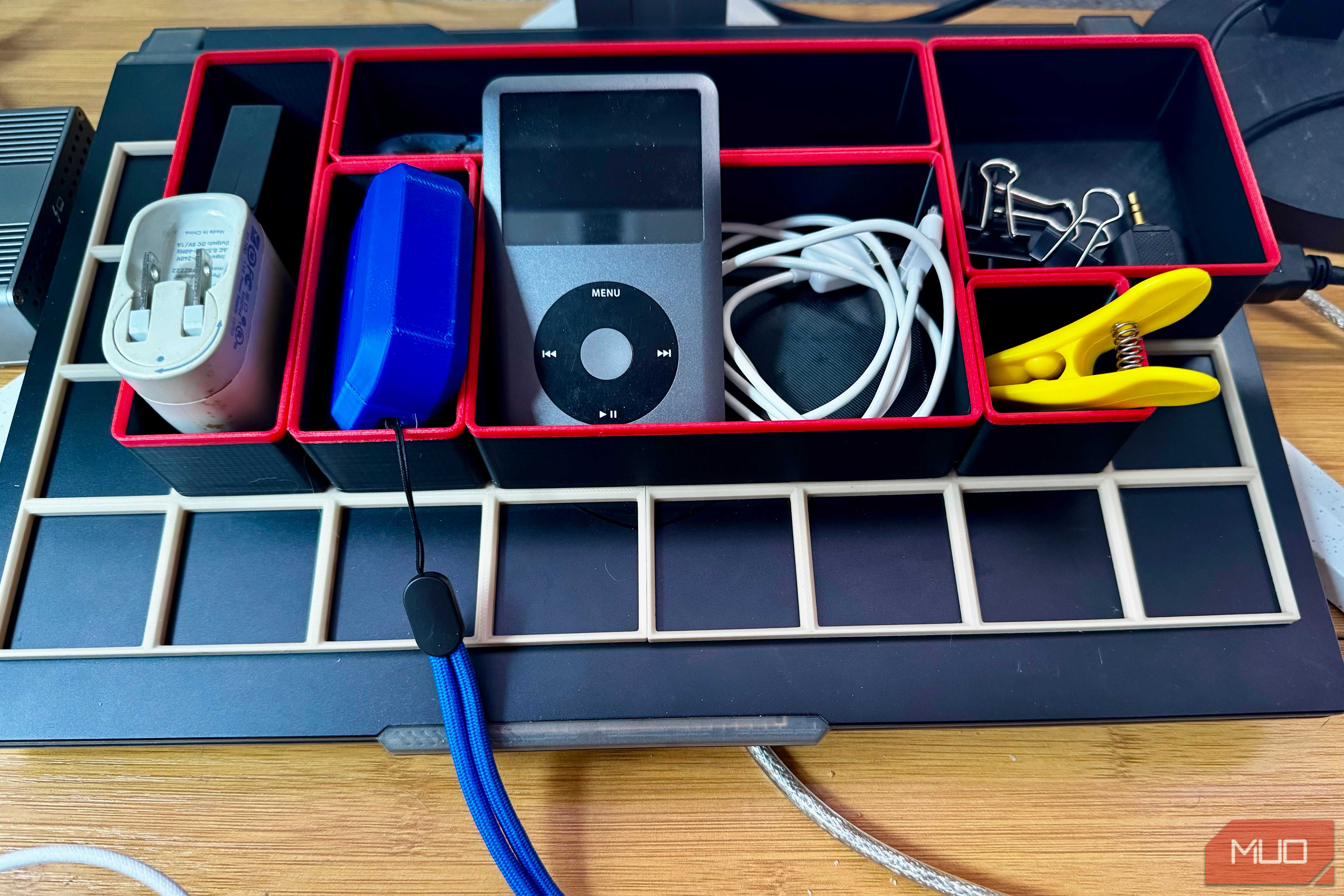
If you're putting bins on a flat, open desk or shelf, the baseplate isn't really doing anything for you that the bins themselves can't. I printed a handful of differently sized bins and placed them on my desk without the baseplate. They've sat in their place for weeks, holding all sorts of desk essentials and frequently used items, and have worked exactly as they would if they were locked into a grid.
The bins have flat bottoms. A desk or shelf is flat. The problem the baseplate solves in that context doesn't exist. You do miss out on that satisfying click you get when you drop a bin in its place, though. But on the bright side, you're saving tons of filament and printing time that can go towards much more useful bins.
I started organizing around the system
The moment I realized Gridfinity was dictating my workflow instead of helping it

The grid itself might seem liberating until it's not. Let's say you've got an item that's 46mm wide. This means you'll need two grid blocks, or 84mm of space to fit that item, and suddenly, a small holder has doubled its footprint. So while you might be able to find bins that fit just about anything, the system isn't really built for odd-sized items, which is a bummer considering most real-world objects are odd-sized. You're not designing for your stuff anymore, you're designing to fit into the grid.
The problem compounds on a desk or shelf. Every bin that had to size up to hit the nearest 42mm multiple carries empty space inside it. Print enough bins like this, and you'll end up losing meaningful space to a standard that exists for the sake of interoperability, something you only actually need when the bins are connected to a shared baseplate. On an open surface, each bin is independent anyway. The standard does nothing for you except constrain your choices.
Now there are half-sized bins and deviations in the standard that can help you accommodate different objects without wasting space. But this increases the complexity of your system, and now that a half-sized or odd-sized bin won't be as modular as the rest of your system.
There are places where it absolutely shines
Drawers, toolboxes, and storage spaces where the grid actually solves a problem


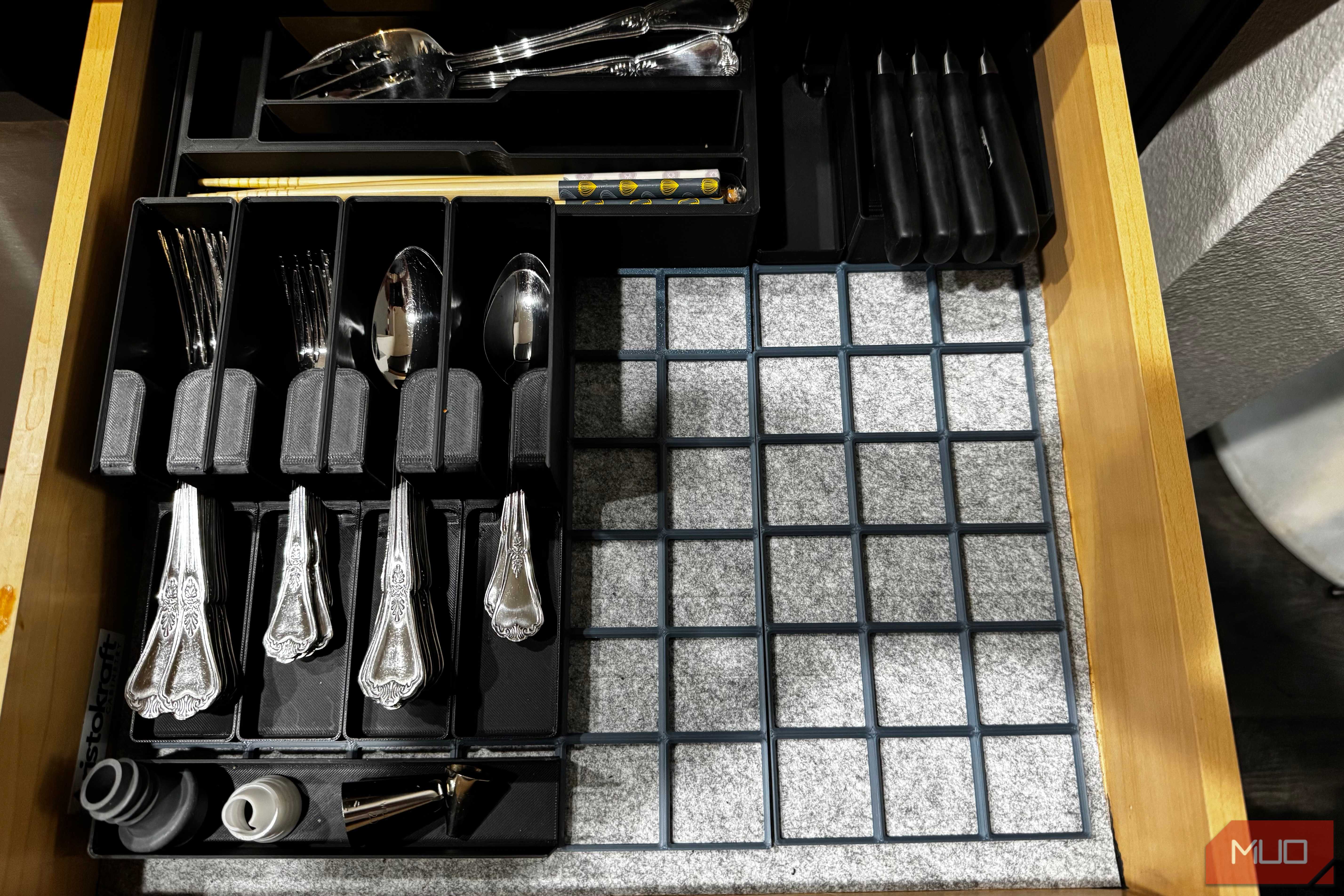
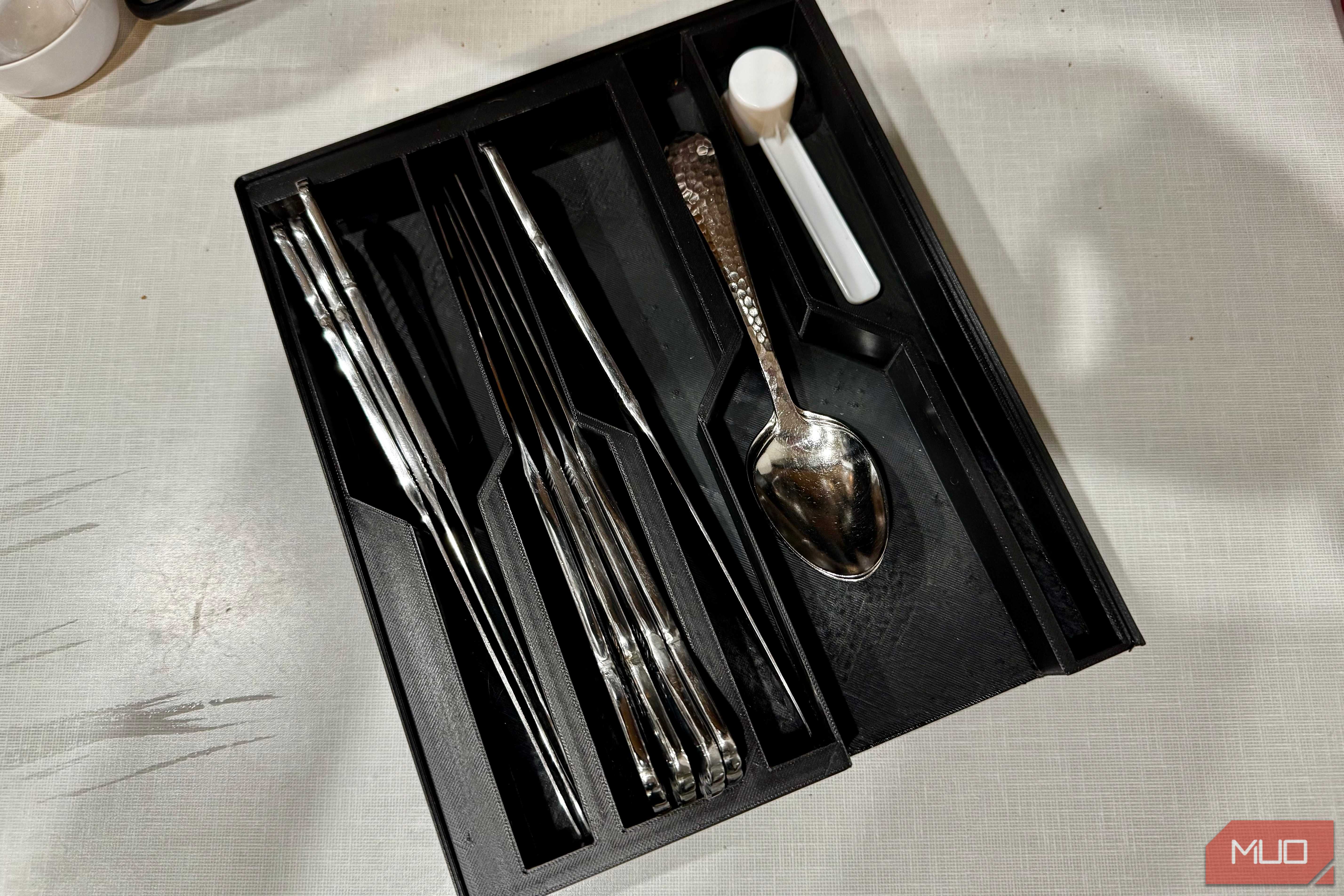
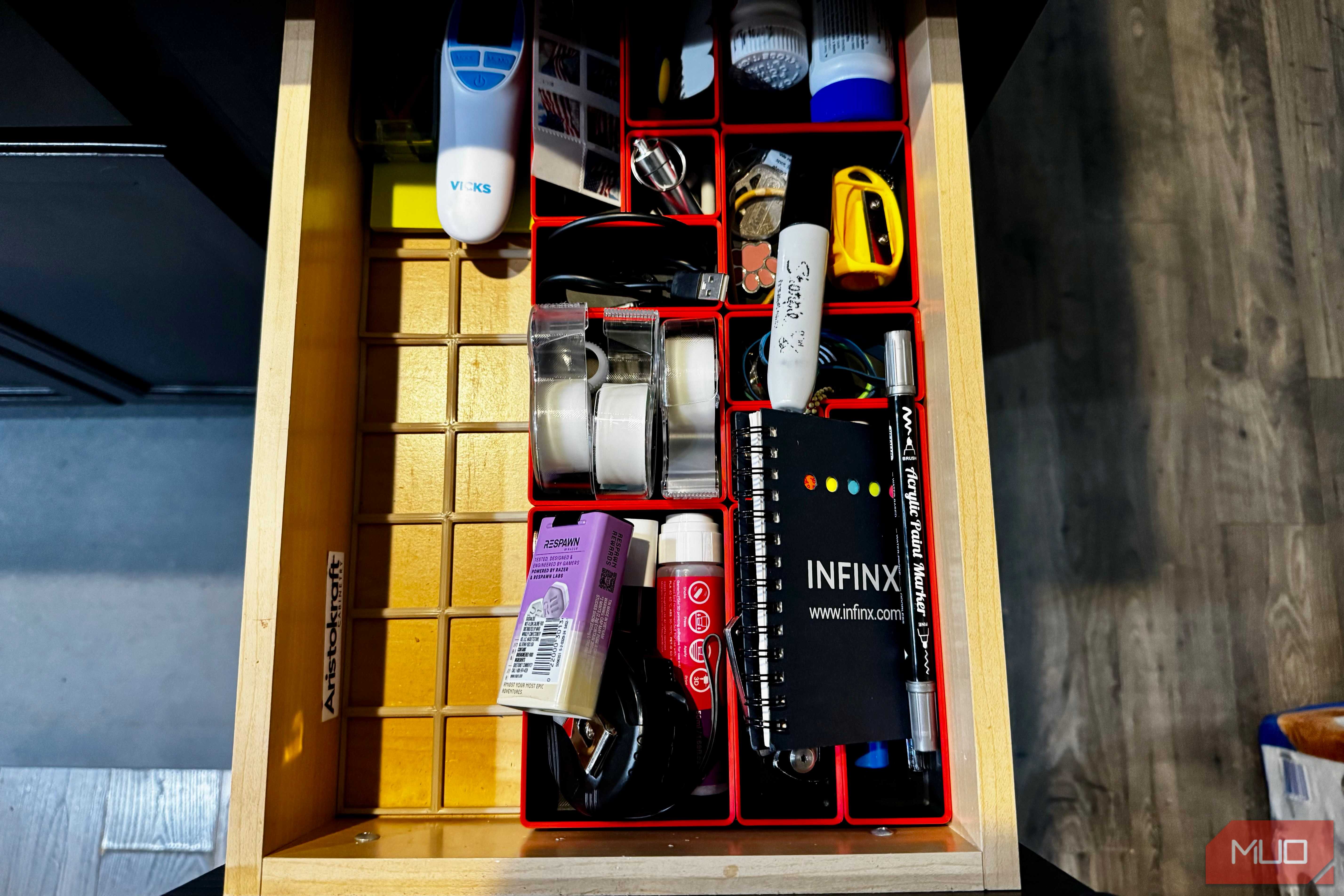
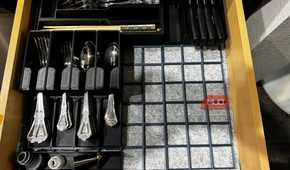

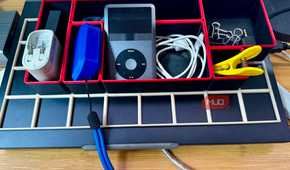
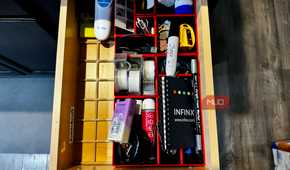
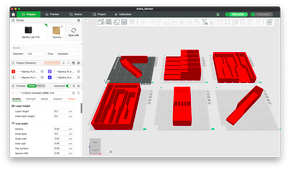
To be fair, I'm keeping my bins and baseplates (and likely printing a few more). For drawer organization, or anywhere where you've got an enclosed space that moves, Gridfinity is one of the best systems you can use. The interlocking geometry keeps everything from shuffling around, and the ability to pull one bin out and swap in another without disturbing the whole layout is genuinely useful. Deep tool drawers, hardware cabinets, the inside of a parts organizer, these are Gridfinity's natural habitat.
The bins are also rather well- designed, even as standalone containers. They're stackable, the label tab fits a 12mm label-maker tape by default, you can create lids for them, the interior is scooped to make picking small parts easier, and much more. The community, too, has extended this in impressive directions from single-use tool holders to entire workshop walls. The ecosystem is just as valuable as the system itself.
Great idea, questionable default
Gridfinity works best when used selectively rather than everywhere
The problem isn't Gridfinity. The problem is how the internet has started to present Gridfinity as a universal answer to all storage questions rather than a specialized tool for a specific scenario.
The baseplate is excellent inside enclosed spaces. On an open desk or shelf, printing one is an hour-long print job that produces an object solving a problem you don't have. Print the bins, skip the baseplate, and arrange them however you like. They'll stay put, you'll spend less time babysitting your printer, and your filament will go towards something more useful.

Bambu Lab P1S

- Brand
- Bambu Lab
- Build Volume
- 256 x 256 x 256mm
- Connectivity
- Wi-Fi (and Bluetooth for setup)
- Heated Build Plate
- Yes
A superb beginner-friendly enclosed printer with outstanding software for your smartphone or desktop. Combined with the AMS (Automatic Materials System), the P1S can produce stunning multicolor prints: up to four filaments can be stored in a single AMS, and up to 4 AMS units can be combined for 16 filament printing. However, you should be aware the multicolor prints produce a lot of waste, and to mitigate that, you'll need to print either in multiples or print additional "waste" objects to soak up the purged filament.