


USB-C is wonderful because the oval-shaped connector will slot into any compatible port. The flipside is that it's near impossible to tell what that cable will do at a glance, which is frustrating if you're trying to find a fast-charging cable when you're in a rush.
Well, guess what? There is a USB standard you haven't heard of that's rolling to more devices, and it's upsetting the USB apple-cart all over again: USB4 Version 2.0. It's made all the more confusing because USB4, and now USB4 Version 2.0, overlap with the Thunderbolt specification, with very similar specs and outputs that also use the same cables and connectors.
The good news is that despite all of this overlapping, there are some ways to spot USB4 Version 2.0, which might just make your life a little easier.

I stopped buying random USB-C cables after learning what three numbers actually mean
USB-C cables are notoriously hard to identify, but these three numbers will help you figure out what they can do.
USB4 on its own doesn't tell us much
Same problem as USB-C
It's always worth remembering that USB-C is just the connector. But within that connector can lie an enormous range of specs; data transfer speeds ranging from 480Mbps all the way to 120Gbps, DisplayPort, and everything else in between.
It gets more confusing when you consider USB naming schemes. USB nomenclature has always been a huge problem. It's how we ended up with USB 3.0, USB 3.2 Gen 2x2, and so on, and USB 3.0 and USB 3.1 technically don't exist.
It's not always that the USB Implementers Forum, the body that names USB standards, is just pulling names out of a hat. USB standards develop fast, and within a USB generation, there are always multiple versions.
But that's a key part of the problem with USB4 on its own. A USB4 cable can be labeled "USB4" and legally support anywhere from 20Gbps to 80Gbps, a fourfold gap in performance using the same branding.
In fairness to USB-IF, it has pushed speed-based logos for a while, such as "USB 40Gbps", "USB 80Gbps", and "240W", making it much easier to check. But this isn't universal or a required standard, plus there are plenty of cables predating the push and even more that just won't bother. If you're buying anything less than a well-known brand with clear speed markings on the packaging, you're essentially guessing.
What's the difference between USB4 and USB4 v2?
Faster is better
The big question I'm sure you're pondering is about the differences between USB4 and USB4 v2.
The newer standard brings some big changes to the USB table: it's twice as fast through the same connector, which is excellent, but also features a signaling change that makes the cable situation a little complicated — more on this in a moment.
Where USB4 topped out at around 40Gbps, USB4 v2 can deliver up to 80Gbps. With asymmetric Bandwidth Boost, this can push as high as 120Gbps in one direction. That's blazing fast and perfect for ultra-fast backups or 4K displays. It also matches the existing Thunderbolt 5 standard, but has a key advantage: USB4 v2 won't be licensed by Intel, and should reach more devices.
The Thunderbolt overlap explained
|
Thunderbolt 4 |
Thunderbolt 5 |
USB4 |
USB4 v2 |
|
|---|---|---|---|---|
|
Connector |
USB-C |
USB-C |
USB-C |
USB-C |
|
Max speed |
40Gbps |
80Gbps |
20–40Gbps |
Up to 80Gbps |
|
Bandwidth boost |
No |
120Gbps (one direction) |
No |
120Gbps (optional) |
|
Power delivery |
Up to 100W |
Up to 240W |
Up to 240W (optional) |
Up to 240W (optional) |
|
Max passive cable length |
2m |
~1m |
2m |
~0.5m at 80Gbps |
Now, as you'll note from the table above, USB4 v2 and Thunderbolt 5 are very similar, overlapping in most key areas. They still use the same connector, but the big difference is that the Thunderbolt standard mandates its features, whereas USB makes it optional.
For example, the Thunderbolt 5 standard mandates PCIe tunneling, 80Gbps speeds, and full 240W power delivery, but the USB4 v2 standard leaves those as optional. However, doesn't always work exactly like that, as some Thunderbolt cables are better than others.
But as said, Thunderbolt is limited to specific devices, whereas USB4 v2 will appear on more and more devices as its rollout continues.
Your existing cables won't keep up
In terms of specs and length

One of the biggest differences between USB4 and USB4 v2 comes down to its signal transmission. USB4 uses NRZ (Non-Return-to-Zero) signaling, which uses two voltage levels to transmit data.
USB4 v2 upgraded to PAM3 (Pulse Amplitude Modulation) uses three voltage levels to transmit data, which effectively gives it an extra data transmission lane to use for ultra-fast speeds.
That change is a big reason why your existing USB4 cables won't keep up with USB4 v2; they simply weren't designed to do so, and don't have the correct technology to make use of the standard.
There are some small quirks to this, though. For example, a high-quality USB4 cable may be able to pass 40Gbps and deliver 80Gbps, but only over very short runs — half a meter or less. And in reality, most just won't, especially if it's a passive cable. An active cable with a retimer chip has a much higher chance of hitting 80Gbps on USB4.
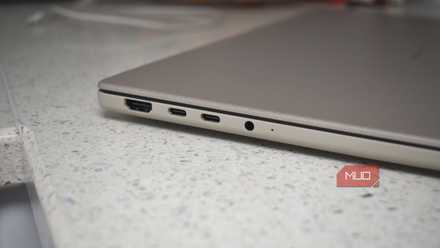
Your USB-C port might be running at USB 2.0 speeds — here's how to check
It's frustrating, but there are numerous ways to actually use a slower port once you know where it is.
So, what cable do you need to buy next?
It would be easy to say "buy the best cable you can" and call it a day. That's not bad advice, per se, but it could mean you spend more for tech you're not using and won't ever be able to use.
If you're already using a USB4 v2 device, you'll want a compatible cable; the Satechi USB4 v2 Pro is a great option.
If you're not using USB4 v2 and don't believe you'll be upgrading/using a compatible device soon, you can stick with pretty much any other cable compatible with your device requirements. Cables like Ugreen's 240W USB-C to USB-C are excellent all-rounders and will work with a huge range of devices (so long as you have an equivalent power brick).
The other consideration is that, in reality, most folks aren't at the point where 80Gbps matters to them today. USB4 v2 devices are still relatively new, and the peripherals that push the full bandwidth — 8K displays, next-gen external SSDs — are niche for now.
Then again, there is no problem with future proofing, so long as it's cost-effective!

Satechi USB4 V2 Pro Cable
- Brand
- Satechi
- Cable Type
- Works with Thunderbolt 4, Thunderbolt 3, USB4, USB 3.2/3.1/3.0/2.0
- Length
- 3.9 ft / 1.2m
- Data Transfer Rate
- 80Gbps bidirectional
- Charging Rate
- 240W
- USB Version
- USB4 Version 2.0