


When you face performance issues on your Windows PC, one of the first pieces of advice you're likely to hear is to look into startup apps. People who give that advice aren't absolutely wrong; I do give out the same advice myself.
After all, startup apps are known to use a decent chunk of PC resources, which can result in some performance issues. But looking beyond startup apps, there's a Windows search feature that could possibly consume more PC resources than any startup app. The Windows feature is Search Indexing.
Faster searches aren't free
Search indexing keeps a catalog of your files ready for instant results

When you open your Windows Task Manager right now, you would see the Search process using around 200MB to 500MB of RAM, and some percentage of your CPU and disk drive, depending on what you're doing. Nobody even uses Windows Search all the time, but trust me, the process is always consuming some sort of resource regardless of if you're using Search.
And why is that, you may ask? Well, it's Search Indexing. Simply put, Windows Search Indexing scans files, folders, and other content on your PC and creates an index of them. So, instead of searching through every file from scratch whenever you type something into Windows Search, the operating system can look through this index and return results much faster.
Windows keeps updating this index as files are created, modified, or moved around your PC. That's why Search can continue using CPU, memory, and disk resources even when you're not actively searching for anything.
Stopping search indexing freed up some resources
There's a temporary pause and a permanent one








If your system is beefed up with high-end specs, the resources Windows Search Indexing uses may be minuscule to you and not worth looking into. I totally get that. But if you're working with a low-end system, then every little resource you can save can go a long way and can be allocated to other processes that actually need it. Besides, I personally think Windows Search isn't really great at its job of actually providing good results. So, what's the point of allowing it to consume any resources at all?
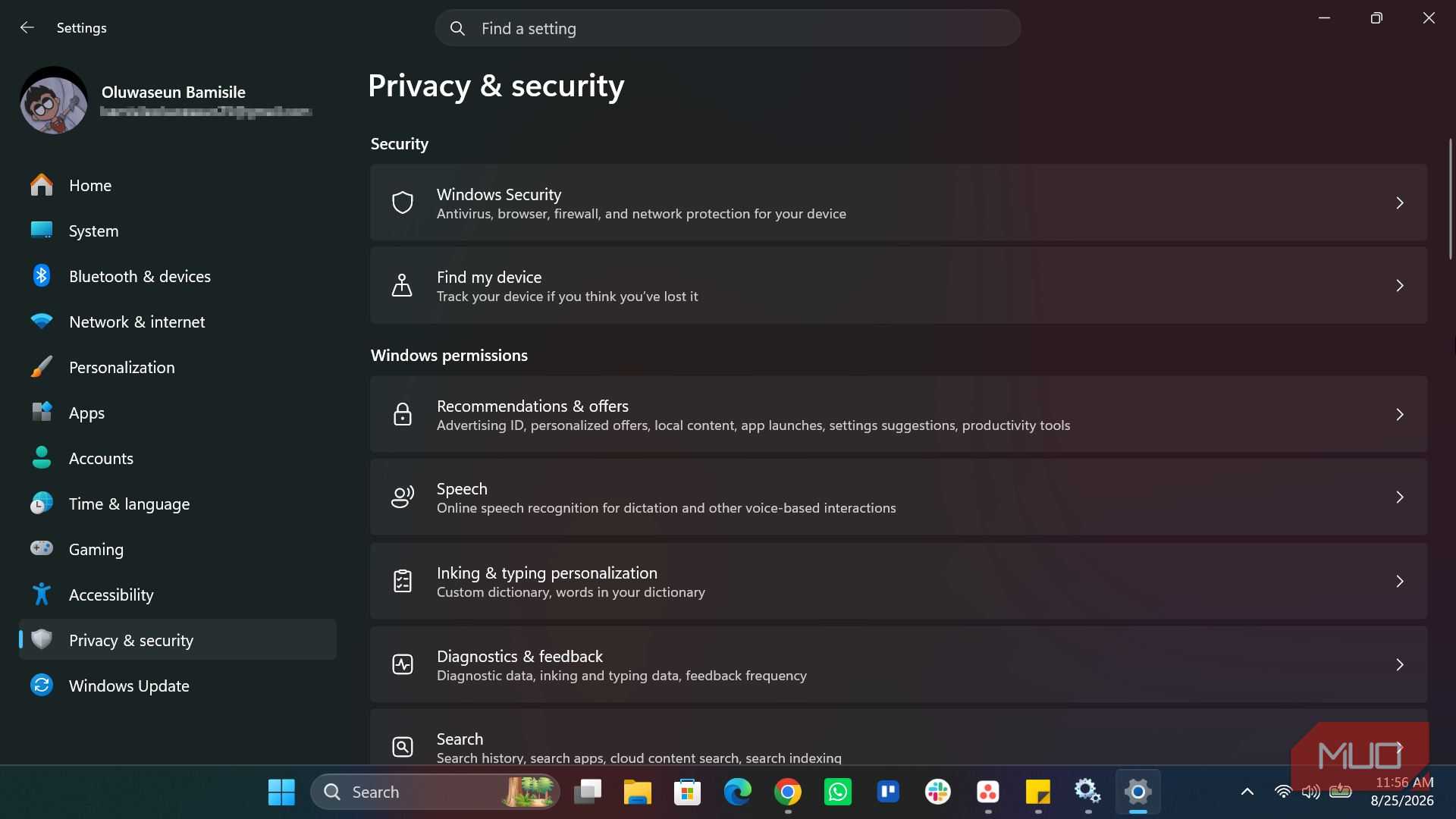
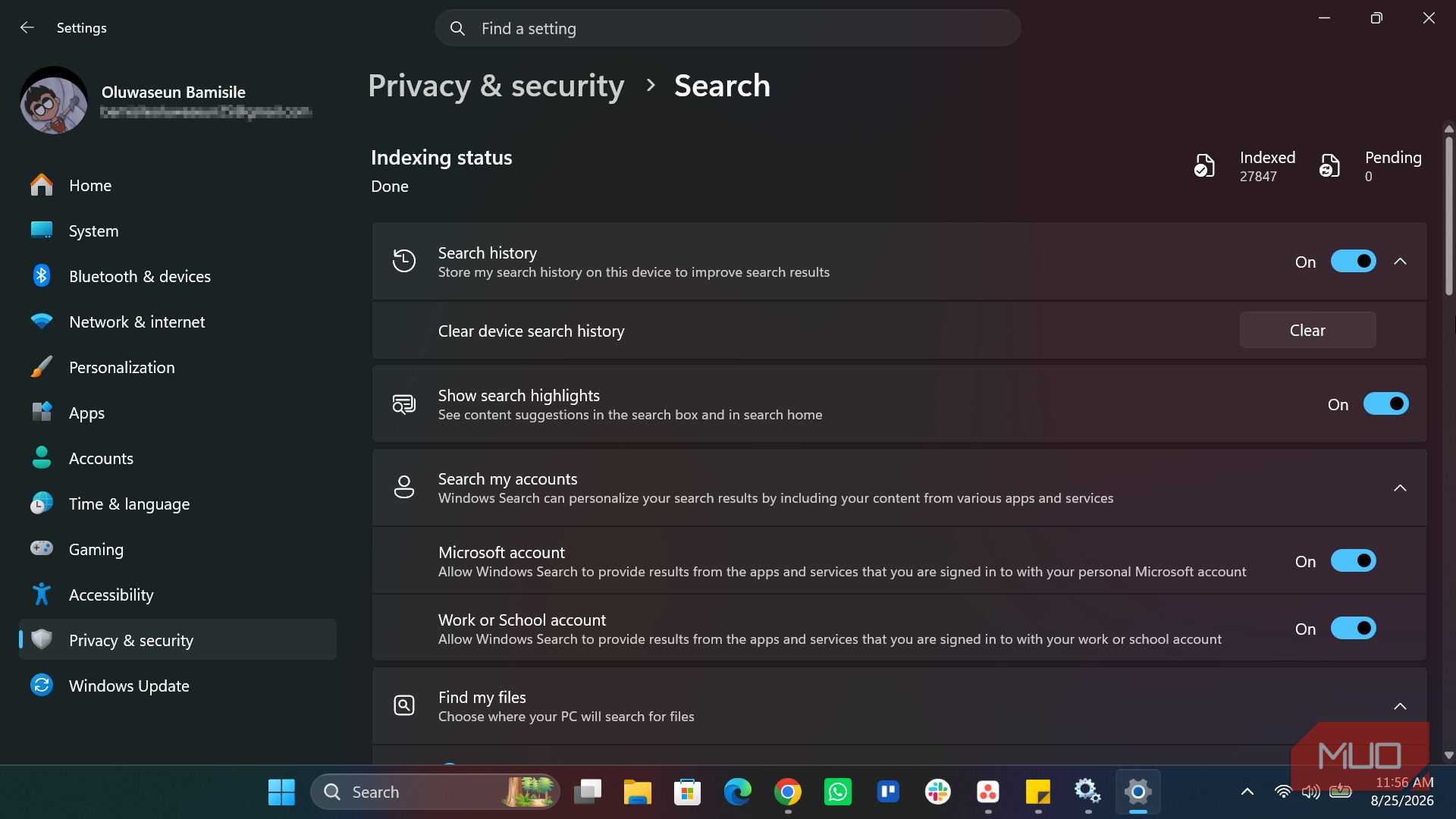
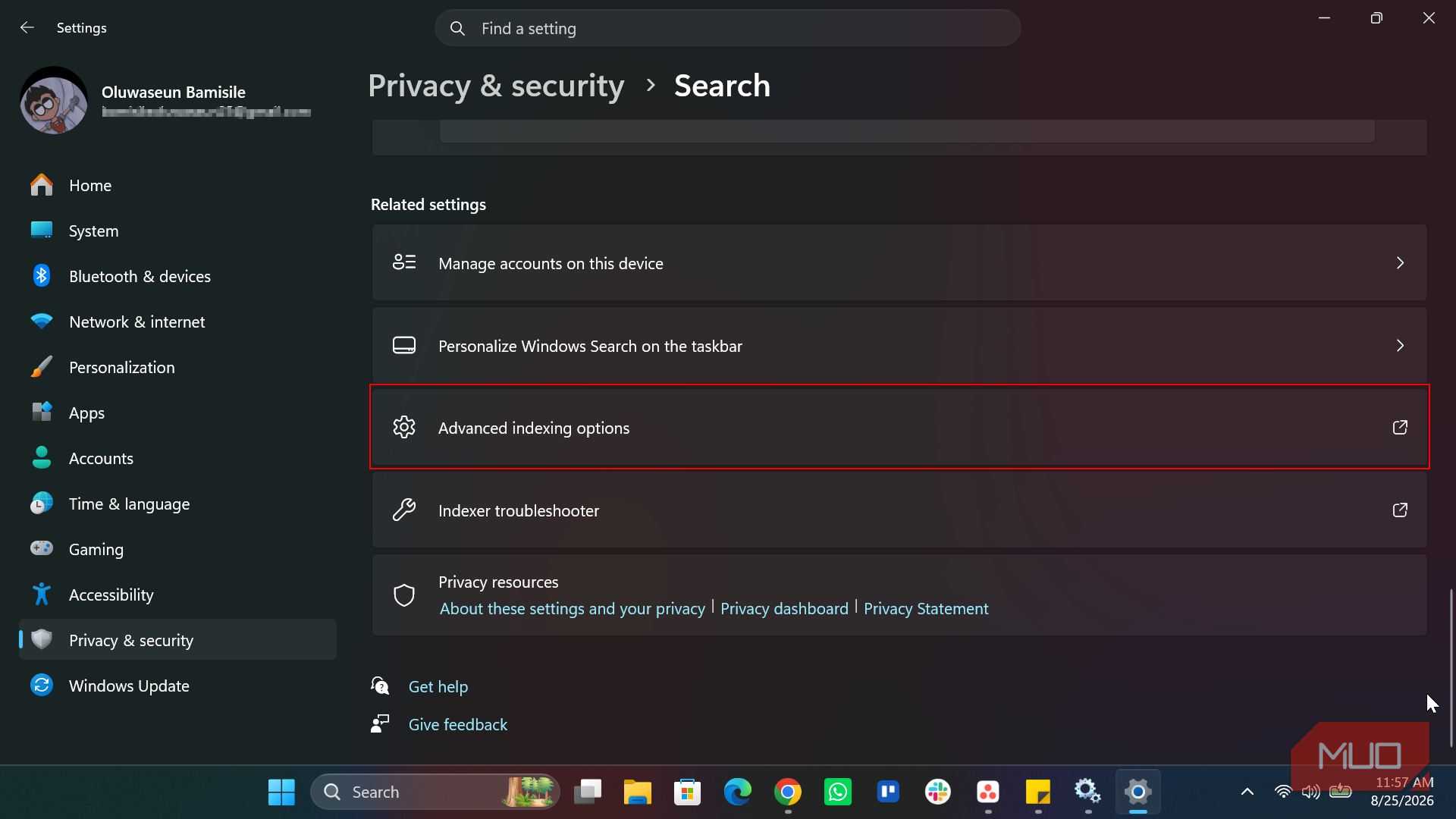
You can temporarily pause indexing, and to do that, right-click the Start button and open the Settings app. Then, go to Privacy & security -> Search -> Advanced indexing options. In the window that appears, click the Pause button to temporarily stop search indexing.
The Pause button may be greyed out if the indexing process is stuck or still in progress.
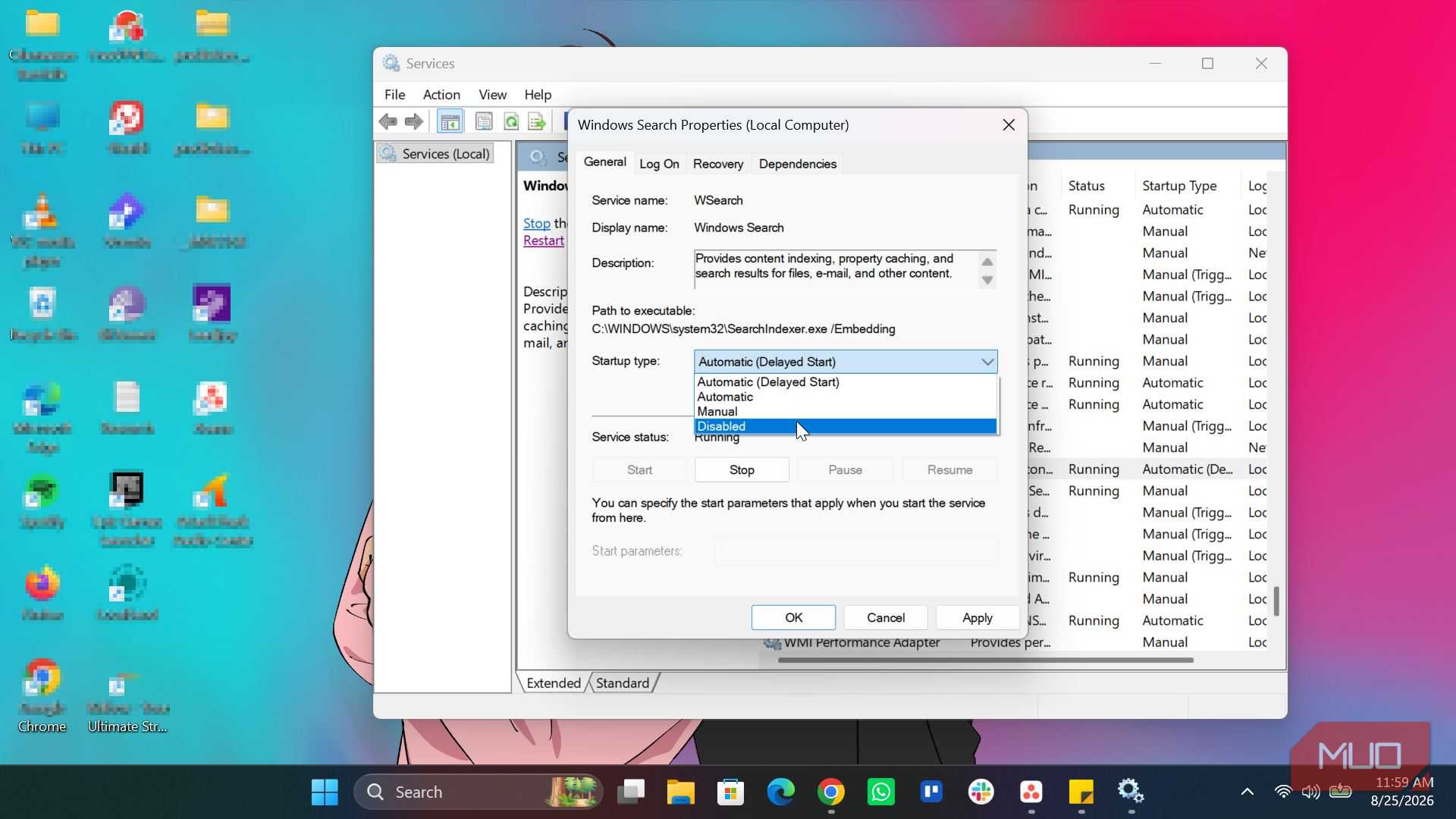
Meanwhile, to permanently stop search indexing, you have to disable the Windows Search service. Open Services, find Windows Search, right-click it, select Properties, and change the Startup type to Disabled. You can then stop the service if it's currently running.
I'd recommend pausing indexing first if you only need a temporary break from background activity. But if you rarely use Windows Search or use an alternative tool and would rather prioritize system resources, disabling the service may be worth considering.
Slower searches aren't the only trade-off
Outlook, OneDrive, and other apps lean on the same index

Without indexing, Windows has to do more work when you search for files because it doesn't have that constantly updated catalog to fall back on. Therefore, finding files in File Explorer or the Start menu can go from taking milliseconds to taking several seconds. The larger your drive and the more files you have, the more noticeable this delay can become.
The impact can extend beyond Windows itself. Built-in and third-party apps such as Outlook, OneDrive, and Visual Studio rely on the core Windows Search API to function smoothly. Turning off the service can therefore reduce their responsiveness and make their search features less reliable.
That's why I wouldn't recommend disabling it on every Windows PC. If you have a modern machine with plenty of RAM and a fast SSD, the resources Search uses may be a worthwhile trade for faster searches. For me, though, the calculation is different. I'm more interested in keeping unnecessary background activity to a minimum, especially when I'm not constantly searching through files.
This isn't a fix everyone needs
Windows Search Indexing is one of those background processes that's easy to overlook because you don't really see it working. You type something into Search, get your results, and move on. But behind the scenes, Windows is constantly maintaining the index that makes those results possible.
If you use Windows Search heavily, I'd leave indexing enabled because the convenience is probably worth the resources it consumes. But if you barely use it, and you're running a lower-end PC, pausing search indexing or disabling the Windows Search service could free up some resources for things you actually use.