

Mastering Excel to PDF: Ensuring Perfect Export Every Time
Mastering Excel to PDF: Ensuring Perfect Export Every.
Search
Results for "Mastering".
Mastering Excel to PDF: Ensuring Perfect Export Every.

Understanding furnace error codes is crucial for HVAC technicians and DIY enthusiasts alike. Learn how to read and interpret these codes to troubleshoot issues effectively and safely.

Fix your TCL Google TV stutter by enabling frame rate matching, a simple yet effective solution that eliminates the judder caused by mismatched frame rates, making your movie experience smoother and more enjoyable.

Excel's LAMBDA function is a powerful tool that can simplify your spreadsheet work without requiring advanced programming knowledge. Learn how to use it effectively with this step-by-step guide.

Discover the power of Microsoft Excel's PERCENTOF function for calculating percentages, eliminating the need for a total row and making your spreadsheets more readable and dynamic.

Discover how tagging can streamline your file management process, especially when dealing with a diverse array of files like images, videos, and documents. Learn why an open-source file manager is a game-changer for efficient file organization and retrieval.

Discover how to effectively manage background apps on your Android device with this comprehensive guide, ensuring optimal battery life and system performance.

Managing a diverse and extensive tool collection can be overwhelming, but with the right strategies, you can maintain an organized and efficient workspace.

fzf replaces the default Ctrl+R shortcut, saving you from typing long commands and making your shell history more useful.

Discover how Notion can revolutionize your research process, from organizing sources to enhancing collaboration. Learn practical tips and standout features to streamline your work.

Discover how to optimize your game performance by tweaking shader cache settings, a crucial yet often overlooked aspect of gaming. Learn to raise your shader cache limit to prevent stuttering and improve overall gameplay experience.
Excel has introduced several powerful functions, but pivot tables remain indispensable for complex data analysis. This guide will help you master pivot tables, including key features and practical tips.
Three functions transform Excel from a time-waster to a productivity tool, offering simplicity, flexibility, and powerful data analysis.

Building real apps with Docker taught me Docker's fundamentals and made it intuitive, unlike tutorials.

Five key GIMP tools transformed how I edit photos, making Photoshop unnecessary for routine tasks.
This guide shows how to leverage Excel's advanced Data Model feature to eliminate lookup formulas, making data analysis more efficient and accurate.

Three new Excel functions, REGEXTEST, REGEXEXTRACT, and REGEXREPLACE, streamline text cleaning tasks, replacing complex formulas used for years. These functions are available in Excel for Microsoft 365 and Excel for the web.

Discover the ease and challenges of 3D printing with the help of the Centauri Carbon 2, from setup to troubleshooting.

Discover how to use the SUMIFS function in Excel to perform complex conditional summing tasks efficiently, including handling multiple criteria and date ranges.

Excel’s Goal Seek tool is a powerful yet often underutilized feature for planning and analysis, especially when traditional formulas alone cannot provide answers to complex questions.

Gmail's threading feature, while seemingly helpful, can hide replies and split conversations, leading to missed updates and cluttered inboxes. Here's how to navigate its quirks for clearer communication.
Discover how Excel's GETPIVOTDATA function can automate your weekly report process, saving you time and effort by retrieving data from pivot tables without rebuilding them every week.
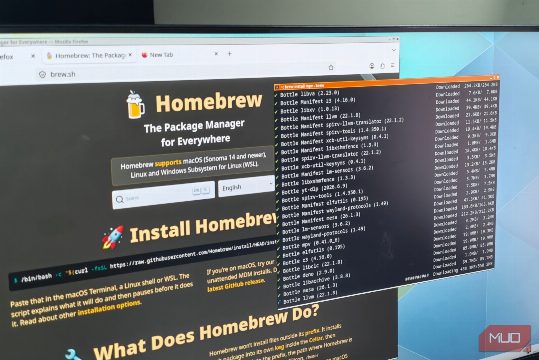
Homebrew is a powerful tool for installing applications on macOS, offering a CLI-based approach that is faster and more convenient than traditional methods.
Excel's FILTER function offers a more efficient and dynamic way to filter data compared to the Advanced Filter, updating automatically and simplifying the process with a single formula.

Tashreef, a seasoned tech writer, shares his Obsidian setup tips, including keyboard shortcuts and themes, to streamline note-taking and enhance productivity.
Two new Excel functions, GROUBBY and PIVOTBY, have revolutionized the way you handle data summaries, offering a seamless and dynamic approach to data manipulation without the need for pivot tables.

Smart plugs have the potential to transform your smart home, but their full potential is unlocked when you connect them to an ecosystem like Google Home, Amazon Alexa, or Apple HomeKit.

Master your home lab with Homarr, a powerful dashboard for managing your virtual machines and services. Learn how to set up and use Homarr to centralize your tools and stay organized.

Gregory Gibson, an IT specialist and technical writer, shares his insights on how to plan astrophotography shots effectively, emphasizing the importance of pre-planning and the tools available for achieving stunning night sky images.

PIVOTBY simplifies the process of creating summary tables in Excel, eliminating the need for pivot tables and refreshing. It's a powerful new function in Microsoft 365.