
Introduction to AI-Ready Laptops: A Comprehensive Guide
The rise of AI has transformed the tech landscape, and with it, the demand for laptops capable of handling complex AI tasks. The latest laptops from Microsoft, including the Surface Laptop Ultra, are designed to be more than just productivity machines; they're equipped to handle AI, gaming, and content creation. This guide will help you navigate the key features and standout recommendations to find the right laptop for your AI workflows.
--## Key Features to Look for in an AI-Ready Laptop
- Integrated or Discrete Graphics: For AI and gaming, having a dedicated graphics card is a must. The Nvidia RTX Spark N1X, featured in the Surface Laptop Ultra, is a standout choice. It offers superior performance for AI tasks, especially if you're working with complex models or large datasets.
- High-Performance CPUs: A powerful CPU is crucial for running AI workloads efficiently. Look for laptops with the latest Intel or AMD processors, such as the 12th Gen Intel Core or the latest AMD Ryzen processors. These processors are optimized for AI and can significantly speed up your workflow.
- Optimized Storage: For AI workflows, fast storage is essential. SSDs (Solid State Drives) offer faster read and write speeds compared to HDDs (Hard Disk Drives), which is critical for loading and processing large AI models and datasets. Consider laptops with NVMe SSDs for the best performance.
--## Standout Recommendations
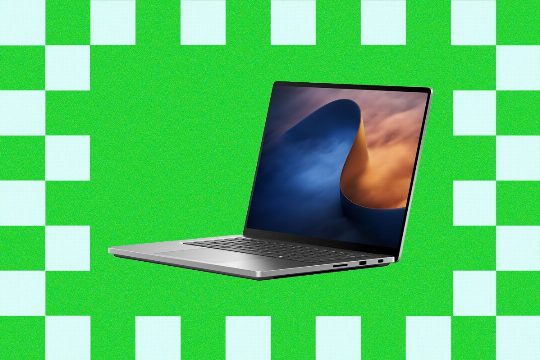
- Surface Laptop Ultra: The Surface Laptop Ultra is a standout choice for AI workflows. It features the Nvidia RTX Spark N1X, making it the best option for those who need a powerful laptop for AI, gaming, and content creation. It's lightweight and offers excellent battery life, making it a great choice for professionals who need to work on the go.
- HP OmniBook Ultra: The HP OmniBook Ultra is another excellent option for AI workflows. It's thinner and lighter than the Surface Laptop Ultra, with a more streamlined design. It also features the latest Intel or AMD processors and NVMe SSDs, ensuring fast performance and reliability.
--## Practical Tips for Choosing the Right Laptop
- Consider Your Workload: Determine what kind of AI work you'll be doing. If you're primarily working with smaller datasets and models, a mid-range laptop might suffice. For more demanding tasks, a high-end laptop with the latest hardware is necessary.
- Battery Life: If you're frequently on the go, battery life is a critical factor. Look for laptops with long-lasting batteries, especially if you need to work on the go without frequent charging.
- Portability: If you need a laptop that can be easily carried around, consider a thinner and lighter option. The HP OmniBook Ultra is a great choice for those who need a portable AI workstation.
- Display Quality: For tasks that require detailed visual inspection, such as image processing or video editing, a high-resolution display is essential. Look for laptops with a 4K or higher resolution display.
- Software Compatibility: Ensure that the software you use is compatible with your laptop's hardware. Some AI tools may not work well on older hardware, so it's important to check the system requirements before making a purchase.
--## Conclusion
Choosing the right laptop for AI workflows requires careful consideration of key features, workload demands, and personal preferences. By focusing on the right hardware, you can ensure that your laptop is optimized for the tasks you need to perform. Whether you're a content creator, a data scientist, or a researcher, this guide will help you find the perfect laptop to support your AI workflows.