
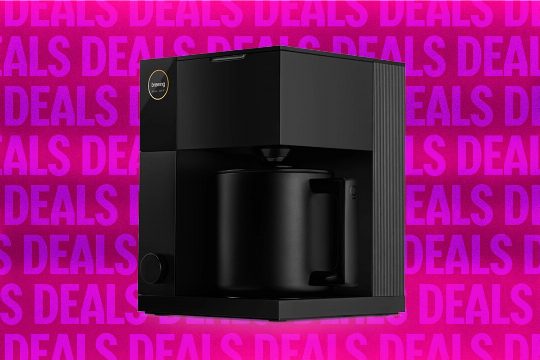
The Fellow Aiden Precision Coffee Maker is a standout product, beloved for its sleek design and ease of use. Here’s how to get the perfect cup of coffee with this machine, including customization options and tips for both automated and manual brewing settings. Whether you prefer a hot cup or a cold brew, the Aiden Precision Coffee Maker offers versatility and customization. Here are three standout recommendations and actionable tips for getting the most out of your Aiden Precision Coffee Maker.
Standout Recommendations
- Customize Your Brew: The Aiden Precision Coffee Maker allows for customization through various settings such as roast level, brewing temperature, and bloom duration. This flexibility is particularly useful for coffee aficionados who enjoy experimenting with different brewing methods.
- Use the Fellow App: For those who enjoy a more hands-off approach, the Fellow app offers a library of recipes and customization options. This app is a great way to save your favorite brew settings and recreate them easily.
Actionable Tips
- Choose the Right Brewing Setting: For a hot cup of coffee, select the Guided Brew setting, which automatically adjusts the brewing process based on your preferences. For a cold brew, use the hot-bloomed method to achieve a light-bodied, aromatic result.
- Experiment with Different Roasts: The Aiden Precision Coffee Maker supports various roast levels, allowing you to explore different flavors and profiles. Try different roasts to find your preferred taste.
- Take Advantage of the Fellow App: The Fellow app is a valuable tool for coffee enthusiasts. It lets you save and recall your favorite brew settings, making it easier to replicate your perfect cup of coffee.
With these recommendations and tips, you can fully utilize the Aiden Precision Coffee Maker and enjoy a wide range of coffee brewing methods. Whether you prefer a hot cup or a cold brew, the Aiden Precision Coffee Maker is a versatile and customizable solution for coffee lovers.