

Automating Your Home with NFC Tags
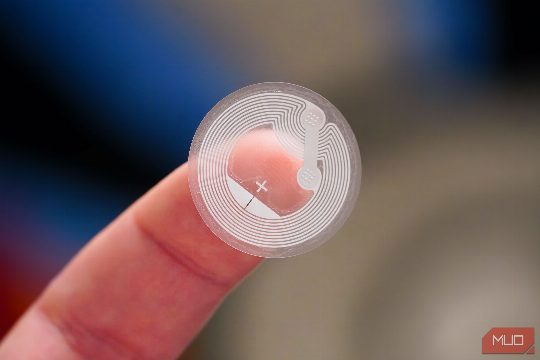
I was always fascinated by NFC tags, but never found a good use for them. They're cool tech, for sure, but do you really need a sticker to turn on your lights? Turns out, the answer is yes, and not just for lights. Once I started sticking these little chips around my apartment, I realized they solve a very specific problem: the mental load of remembering dumb little tasks. So I put NFC tags on a bunch of things, and now I never have to remember them again. The tag that arms itself so I don't have to walk out the door without arming my home automation system is a perfect example. I created a going-away automation for my smart home using Home Assistant that turns off all lights, air conditioners, and arms my Frigate cameras for face detection when I'm leaving the house. But I kept walking out the door without arming the automation, which meant everything it needed to do never happened. I stuck an NFC tag near the door handle. Now when I leave, I tap my phone against it on the way out, and it triggers the aforementioned automation automatically. When I come back, the same tag runs a different automation because Home Assistant can tell the difference based on whether the away boolean value I coded in is already true.
As someone who runs a homelab and is constantly tinkering with network settings, things inevitably break from time to time. Whether it's a VLAN issue or I need to remember which subnet my Raspberry Pi is sitting on, I would have to dig through my notes or password manager entries that I never really organized. Now there's a tag on my router that pulls up a private note with my network map, static IP assignments, and login reminders for my Docker containers. It's not glamorous, but when you're troubleshooting at 1 AM and your brain has checked out, having that information just makes life easier.
Keeping Track of Your Filament
I run two 3D printers and have a handful of filament spools lying around at any given point in time. Now, unless you've bought into the Bambu Lab ecosystem, there's no easy way to track your filament. I fixed this problem by making my own filament tracker with Claude Code, but I still needed to manually update values in it from time to time. One NFC tag on both my printers is now set to open up the tracking page on my phone, so I can update filament, check usage, the current print progress, spool weight, and how much filament it's going to consume without ever typing in a word in my phone's browser.
One of the most complex automations running in my Home Assistant setup is my nighttime automation that does three things: turns off all lights in my bedroom, arms my custom climate control unit, and switches the active room on said unit to the bedroom. However, this automation needs arming too, and going through a phone app to toggle a task isn't the kind of thing you want to do just before falling asleep. One NFC tag on my 3D-printed bedside phone dock fixes this problem entirely. Tapping this tag arms my self-made climate control unit and sets the active room to my bedroom. It also toggles all lights in the room off, including any new ones I add without any additional setup.
Conclusion
NFC tags are a versatile tool that can simplify your life in countless ways. From automating your home and office to managing your network and keeping track of your filament, they offer a solution to a variety of tasks. Give them a try and see how they can improve your daily routine.
Comments