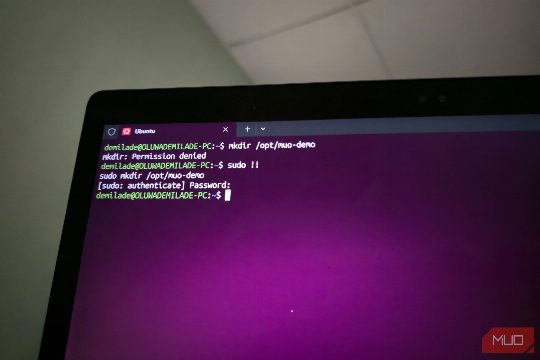
One of the most common mistakes in Linux terminal use is forgetting to prepend a command with sudo. This often happens just as you're about to hit Enter, leading to a permission error. The solution to this is a simple shortcut: 'sudo!!'. This seven-character sequence, including a space, replaces the need to recall the command, jump back to the beginning, and prepend sudo. This shortcut is a powerful tool, especially when combined with Bash's history expansion system. The '!!' command is a Bash event designator for the preceding command, and it happens before Bash breaks the resulting line into words and executes it. This shortcut is enabled by default in interactive Bash sessions, making it a handy tool for those who make this mistake often enough to justify the muscle memory. However, it's important to remember that 'sudo!!' is a shortcut, not a permission crowbar. Not every permission error requires sudo, and in some cases, it can be a bad reflex to reach for it. It's important to understand the underlying permissions and ownership issues and use sudo judiciously. For instance, if you need to write to a protected file, you can use the 'tee' command under sudo to handle the write operation. In summary, 'sudo!!' is a powerful and practical shortcut to save time in your Linux terminal work, but it's important to use it wisely and understand when sudo is truly necessary.