

Introduction
Installing a new hard drive into your Network Attached Storage (NAS) system is an exciting prospect, especially if you're setting up a brand-new NAS or upgrading an old one. However, it's crucial to ensure that the drive is in good condition before it's put to use. This article will guide you through the process of testing a new hard drive to ensure it's ready for your NAS.
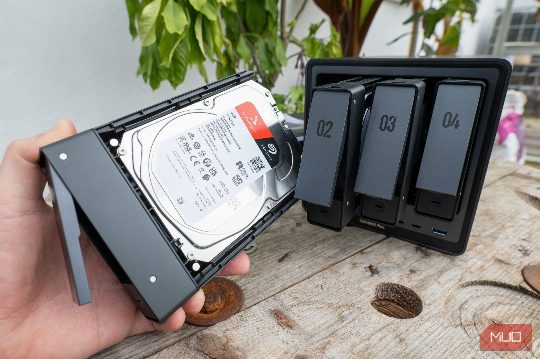
Why Testing is Essential
Many mechanical hard drives fail within a few hours of being plugged in, not 10 years down the line, as you might expect. This is why it's important to test the drive before it goes anywhere near your NAS. Testing can reveal any potential issues that could compromise your data.
Tools for Testing
There are several tools you can use to test a new hard drive. The most definitive test you can use is a destructive badblocks scan paired with a full S.M.A.R.T. (Self-Monitoring, Analysis and Reporting Technology) test. This two-stage process forces the drive to read and write across every last bit of space available to it in an attempt to reveal any physical defect that could later put your data at risk.
The Badblocks Test
The badblocks test is a destructive test that needs to be run in destructive write mode using the badblocks -wsv command. This mode writes four distinct bit patterns across the entire surface of the hard drive and then reads each pattern back to confirm its accuracy. On modern drives with multiple terabytes of capacity, this can take a considerable amount of time, so expect to wait days rather than hours. This long-running, high-workload test is designed to really put the drive through the wringer to identify any underlying physical hardware issues.
The S.M.A.R.T. Test
Once the badblocks test has completed, it's time to run an extended S.M.A.R.T. test using the smartctl -t long command. This test tells the drive's onboard firmware to scan its own platters and sensors. Any uncorrectable errors or sector shenanigans will be highlighted in the results. This test can reveal any mechanical flaws or weak sectors that could cause problems later on.
Conclusion
Testing a new hard drive before installing it in your NAS is a crucial step to ensure that it's ready for your data. By using the tools and tests mentioned above, you can identify any potential issues and avoid losing your data. Remember, the peace of mind you gain from testing your new hard drive is invaluable, and it's always better to be safe than sorry.
Comments