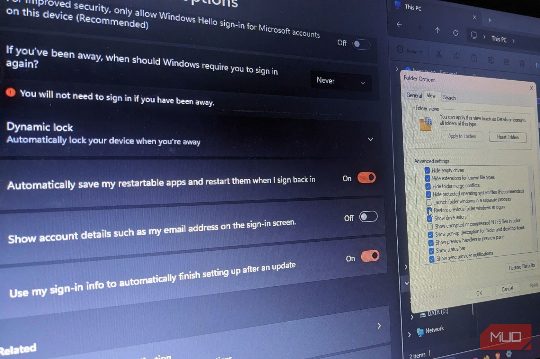
Windows has two settings that can bring your work back after a restart, and both are off by default. This article explains how to enable these settings to keep your workspace intact. First, you can enable the setting that automatically saves and restarts your restartable apps. This setting is found in Settings -> Accounts -> Sign-in options, under Additional settings. The second setting, Restore previous folder windows at logon, can be found in File Explorer. Both settings are separate and can be enabled independently. Together, they let Windows restore much of your interrupted workspace without making you open the same apps every time you start your PC.