
Introduction to Digital Car Keys
Using your phone as a car key has revolutionized the way you drive. This guide will walk you through the process of setting up and using digital car keys, including the benefits and potential drawbacks. With the latest technology, your phone can serve as a secure and convenient alternative to traditional car keys. Whether you're driving a BMW, Hyundai, or another modern vehicle, this guide will help you integrate your phone into your daily driving routine.
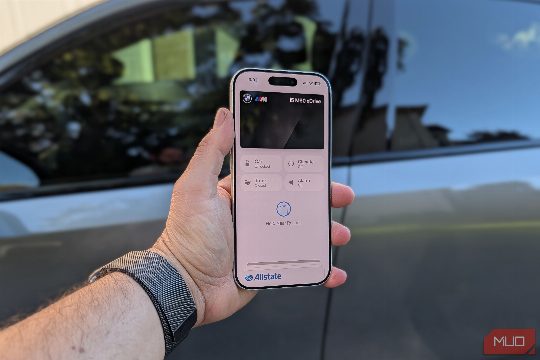
What is Digital Car Key Technology?
Digital car keys utilize advanced radio technologies such as Ultra-Wideband (UWB) and Near Field Communication (NFC) to unlock and start your vehicle. These technologies are similar to those used for mobile payments and allow for a seamless and secure experience. The UWB technology provides longer-range detection, enabling you to unlock your car without physically touching the door handle, while NFC technology is more commonly used for shorter-range interactions, such as tapping your phone to a designated spot in the car.
Which Cars Support Digital Car Keys?
Many modern vehicles, including the BMW i5, Hyundai Elantra, and Ford Mustang Mach-E, support digital car keys. The following list includes the most common cars in America that support digital car keys, either through UWB, NFC, or Bluetooth technology. It's important to check with your manufacturer or manufacturer website for specific details.
Setting Up Digital Car Keys
To set up digital car keys, you'll need to follow these steps:
- Download the Manufacturer's App: Most digital car key systems come with a dedicated app that you can download from the manufacturer's website or app store. This app will guide you through the setup process.
- Register Your Phone: Enter your vehicle's VIN (Vehicle Identification Number) and other necessary information in the app. This step is crucial for ensuring that your phone is correctly paired with your vehicle.
- Pair Your Phone: Once registered, your phone will be paired with your vehicle. This pairing process may involve a few steps, such as scanning a QR code or entering a code.
- Test Your Setup: After pairing, test your digital car keys by attempting to unlock and start your vehicle. This step is essential to ensure that everything is working correctly.
Benefits of Digital Car Keys
Using your phone as a car key offers several benefits, including:
- Convenience: You no longer need to carry a physical key, making your vehicle more accessible and convenient.
- Security: Digital car keys are encrypted and secure, reducing the risk of theft or loss.
- Accessibility: Digital car keys can be used by individuals who may not have access to traditional keys, such as those with disabilities or those who prefer not to carry physical keys.
Potential Drawbacks
While digital car keys offer numerous benefits, there are also some potential drawbacks to consider:
- Cost: Some digital car key systems may require additional hardware or software, which can add to the overall cost of your vehicle.
- Compatibility: Not all vehicles support digital car keys, and some may require specific software or hardware upgrades to be compatible.
- Battery Life: Depending on the technology used, your phone's battery life may be affected, especially if you frequently use digital car keys.
Conclusion
Using your phone as a car key is a convenient and secure alternative to traditional keys. With the right setup and technology, you can enjoy the benefits of digital car keys while minimizing potential drawbacks. Whether you're driving a BMW, Hyundai, or another modern vehicle, this guide will help you integrate your phone into your daily driving routine, making your commute more seamless and convenient.
Additional Resources
For more information on digital car keys and how to set them up, visit the manufacturer's website or app store. Additionally, check out reviews and user experiences to ensure compatibility and satisfaction with your digital car key system.