

Introduction
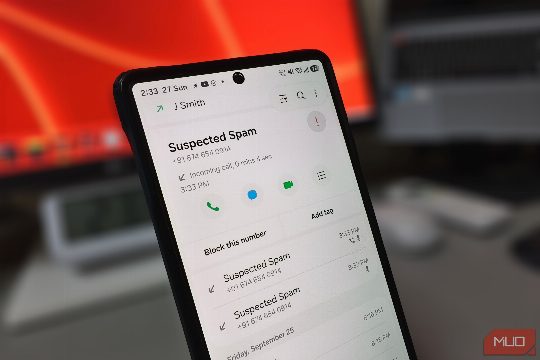
Samsung's Phone app can alert you to spam calls, but the warning alone isn't enough to stop them from reaching your screen. This article will guide you through enhancing your Samsung phone's settings to better manage spam and nuisance calls.
Caller ID and Spam Protection
The first setting you should look into is the Caller ID and spam protection feature. This feature is behind the warning that appears when a call is flagged as spam. By default, this feature is turned off, and the option to block spam and scam calls is also off. The feature tells the phone to reject any number it recognizes as spam, preventing the call from reaching your screen. By turning this feature on, you have two options: only block high-risk scam calls or block all spam and scam calls. The high-risk option allows more calls to go through while still stopping outright phone scams.
Blocking Unknown Calls
The spam filter has a blind spot because it can only judge a number it can actually see. Calls that show up as Private number or Restricted carry nothing to check, so they ring through like any other call. Samsung handles these with the Block calls from unknown numbers toggle. This setting is off by default, and it's important to understand that "unknown" on Android means calls that arrive with no caller ID, either because the caller chose to hide it or because the network couldn't pass it along. A number that shows up on screen, saved or not, still rings like before.
Advanced Call Screening
With both blocking settings on, spam from new numbers still gets through, because nobody has flagged them yet. They often show up with local area codes and look like normal calls, so the screen alone tells you very little. Samsung's AI assistant answers these calls, records them, and asks who is calling and why. If you want to know more, you can use Text call to type your own question, and the assistant will read it out loud. The assistant only asks questions and won't hang up on a sales pitch by itself, so ending those calls is still up to you.
Additional Features
Google's Scam Detection, once exclusive to Pixel phones, now reaches more Galaxy phones with One UI 9 and warns you mid-call if a conversation starts to sound like a scam. The update is already rolling out to the Galaxy S26 series, with other Galaxy phones to follow. This feature is a great addition to Samsung's spam-filtering capabilities.
Conclusion
By strengthening your Samsung phone's call settings, you can significantly reduce the number of spam and nuisance calls you receive. This will not only improve your phone experience but also ensure that you don't miss any legitimate calls. With the right settings, you can have a more productive and less interrupted phone experience.
Comments