

Introduction
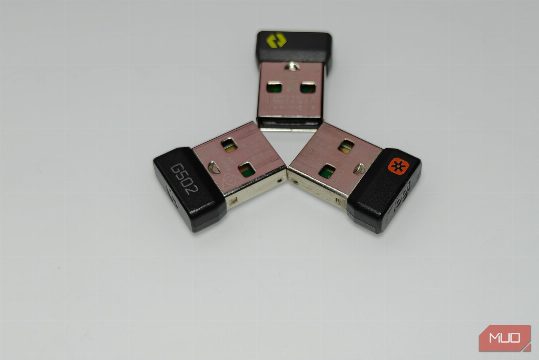
When it comes to connecting accessories to your laptop or PC, a wireless USB receiver is a must-have. It offers more stability compared to Bluetooth and behaves like a wired device, making it ideal for accessing the BIOS. However, keeping track of multiple dongles can be a hassle, especially for laptops with limited USB ports. This article explores the benefits and challenges of using a single wireless receiver for your keyboard and mouse.
The Benefits of a Single Wireless Receiver
Firstly, it reduces the number of USB-A dongles you need to carry, making your setup more compact. Secondly, it ensures consistent performance and reliability, as the receiver behaves like a wired device. Additionally, it simplifies the pairing process and can be used on multiple operating systems.
While a single wireless receiver can be a game-changer, it also comes with its own set of challenges. One of the primary issues is the need for specific software, such as Logitech’s G HUB, which may not be available on all operating systems. Another challenge is the proprietary nature of the connection methods used by different brands, which can limit compatibility and flexibility. Finally, the process of pairing multiple peripherals to a single receiver can be complex and time-consuming, especially for those not familiar with the setup.
There are several options available for single wireless receivers, including Logitech’s Lightspeed and Razer’s products. Logitech’s Lightspeed receivers are particularly popular due to their compatibility with multiple peripherals. However, it’s important to note that these receivers are proprietary and may not work with accessories from other brands.
Pairing Your Peripherals
To pair your keyboard and mouse to a single wireless receiver, you’ll need to use the appropriate software provided by the manufacturer. For Logitech’s Lightspeed receivers, you’ll need to use Logitech’s G HUB software. This software is available on macOS and Linux, but may not be available on all operating systems. Razer’s products, on the other hand, are available on Windows and macOS, and their software is compatible with multiple peripherals.
Conclusion
Using a single wireless receiver for your keyboard and mouse can significantly improve your laptop setup, providing more stability, convenience, and flexibility. While there are challenges to consider, the benefits of a streamlined and reliable setup often outweigh the drawbacks. By choosing the right wireless receiver and following the proper pairing procedures, you can enjoy a more seamless and efficient laptop experience.
Comments