
Understanding RAM Channels and Speeds
When building a PC, the number of RAM slots available on your motherboard can significantly impact performance. The common assumption is that filling every DIMM slot will yield maximum gains, but doing so strains the channels connecting memory to the CPU and reduces performance. For example, the Ryzen 9000 family processors see a 36% drop in clock speeds when all four DIMM slots are populated. This is due to the fact that consumer motherboards have only two channels connecting RAM to the CPU, regardless of the number of DIMM slots. This limitation is further exacerbated by the shared channel architecture, where two sticks per channel are required for peak performance. Newer processors like the Ryzen 9000 family see a significant drop in clock speeds when all slots are filled, highlighting the importance of strategic placement of RAM sticks.
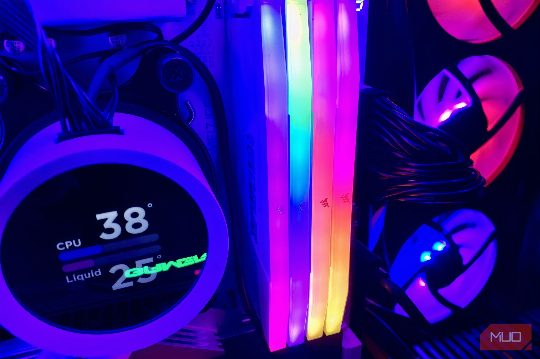
The Role of Shared Channels
Modern motherboards, regardless of the number of DIMM slots available, have only two channels connecting RAM to the CPU. For peak performance, dual-channel memory allows the CPU to access RAM through two separate 64-bit channels that combine into a 128-bit bus, moving more data at once. This architecture is further complicated by the fact that RAM sticks placed next to each other do not necessarily share the same channel. For example, in a four-DIMM configuration, the first two slots usually share the same channel, marked A1 and A2, while the next two are on the second channel, labeled B1 and B2. The standard practice for dual-channel operation is to split RAM sticks between channels, with sticks either in A1 and B1 or A2 and B2. However, the exact configuration may differ across boards, so it is crucial to check your motherboard manual for the specific details.
Balancing Capacity and Speed
While adding more RAM sticks can yield higher capacity, it can also lead to a significant speed penalty. For example, the Ryzen 9000 family processors see a 36% drop in clock speeds when all four DIMM slots are populated. In some scenarios, such as professional workloads like rendering, running VMs, or local LLMs, having more RAM sticks can still work in your favor, even with the speed hit. However, if you have single-rank RAM, which presents one set of chips to the memory controller, running four DIMM slots won't incur the same speed penalty as running them in dual-rank, and you'll lose slightly less performance.
Recommendations
In summary, when building a PC, it is crucial to understand the limitations imposed by the number of DIMM slots and the shared channel architecture. Filling all four slots is not always the best approach, as it can lead to a significant drop in clock speeds. Instead, it is recommended to buy fewer, larger sticks to maximize performance and avoid unnecessary speed penalties. By following these guidelines, you can build a PC with optimal RAM, ensuring maximum efficiency and performance.