
Understanding USB-C and USB4 Version 2.0
USB-C is a versatile connector that can support various data transfer speeds and protocols, including DisplayPort and USB4. However, the sheer range of specifications can be overwhelming. USB4 Version 2.0 introduces a new standard that is twice as fast as USB4, with up to 80Gbps and 120Gbps in one direction. The key difference is that USB4 v2 uses PAM3 (Pulse Amplitude Modulation) signaling, which allows for faster data transmission compared to NRZ (Non-Return-to-Zero) signaling used in USB4.
The USB Implementers Forum and Standardization
The USB Implementers Forum (USB-IF) has pushed for speed-based logos, such as 'USB 40Gbps' and 'USB 80Gbps', to help consumers identify cables. However, not all cables will have these markings, and some older cables may not support the new standards. It's important to look for well-known brands with clear speed markings on the packaging.
Differences Between USB4 and USB4 v2
USB4 v2 is the latest version of the USB4 standard, offering up to 80Gbps and 120Gbps in one direction, matching the existing Thunderbolt 5 standard. While both standards use the same connector, USB4 v2 is more flexible, as it allows for optional features like PCIe tunneling and 240W power delivery. In contrast, the Thunderbolt standard mandates these features.
Identifying USB4 v2 Cables
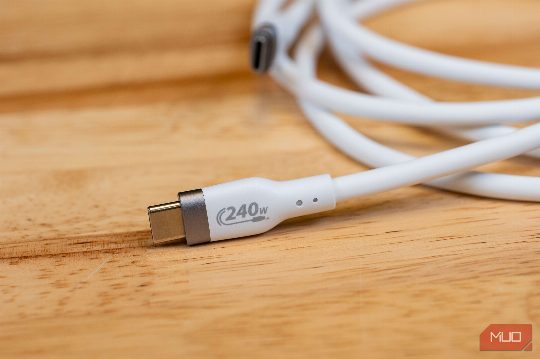
To spot USB4 v2 cables, look for the 'USB 80Gbps' logo, which is a clear indication of the higher data transfer speeds. Additionally, USB4 v2 cables will often have a USB4 v2 logo or a '240W' power delivery logo, depending on the cable's capabilities. It's important to note that not all USB4 cables will support the full 80Gbps speed, and some may only support up to 40Gbps.
Conclusion
As USB4 Version 2.0 rolls out, it's crucial to understand the differences between USB4 and USB4 v2 to make informed purchasing decisions. By looking for speed-based logos and understanding the signaling differences, you can ensure that your USB-C cables are compatible with the latest standards and offer the best performance.