

Introduction
When you move apartments, owning your own Wi-Fi router can be a game-changer. In this guide, we’ll explore the benefits of having your own router, including the ease of moving and the ability to optimize your network settings.
The ISP-Provided Router: A Brief Overview
Your internet service provider (ISP) often supplies a router for your home network. This router is either free or comes with a monthly rental fee. In some cases, such as with apartment complexes, the ISP may also provide a free router for every unit. However, owning your own Wi-Fi router offers significant advantages.
1. Flexibility and Convenience
When you own your Wi-Fi router, you can take it with you when you move. This means all your network settings, devices, and smart home gadgets will transfer seamlessly to your new apartment. You won’t need to spend hours reconfiguring your network or troubleshooting issues. Everything will work right away.
2. Customizable Settings
You have full control over your router’s settings. You can tweak Wi-Fi channels, DNS, and Quality of Service (QoS) settings to optimize your network performance. For example, you can use a Wi-Fi analyzer app to find the least congested channels and manually select the ones your router uses. This is crucial for apartment dwellers who often face channel congestion and interference.
3. Advanced Features
Owning your router also allows you to set up advanced features like Preferred Activities and guest networks. You can prioritize certain devices, such as video calls, and create a separate guest network for visitors. Additionally, you can leverage Nest Wi-Fi cloud services to further enhance your network performance.
1. Automatic Device Connection
When you move, your devices will automatically connect to your Wi-Fi network, regardless of the physical location of your router. This is possible because your devices look for a known Service Set Identifier (SSID), which is your network’s name. Devices with a familiar SSID and password combination will automatically connect to your Wi-Fi network.
2. Manual Router Configuration
If you can’t bring your old router with you can manually change your new router’s SSID and password to match the exact combination used by your old router. The process varies by router model, but generally involves finding your router’s IP address and accessing the admin page to change the SSID and password. By setting the SSID and password of your new router the same as your old one, your devices should automatically connect.
The Importance of Google's Reliable Mesh Wi-Fi System
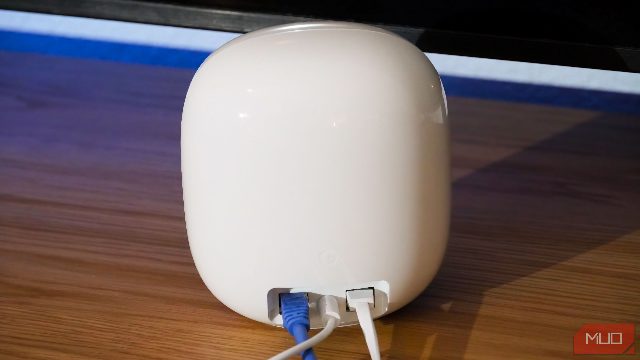
Google’s mesh Wi-Fi system, such as the Nest Wi-Fi Pro, provides reliable coverage throughout your home. The system uses Wi-Fi 6E for speeds up to 5. 4 Gbps and leverages the 6 GHz band to reduce interference, ensuring better performance.
Conclusion
Owning your own Wi-Fi router offers numerous benefits, including ease of moving, customizable settings, and advanced features. By taking advantage of these advantages, you can ensure a seamless and optimized home network experience, even when you move to a new apartment. Whether you use an ISP-supplied router or choose to own your own, this guide will help you make the most of your Wi-Fi setup.
Comments