

Drive in the Router Becomes Shared Storage for the Whole House
You might not have used that USB port at the back of your router, but it can be a valuable asset for your home network. By connecting a USB drive to the port, you can turn it into shared storage accessible by devices on your home network. This is particularly useful for scenarios where you need to share files across multiple computers or devices without the need for additional hardware.
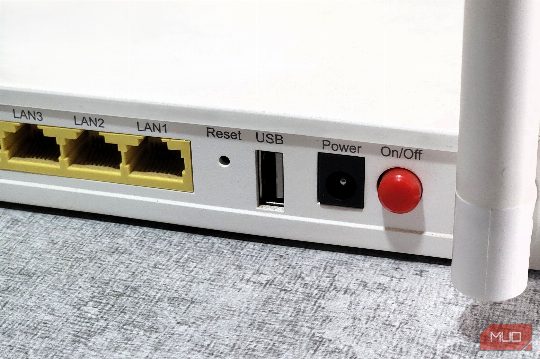
On compatible routers, simply plugging a USB drive into the port can make it accessible as network storage. On Windows and macOS, the drive can be exposed as network storage, while on iOS devices, you may need a file manager or an SMB client to access it. This feature doesn’t require a dedicated computer running 24/7, making it a convenient solution for file sharing.
An old USB printer can become a network printer by connecting its cable to the router's USB port. This allows the printer to be accessible to all devices connected to the network. However, it's important to check the compatibility list for your router model before attempting this, as not all printers are supported.
A Phone or USB Modem Can Keep the House Online
In situations where your internet connection drops, the router's USB port can serve as a cellular backup connection. Supported models like ASUS and TP-Link routers allow for USB tethering or modem tethering, providing a secondary WAN connection. This feature ensures that devices on your network continue to function even if the main internet connection is down.
The Specific Name for This Feature Depends on the Router Manufacturer
The specific name for this feature varies depending on the manufacturer. For example, ASUS routers have the feature under USB Application > Servers Center, while NETGEAR routers use the name ReadySHARE.
The Bottom Line: A Central Spot for File and Media Sharing
Once set up, the USB port on your router becomes a central location for file and media sharing across the house. This feature can be extended by enabling FTP access, which allows you to access the shared drive from outside your home. However, it's important to secure this feature by disabling anonymous access, using strong credentials, and ensuring encrypted access is supported.
Makes the USB Share Reachable from Outside Your Home
By enabling FTP access, you can make the USB share accessible from outside your home. This feature is usually protected by login-protected settings, which is a wise precaution given the sensitive nature of the data being shared.
Gere o JSON puro agora:
{
 "title": "The Hidden USB Port on Your Router: Solving Five Home-Network Headaches",
 "excerpt": "Discover how a forgotten USB port on your router can solve common home-network issues, from file sharing to printer sharing.
Comments